

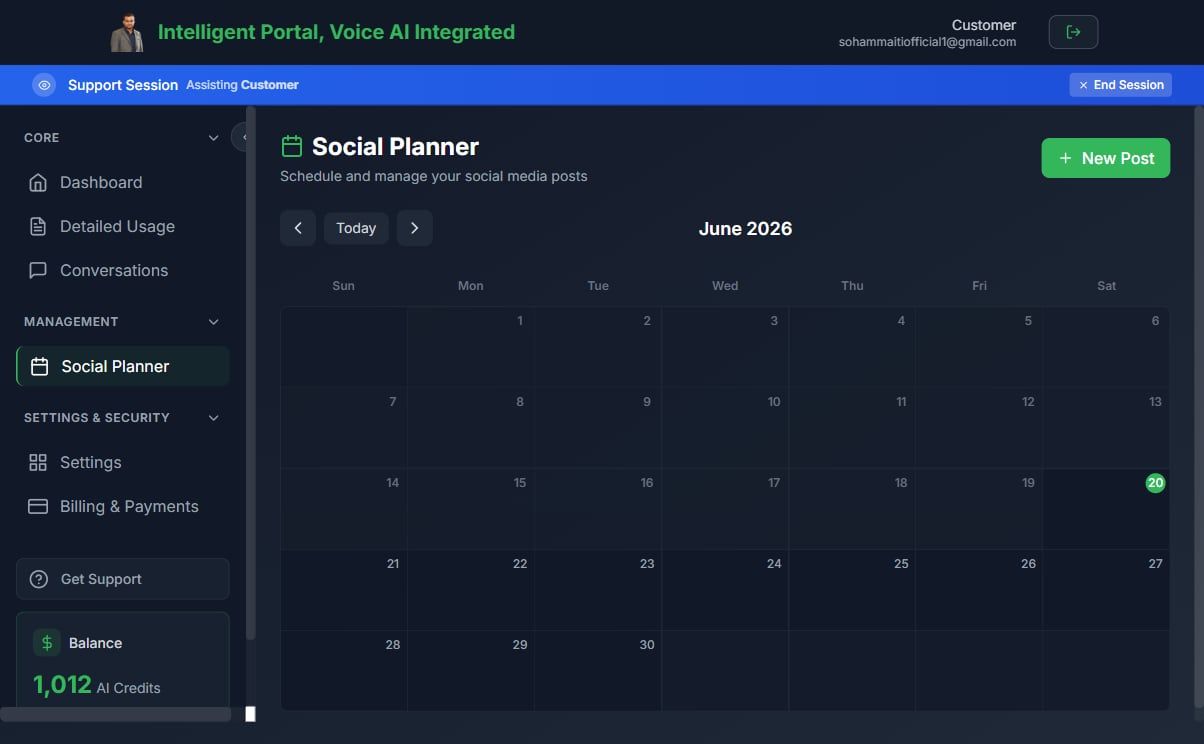
What the social posting calendar is for
The Social Posting section gives customers a calendar where they can write posts, pick platforms, attach media, and schedule or immediately publish across major social networks. Posts go out automatically at the scheduled time — no manual publishing required. Supported platforms:- X (Twitter)
- TikTok
Prerequisites
- The customer must have active portal access.
- The partner must have connected at least one social account via the Integrations settings.
- The customer’s Docs & Media feature should be enabled if they want to attach images from the media library.
Scheduling a post
- In the customer portal, navigate to Social Posting (or the calendar view in the marketing section).
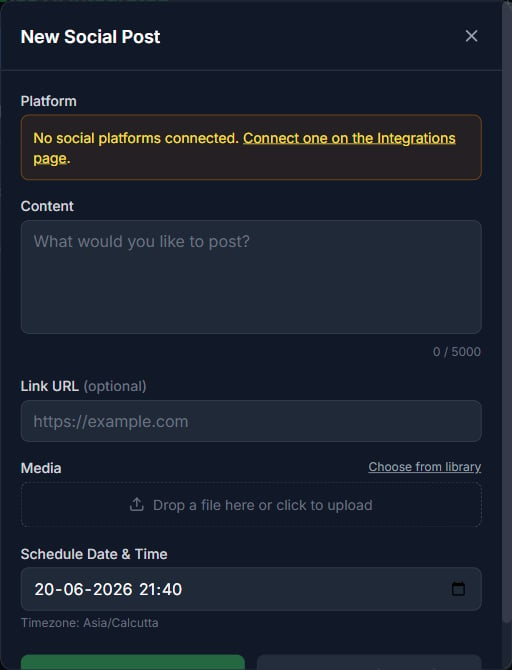
- Click New Post or click a day on the calendar.
- Write your post copy in the text editor.
- Select one or more platforms to publish to.
- Optionally attach an image from the Docs & Media library (for platforms that support it).
- Set a publish date and time.
- Click Schedule.
Immediate publishing
If you want to publish now rather than schedule, set the date/time to the current moment (or click Publish now if available). The platform checks for due posts every minute or two, so posts set within the next couple of minutes publish near-instantly.Editing and deleting scheduled posts
- Click a scheduled post on the calendar to edit its copy, platforms, or schedule time.
- To cancel a post before it publishes, open it and click Delete.
- Posts that have already been published cannot be recalled.
Platform-specific notes
Instagram requires an image or video — text-only posts are rejected by Instagram’s API. Attach a file from the media library before scheduling an Instagram post.
Publishing via agents (MCP)
AI agents that hold a customer-scoped MCP token can also create and schedule posts programmatically using the built-in tools:SOCIAL_POST_PUBLISH— publish immediately to specified platformsSOCIAL_POST_SCHEDULE— schedule a post for a future date/timeSOCIAL_POST_LIST— list upcoming scheduled posts
Related pages
- Docs & Media library — Upload images to attach to posts
- MCP tool modes — How agents access social posting tools
- Features, add-ons, and menu visibility — Enable social posting for a customer