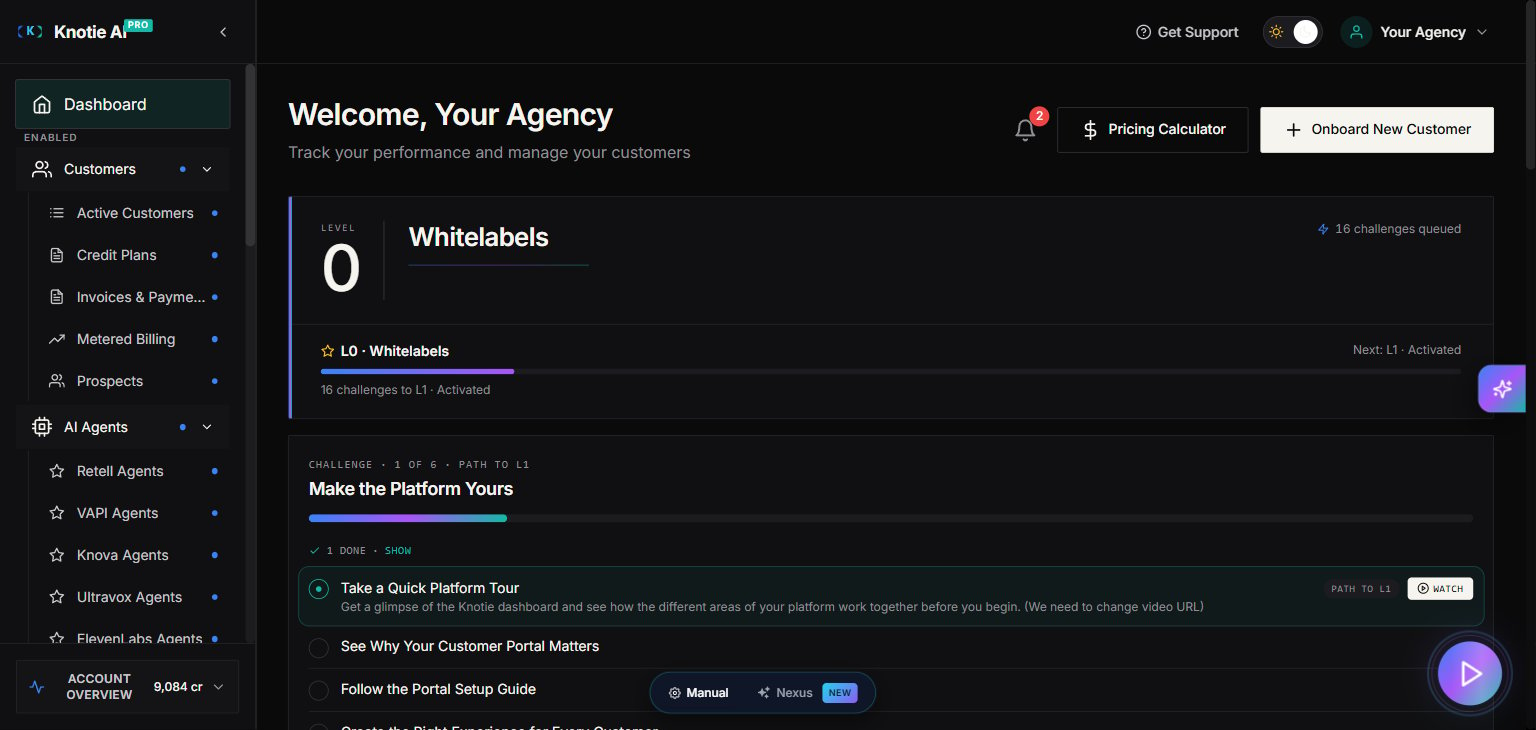
What the Partner Portal is
The Partner Portal is where you run Knotie AI Pro as an agency: onboard customers, connect AI agent providers, manage phone numbers, track usage, and handle billing. If you’re new, your goal is simple:- Get your own account set up.
- Onboard your first customer.
- Connect an agent provider (Retell, VAPI, Ultravox, ElevenLabs, GHL, Knova, or N8N).
- Assign a phone number and test calls.
- Track usage and keep credits topped up.
Sidebar reference
The sidebar is divided into labelled sections. Items with a Premium Feature badge require a paid plan upgrade. Items with a chevron expand to reveal sub-items. Items shown as buttons open a panel or modal rather than navigating to a new page.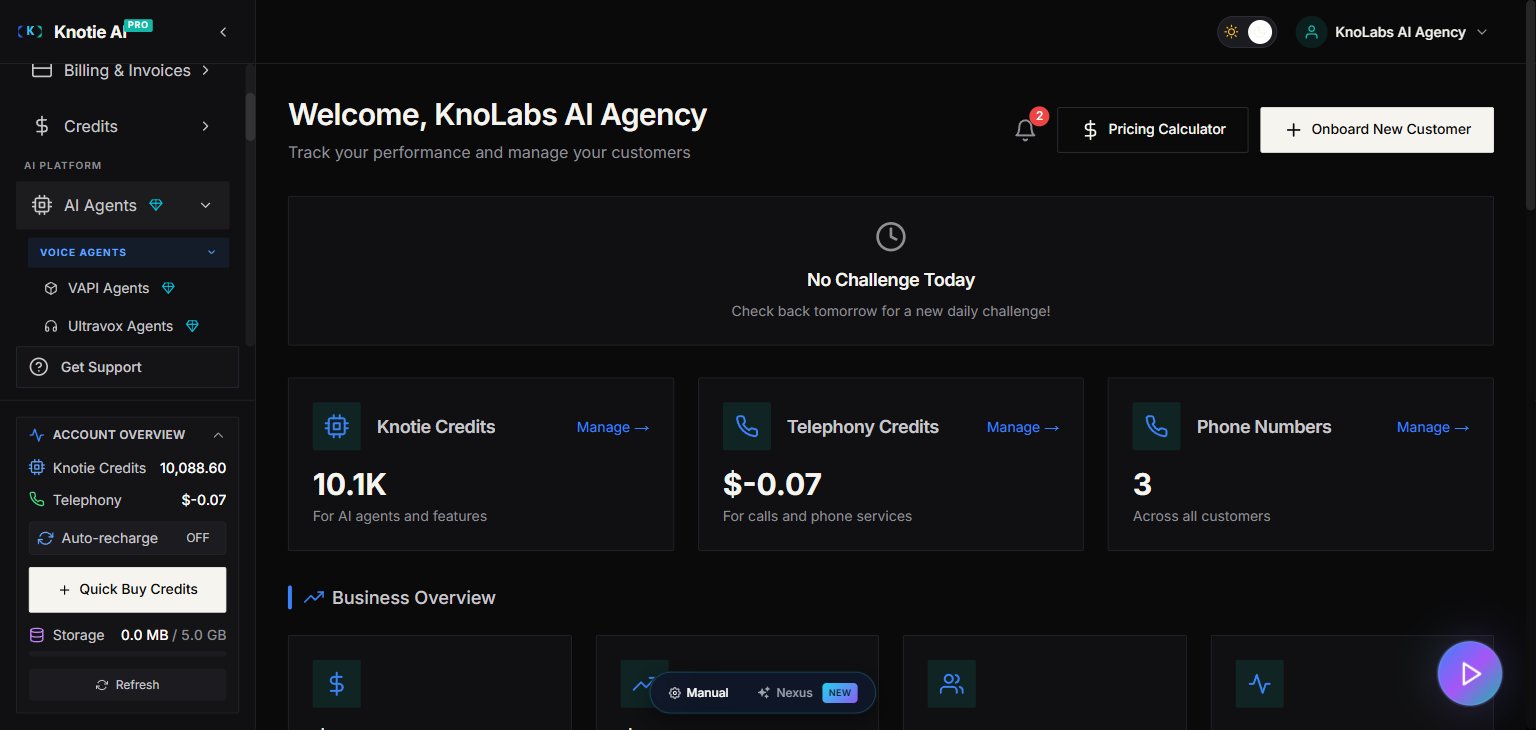
What each sidebar section is for
Dashboard
The top-level Dashboard gives you a live overview of your agency: customer counts, MRR, credit balances, call analytics, and quick actions. See Dashboard for details.CUSTOMERS
- Customers — Manage active customers, create accounts, and control portal access. Expands to:
- Active Customers — Your full customer list.
- Prospects (Enterprise) — Pipeline of leads you’re onboarding.
- Billing & Invoices — Stripe invoicing and metered billing. Expands to:
- Invoices & Payments — View and send invoices.
- Metered Billing — Configure usage-based billing plans.
- Credits — Top up and monitor your two credit balances. Expands to:
- AI Credits — Credits consumed by AI agents per call minute.
- Telephony Credits — Credits consumed by inbound/outbound call minutes and phone number rentals.
AI PLATFORM
- AI Agents (button, Premium Feature) — Opens the AI agent management panel, organised into four sub-groups:
- Voice Agents — VAPI (Premium Feature), Ultravox (Premium Feature), Retell, ElevenLabs (Premium Feature), GHL (Premium Feature), Knova (NEW)
- Chat Agents — Retell Chat, N8N Chat Agents (Premium Feature)
- Automation & Tokens — N8N Automation (Premium Feature), N8N Tokens (Premium Feature)
- Tools — Agent Migration (Premium Feature)
- Phone Numbers — Import and manage phone numbers. Expands to:
- All Numbers — Every number in your account.
- Number Pool — Shared pools for automatic number assignment.
- AI Gateway (NEW) — OpenAI-compatible API keys. Create partner-owned keys, manage model access, budgets, and customer self-service keys.
- MCP Tokens (NEW) — Manage Model Context Protocol tokens for advanced AI gateway integrations. Lives at top-level (not nested under AI Agents → Automation & Tokens).
- Agent Analytics (Premium Feature) — Call counts, duration, and cost breakdown per agent.
INFRASTRUCTURE
- VPS Servers — Provision and manage virtual private servers for customers. Expands to:
- My VPS Instances — All provisioned servers.
- VPS Settings — Default provisioning config, customer margin, plan visibility, and App Packages for one-click reinstalls.
GROW
- One-Click Experiences — Launch prebuilt growth-focused workflows.
- Marketing (Premium Feature) — Marketing assets and resources.
MARKETPLACE
- App Marketplace (NEW) — Browse, install, and manage third-party solutions for your customers. Tabs: Browse / Watchlist / My Solutions / Customer Interest.
- Developer Console ↗ (NEW) — Publish your own solutions to the marketplace. Opens at
/developerin a new tab.
ACCOUNT
- Team Management (Premium Feature, requires Manage Team permission) — Invite teammates, manage roles, and stay within your plan’s team limit.
- Settings (requires Manage Settings permission) — Profile, Partner API Keys, Email Domain Management, Plans & Billing, White-Label Portal. See Settings overview for the redesigned Section Navigation Rail.
Pricing Calculator
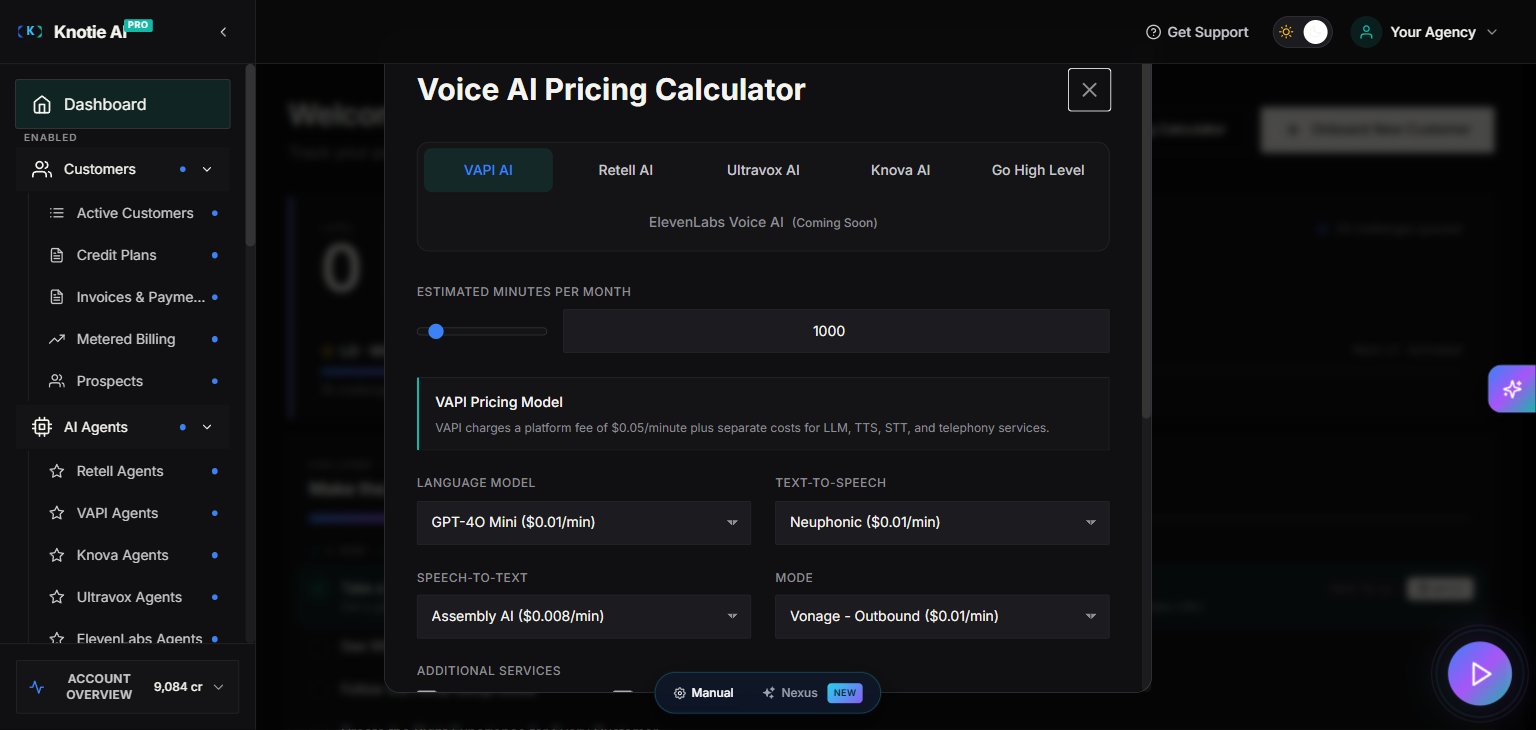
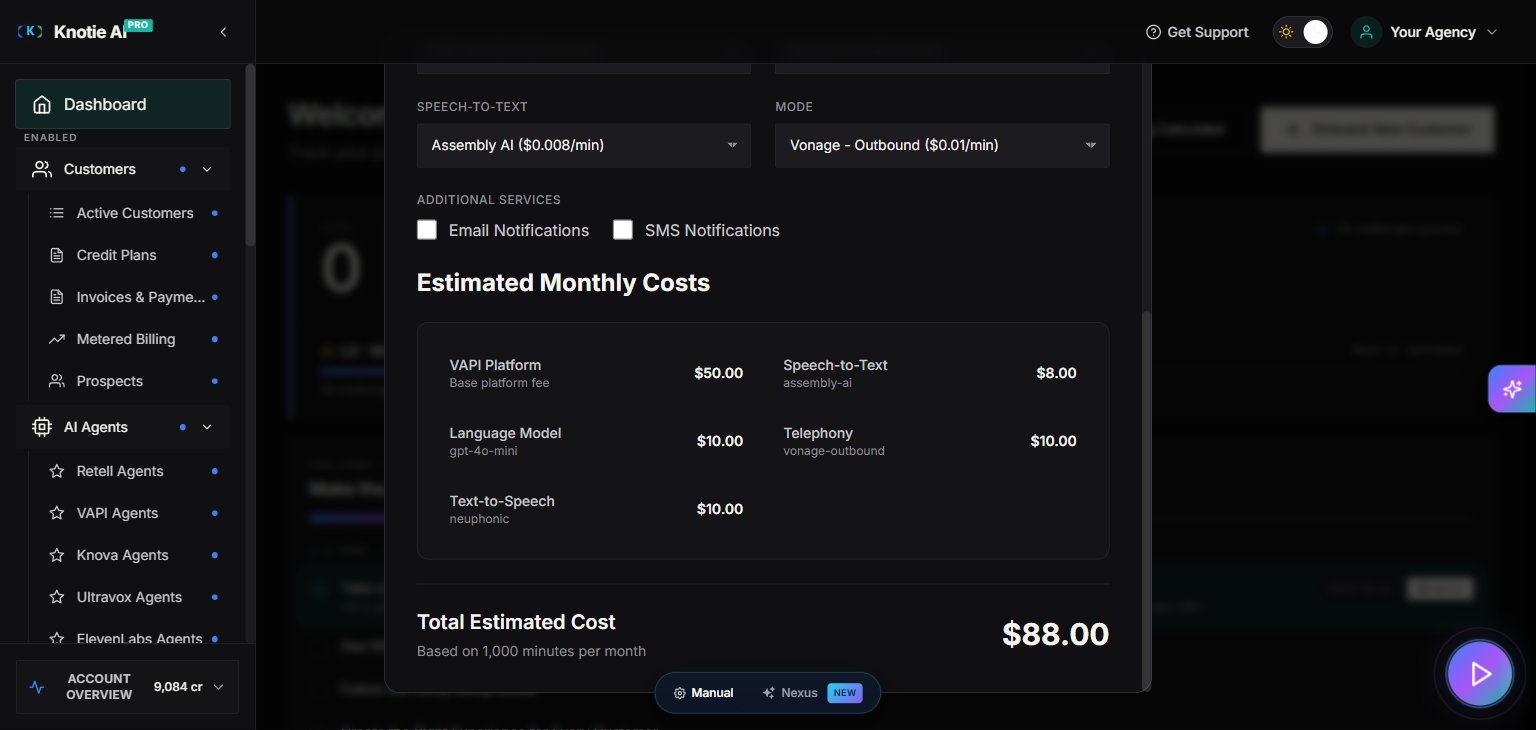
The Pricing Calculator helps you estimate monthly costs before onboarding a customer. Access it from the Dashboard by clicking Pricing Calculator.How the calculator works
- Select minutes per month – Choose the expected call volume for the customer.
- Review cost breakdown – The calculator shows:
- AI provider costs (Retell, VAPI, Ultravox, ElevenLabs, etc.)
- Email notification costs
- SMS notification costs
- Platform fees
- Compare providers – See side-by-side cost comparisons across different AI providers.
Why use the Pricing Calculator
- Accurate quoting – Give customers realistic pricing before they commit.
- Margin planning – Understand your costs to set profitable markups.
- Provider selection – Compare costs across providers to optimise your stack.
A simple “first week” setup checklist
- Complete Signup and enable Passkeys and MFA.
- Add your first customer using Customer List.
- Set up portal access (subdomain or custom domain).
- Import or create an AI agent.
- Add/assign a phone number.
- Check Agent Analytics and Credits.
Tips
- Items marked Enterprise are only visible on Enterprise plans.
- The Notification Bell in the dashboard header alerts you to low credit balances and system events.
- The Daily Challenge widget on the Dashboard surfaces quick actions that help grow your agency.
Theme-aware design
The Partner Portal automatically uses your whitelabel brand colors. If you’ve set up a custom theme in Settings → Whitelabel, the entire portal will render with those colors — no extra steps needed. This means the portal may look different on different partner accounts depending on their theme. When capturing screenshots for your own customer guides, use the same account you’re documenting.