What Metered Billing is

Metered Billing is used when you want to charge customers based on usage (for example: minutes, calls, or another tracked unit). In the Partner Portal, this section includes:
  • Billing Plans: define what you charge
  • Customer Billing: assign plans to customers (as features are released)
  • Billing Settings: connect billing tools like Stripe (as required)

Important note: feature status

The Metered Billing page currently shows a Feature in Development notice. That means:
  • Some parts may be incomplete.
  • If you need production billing today, use Billing & Invoices.

Where to find it

In the Partner Portal sidebar:
  • Billing & Invoices
    • Metered Billing

Stripe Connect requirement

Metered Billing requires Stripe Connect. If the page shows a message like Stripe Connect Required:
  1. Go to Settings.
  2. Complete Stripe onboarding.
  3. Return to Metered Billing.

Tabs in Metered Billing

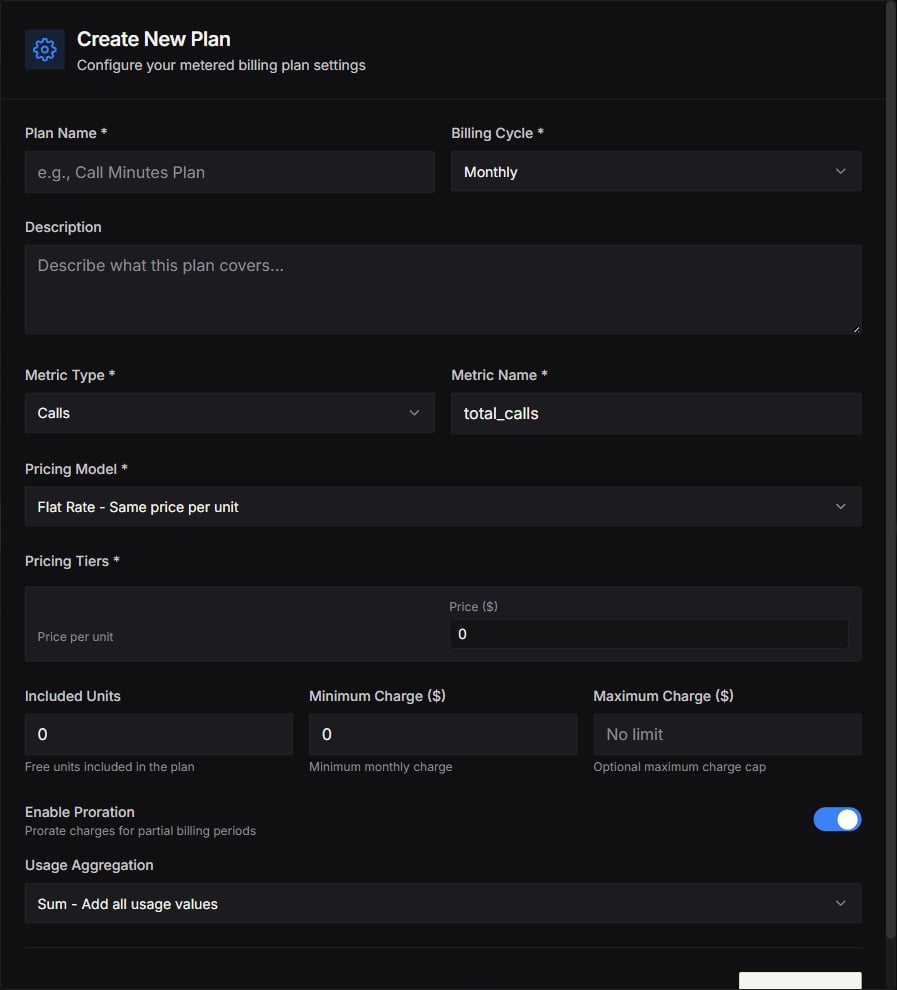
Billing Plans

Use this tab to:
  • Create a plan
  • Define the price model (based on your configuration)
  • Update or disable plans

Customer Billing

Use this tab to:
  • Select a customer
  • Assign them a billing plan
  • Manage subscription settings
If Customer Billing is marked as “coming soon,” you can still use invoice billing until it’s fully released.

Billing Settings

Use this tab to:
  • Confirm Stripe is connected
  • Configure billing preferences

Tips

  • Start with a simple plan structure that is easy for customers to understand.
  • Use Agent Analytics to validate costs before choosing your final markup.

Screenshots

Screenshot2025 12 28at01 58 48 Screenshot2025 12 28at01 58 59