Where to find it
- Open Customers in the Partner Portal sidebar (expands to Active Customers + Prospects — the page most actions live on is Active Customers).
- Click Manage on a customer’s card.
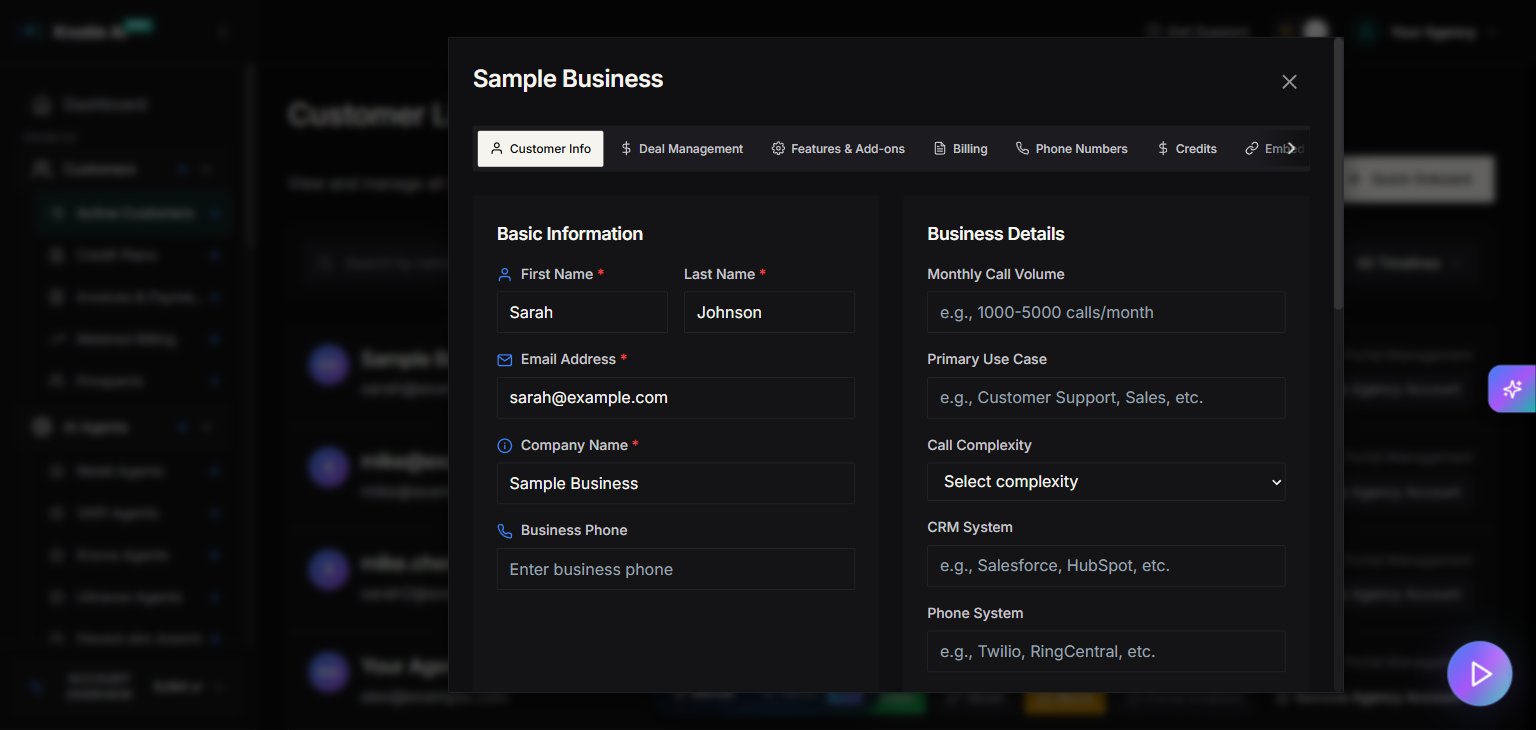
- A modal opens with 9 tabs: Customer Info, Deal Management, Features & Add-ons, Billing, Phone Numbers, Credits, Embed URLs, Deployment, and Reports.
- Navigate between tabs to access different settings.
Customer Info tab
Use Customer Info to update customer data like:- First name, last name, email
- Company name
- Business phone
- Business details (monthly call volume, primary use case, CRM system, phone system)
- Call Complexity (Simple / Medium / Complex)
- Deployment timeline
Account management fields
The modal includes fields such as:- Processing Status
- Submitted
- Processing
- Additional Info Requested
- Under Review
- Regulatory approval submitted
- Regulatory approval completed
- Business Agreement Established
- Under Development
- System under review
- Voice AI Agent Live
- Custom Automation
- A notes field for custom automation requirements.
Pricing breakdown (read-only)
The UI shows a Pricing Breakdown panel including:- Total Estimated Cost
- Platform Fee
- Voice AI Cost
- Telephony Cost
- Email Cost
- SMS Cost
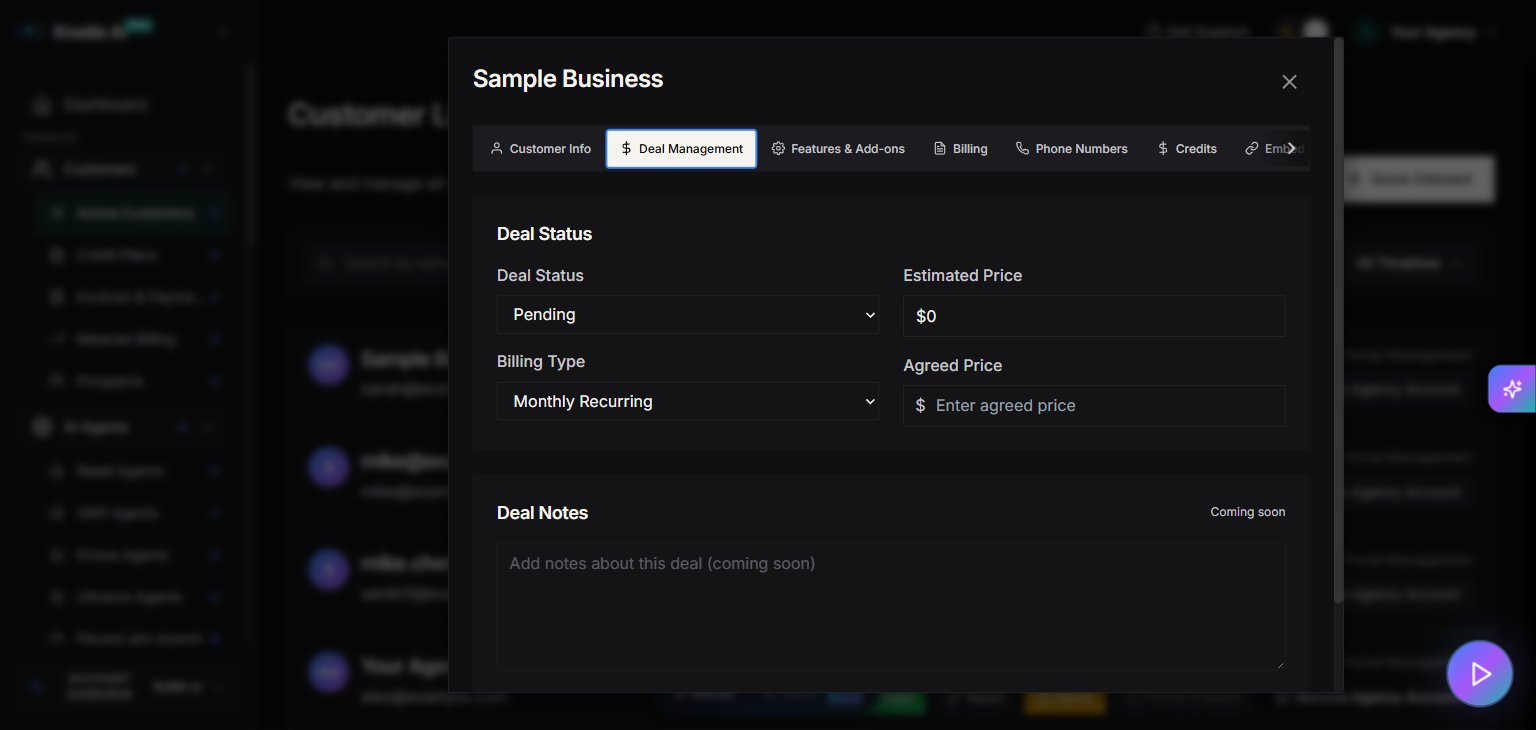
Deal Management tab
Use Deal Management to control sales-stage fields like:- Deal Status
- Pending
- Agreed
- Failed
- Billing Type
- Monthly Recurring
- One-time Payment
- Agreed Price — the price you’ve agreed with the customer
- Estimated Price — computed estimate (read-only)
- “Deal Notes” is currently marked as Coming soon.
Best practices
- Keep Processing Status up to date so your team knows where each customer is in the delivery pipeline.
- Use Agreed Price to record the price you’ve signed off with the customer.
Screenshots