Provider API keys (Settings → Partner API Keys → Platform API)
Add provider keys (GHL, VAPI, Retell, Ultravox) so you can import agents, run calls, and see analytics.
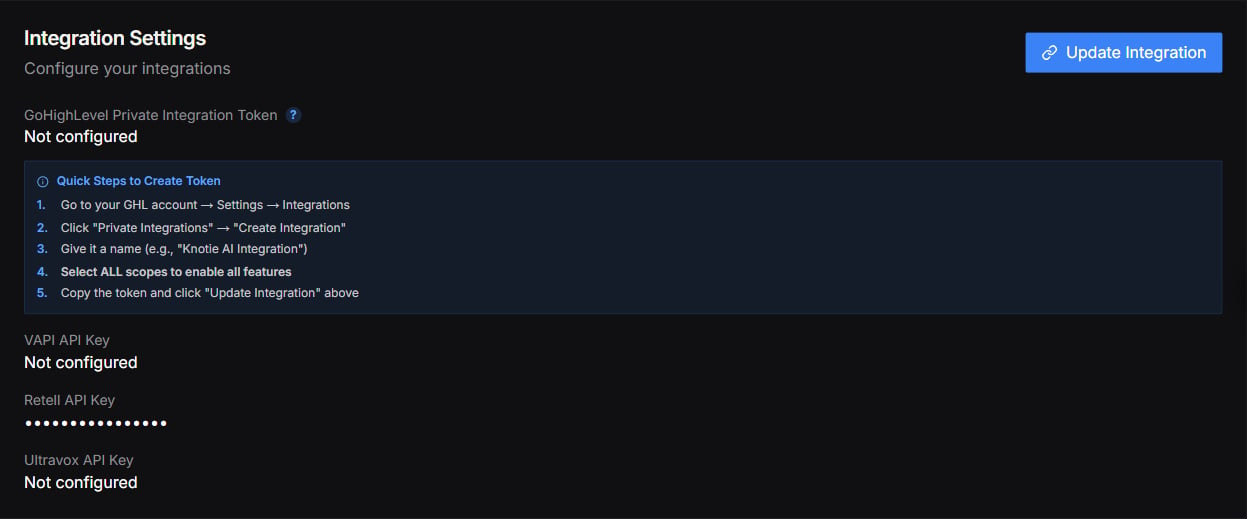
The Partner Settings page was reorganized. There’s no longer a separate Integration Settings page in the sidebar — instead, provider keys now live under Settings → Partner API Keys → Platform API and inside each provider’s import screen. (An Integration Settings section still appears on the Manual view of the Settings page; see the screenshot at the bottom.)
There used to be a single Integration Settings page with one form for all your provider credentials (GoHighLevel Calendar ID and API Key, plus VAPI, Retell, and Ultravox keys). That page is gone — each provider’s key is now added where you actually use it.
Entered per-import inside each provider’s Import modal (VAPI Agents, Retell Agents, Ultravox Agents, ElevenLabs Agents, GHL Agents). The portal validates the key against the provider’s API on submit.
An Integration Settings section still appears on the Manual view of the Settings page, with fields for a GoHighLevel token and VAPI, Retell, and Ultravox keys. It’s shown below for reference. For new setups, we recommend adding provider keys in the locations described above (Partner API Keys and each provider’s import screen).