

Overview
From 10 October 2026, a passkey is the recommended way to sign in. The Partner Portal
is retiring password sign-in: you’ll enter your email address, then use a passkey if you
have one, or a one-time email link if you don’t. Setting up a passkey now means the
fastest sign-in and no waiting for an email.
See Passwordless sign-in.
- Faster than passwords
- Resistant to phishing
- Easy to use across devices
Passkeys as MFA
Passkeys serve as a strong form of multi-factor authentication (MFA). When you use a passkey:- Something you have – Your device (phone, laptop, security key)
- Something you are – Your biometric (Face ID, Touch ID, fingerprint)
Benefits over traditional MFA
- No codes to enter – No waiting for SMS or authenticator app codes.
- Phishing-resistant – Passkeys are cryptographically bound to the website, so fake login pages can’t steal them.
- Faster login – One tap or glance to authenticate.
- No password to remember – Eliminates the weakest link in security.
When to use passkeys
- You want the simplest sign-in experience.
- You want strong protection against phishing.
- You manage sensitive data (customer info, billing, API keys).
How to set up
There are two common ways you’ll be prompted:Option A: Setup prompt after login
After your first login, Knotie AI may show a security prompt to set up a passkey. You can also set one up at any time from Settings → Profile Settings → Security.- Click Set up passkey.
- Confirm in your browser.
- Approve with your device (Face ID / Touch ID / PIN).
Option B: From the login page
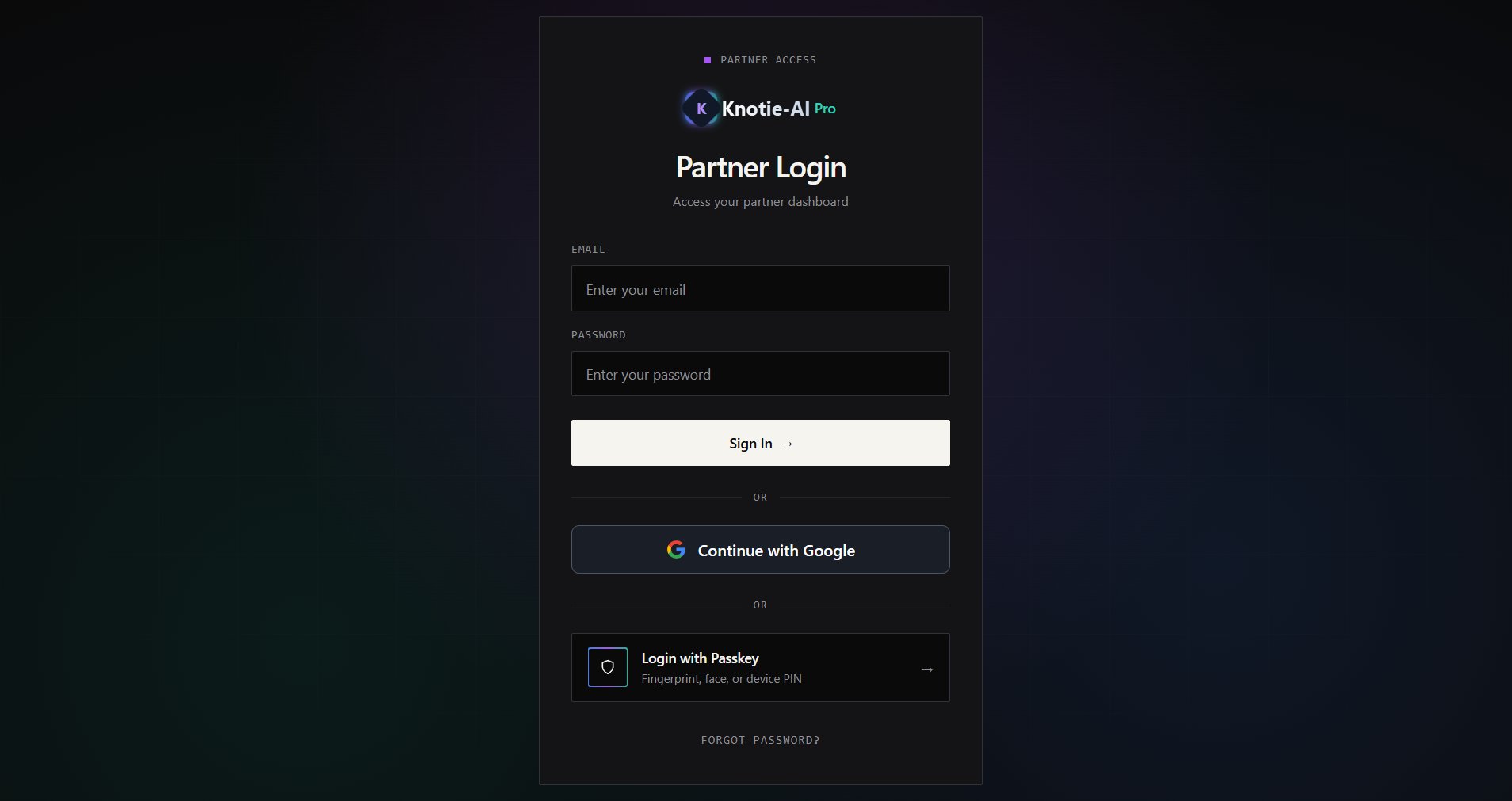
If your email already has a passkey registered:- Open Partner Login.
- Enter your email.
- Click Login with Passkey.
Screenshots
Troubleshooting
- If passkey setup fails, confirm you’re using a modern browser (Chrome, Safari, or Edge).
- Make sure your device has a screen lock enabled.
- If you don’t see passkey options on the login page, enter a valid email first.
- Passkey not working on new device – You’ll need to register a new passkey on each device you use.
- Lost access to passkey device – Sign in with your other method, then register a new passkey. Until 10 October 2026 that means your password (plus MFA if enabled); from 10 October it means a one-time email sign-in link (plus your authenticator code if MFA is enabled). If you can’t reach your registered email address either, contact support.
- Register a passkey on every device you use – so losing one device never leaves you waiting on an email to get in.