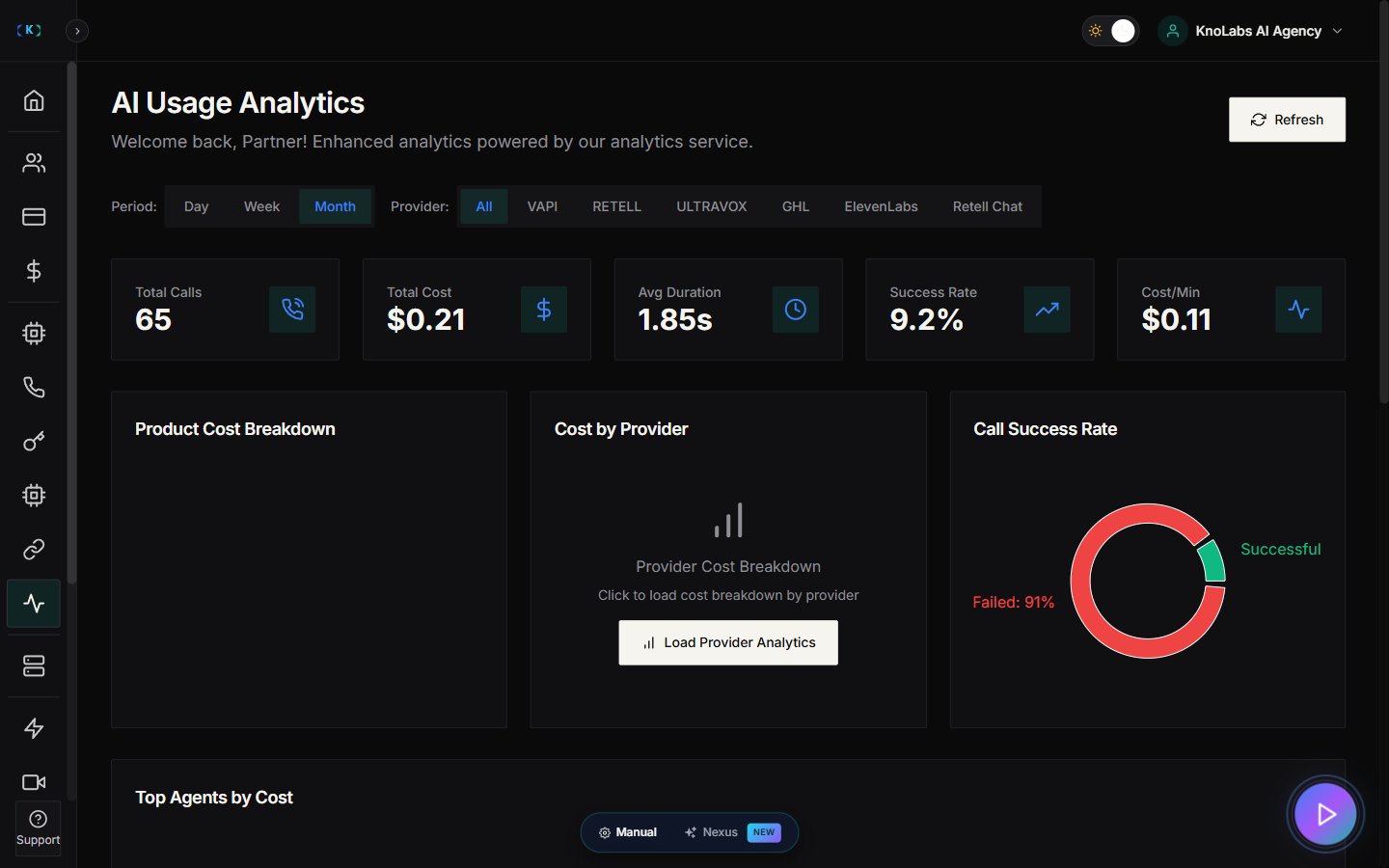
What Agent Analytics is for
Agent Analytics helps you understand what’s happening across your AI agents:- Total calls
- Total call duration
- Average duration
- Success rate
- Cost breakdown (LLM, STT, TTS, and provider costs)
- Price services correctly
- Check profit margins
- Spot sudden spikes
- Diagnose failed calls
Where to find it
In the Partner Portal sidebar, open Agent Analytics.Before you start (most common blockers)
If you see a message like “Please update your API keys & onboard Agents first,” it usually means:- You haven’t added provider API keys yet, or
- You haven’t imported/created agents yet.
- Go to Settings → Partner API Keys and open the Platform API tab. Create or update your keys here — these are the keys that let the platform run your agents.
- Return to AI Agents in the sidebar and import or create your agents.
- Come back to Agent Analytics.
Choose the time period
Agent Analytics supports time windows such as:- Day
- Week
- Month
What the cost breakdown means
You’ll often see costs split into parts like:- LLM: the AI “brain” behind the conversation
- STT: speech-to-text (turns audio into text)
- TTS: text-to-speech (creates the voice)
- Provider costs: Retell / VAPI / Ultravox / GHL / ElevenLabs / Knova
- Prompt length
- Call flow
- Agent configuration
- Provider settings
Viewing individual agent analytics
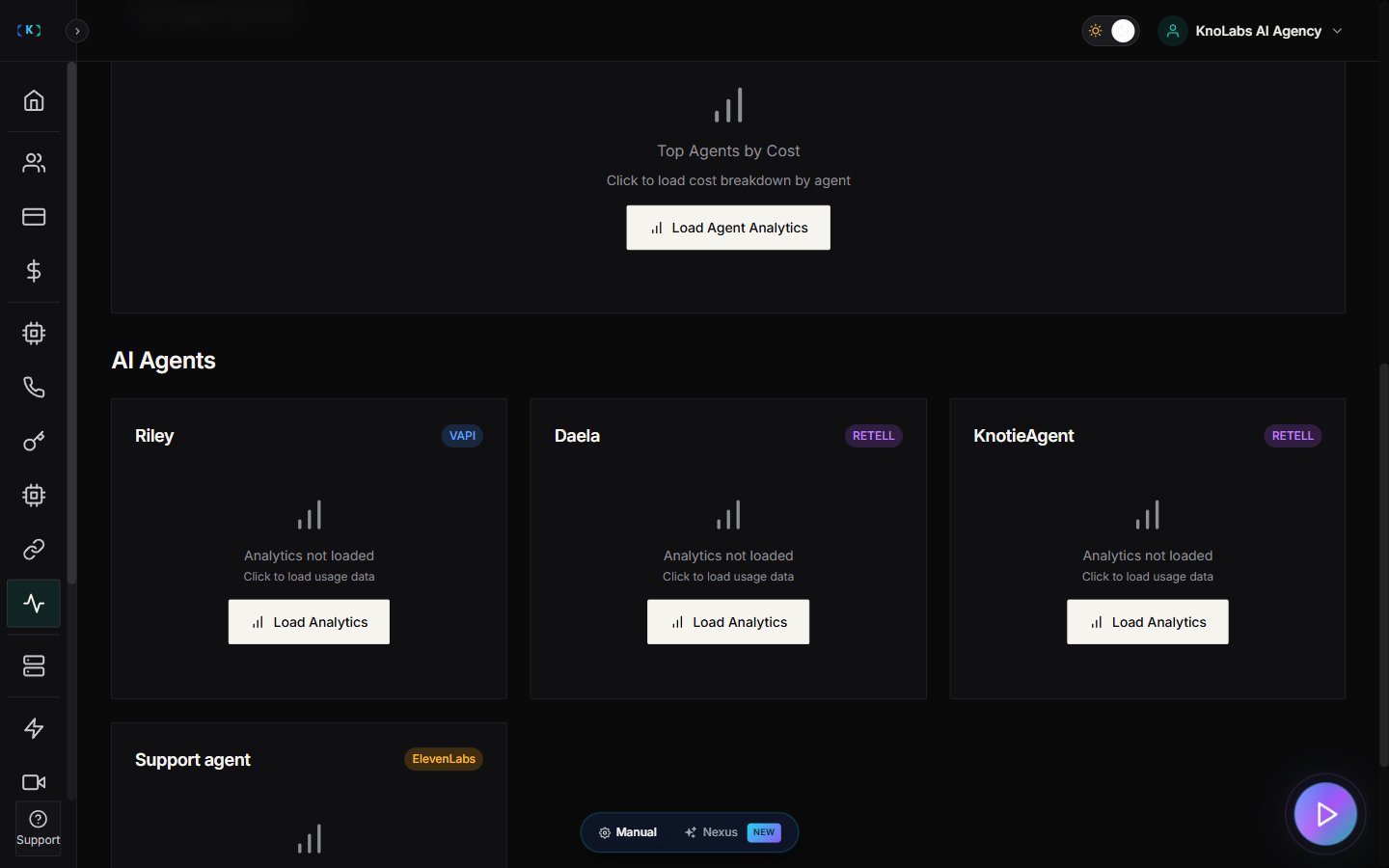
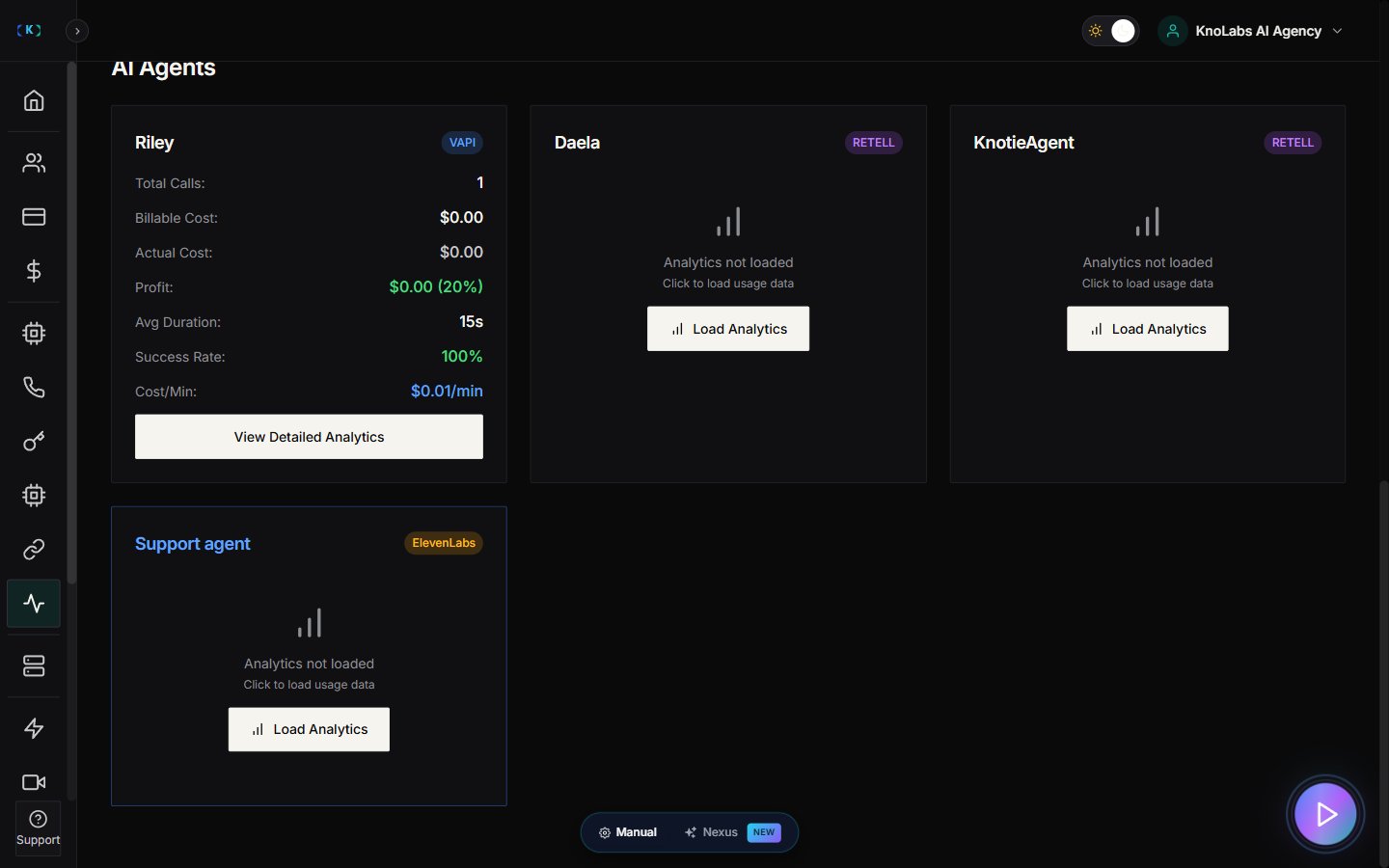
While the main view shows overall costs for all agents, you can also load analytics for a specific agent:- Use the agent selector/filter at the top of the page.
- Select the agent you want to analyze.
- View detailed metrics for that specific agent.
- Identify top agents – See which agents are handling the most calls.
- Provider-based cost breakdowns – Understand costs per provider (Retell, VAPI, Ultravox, etc.).
- Troubleshoot specific agents – Isolate issues to a single agent rather than your entire portfolio.
Metered billing (still rolling out)
Automatic usage-based billing is being rolled out in stages:- Stripe payouts are ready. You can connect your Stripe account today and start taking payments (see the Metered billing setup guide). Knotie’s platform fee is 2.5%.
- The automated metered-billing page is still in development. Some parts, like Billing Plans and Customer Billing, aren’t fully live yet.
Tips for agencies
- Review analytics weekly and adjust your markup if costs change.
- Use analytics screenshots in customer check-in calls (it builds trust).
- Load individual agent analytics to identify your most profitable agents.
Screenshots