What Telephony Credits are for

Telephony Credits are used exclusively for phone and calling-related services, completely separate from AI Credits. Telephony Credits cover:
  • Inbound call minutes – Customers receiving calls
  • Outbound call minutes – AI agents making calls
  • Phone number rentals – Monthly fees for provisioned numbers
  • SMS messaging – Carrier costs for text messages

Key differences: Telephony vs AI Credits

FeatureTelephony CreditsAI Credits
Used forCalls, SMS, phone numbersAI processing, platform features
PricingCost-based (no markup)Platform pricing with margin
ExpirationNever expiresMay expire based on plan
Balance locationSeparate balanceSeparate balance
PurchaseDedicated telephony packagesStandard credit packages

Where to find it

  1. In the Partner Portal sidebar, go to Credits.
  2. Click Telephony Credits in the submenu.
  3. Or access directly from the sidebar under Credits → Telephony Credits.

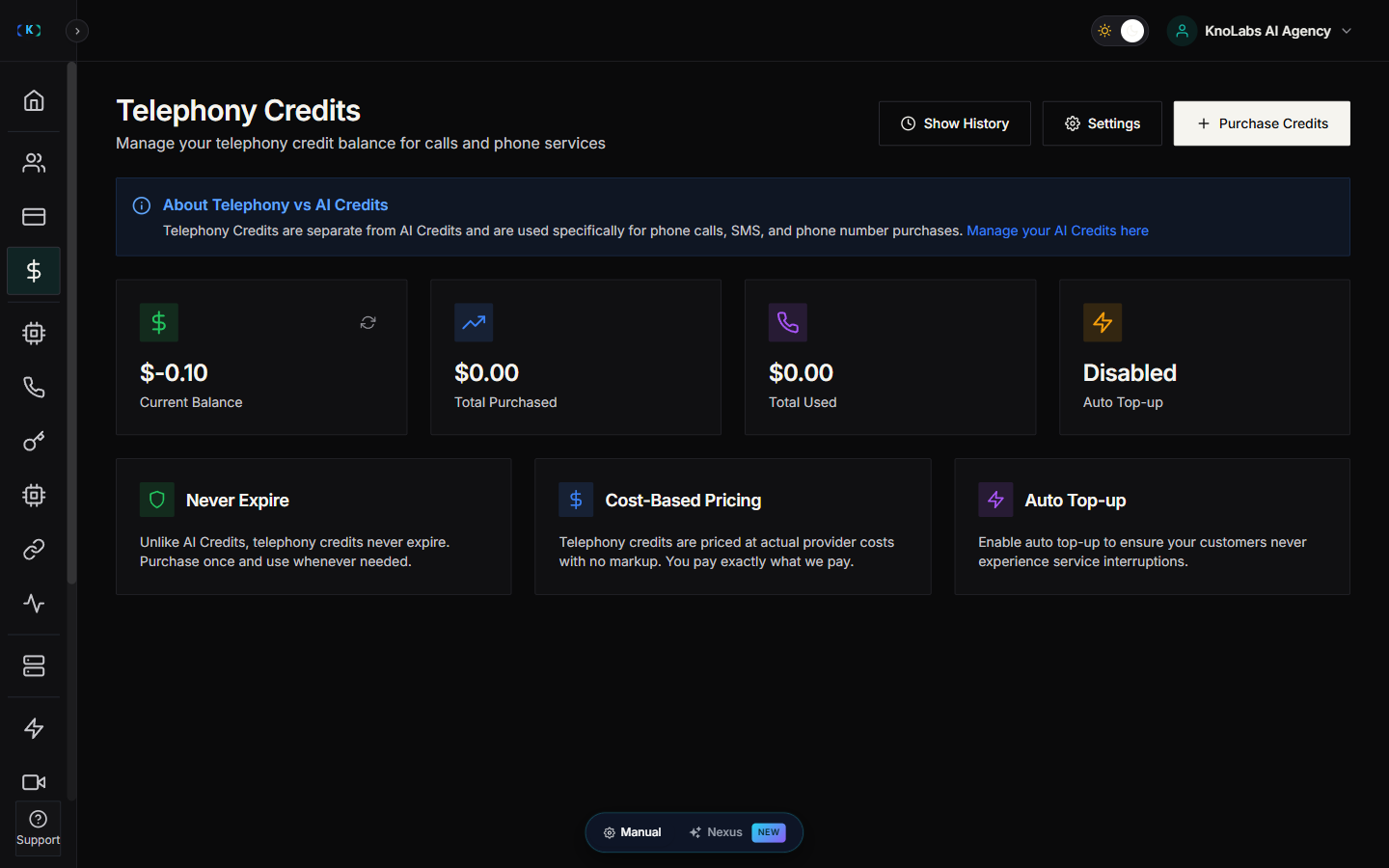
View telephony credit balance

On the Telephony Credits page, you’ll see:
  • Current Balance – Your telephony credit balance in dollars/cents
  • Low Credit Alert – Warning if below threshold
  • Transaction History – Recent purchases and usage
  • Credit Packages – Available top-up options
Telephony Credits Dashboard

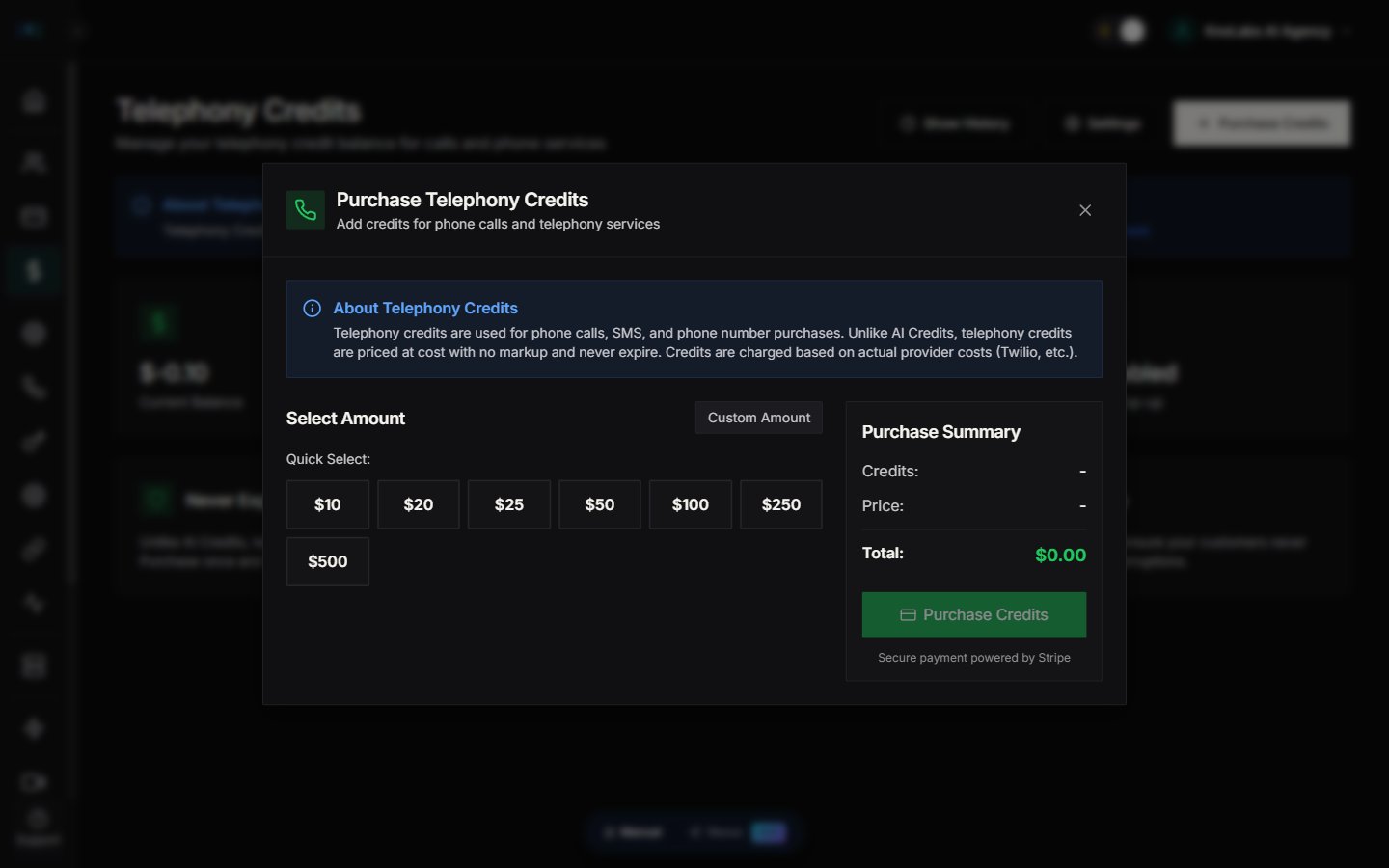
Purchase telephony credits

Select a package

  1. Go to Telephony Credits.
  2. Browse available credit packages.
  3. Packages typically include:
    • Small – $50 (5000 cents)
    • Medium – $100 (10000 cents)
    • Large – $250 (25000 cents)
    • Custom – Enter your own amount

Complete purchase

  1. Click Purchase on your chosen package.
  2. Review the amount.
  3. Complete Stripe checkout.
  4. Credits are added immediately after payment confirmation.
Redirect URL: After purchase, you’re redirected to a success page showing:
  • Credits added
  • Amount paid
  • New balance
Telephony Credit Purchase Modal

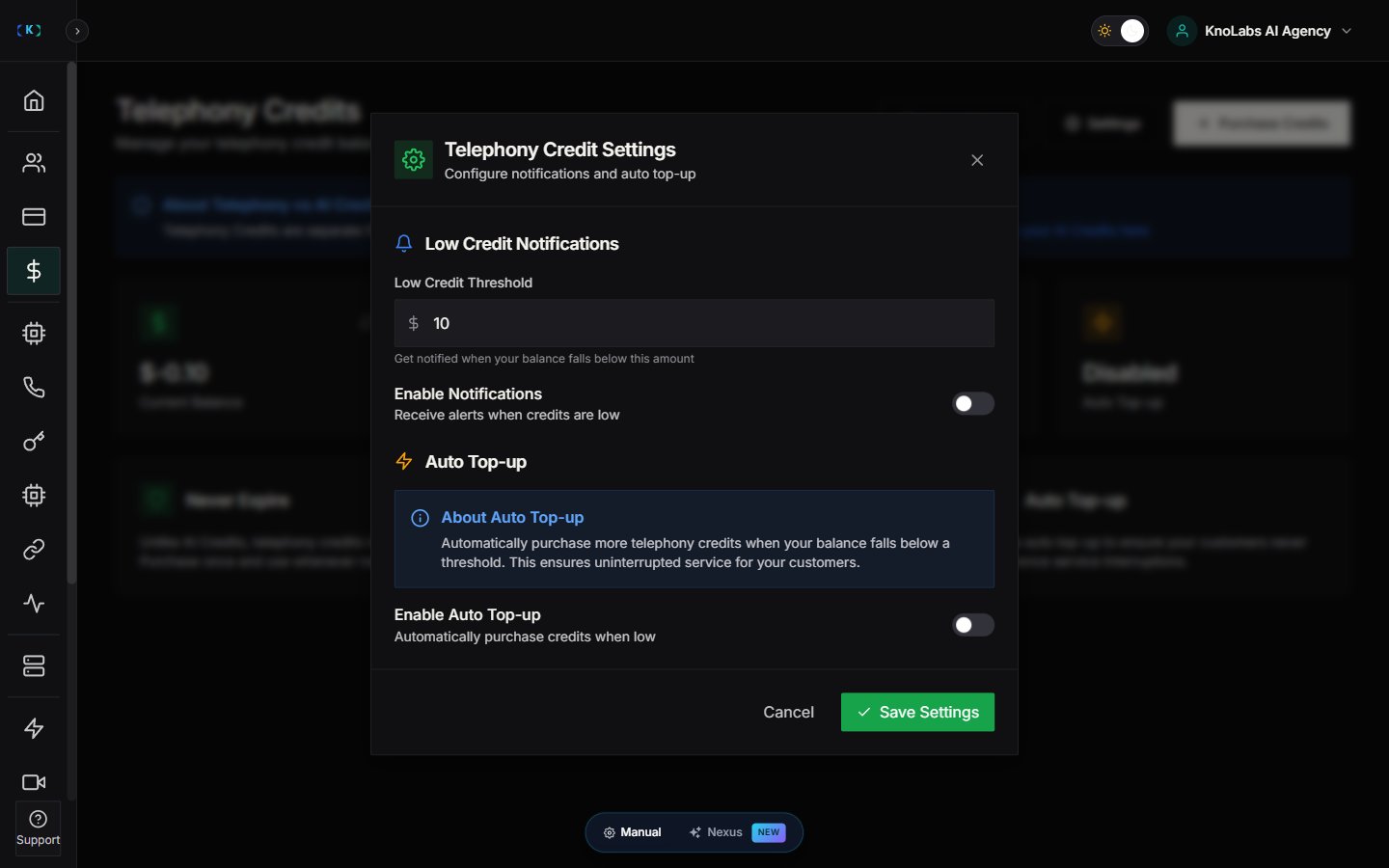
Configure low credit alerts

Set up notifications before credits run out:
  1. Go to Telephony Credits.
  2. Click Settings (gear icon).
  3. Configure:
    • Alert Threshold – Balance amount that triggers alert (e.g., $10 or 1000 cents)
    • Email Notifications – Receive email when threshold is reached
    • Dashboard Alerts – Show warning banner on dashboard

Why set alerts

  • Prevent service interruptions – Top up before calls fail
  • Plan ahead – Budget for monthly usage
  • Avoid emergency top-ups – No last-minute scrambles
Telephony Credit Settings Overview

View transaction history

Track all telephony credit activity:
  1. Click Show Transaction History or History tab.
  2. View transactions including:
    • Purchases – When you bought credits
    • Usage – Credits consumed by calls/SMS
    • Adjustments – Manual changes by support
    • Date & Time – When transaction occurred
    • Balance After – Remaining balance

Export history

Some plans allow exporting transaction history for accounting:
  • Click Export to download CSV
  • Use for billing reconciliation
  • Track monthly spending patterns
Telephony Credit Transaction History

How telephony credits are consumed

Call minutes

Every call consumes credits based on:
  • Duration – Charged per minute
  • Direction – Inbound vs outbound
  • Provider rates – Twilio or other carrier costs
Example:
  • 10-minute call at 0.02/min=0.02/min = 0.20 (20 cents) deducted

Phone number rentals

Monthly phone number costs:
  • Local numbers – ~$1/month
  • Toll-free numbers – ~$2/month
  • International numbers – Varies by country
Charged automatically at the beginning of each month.

SMS messages

Per-message costs:
  • Outbound SMS – $0.0075 per message (0.75 cents)
  • Inbound SMS – Usually free or minimal cost
  • MMS – Higher cost, varies by carrier
Telephony Usage Breakdown

Cost-based pricing explained

No markup policy

Telephony credits are priced at cost – you pay exactly what Knotie AI pays providers (Twilio, etc.): Why?
  • Transparent pricing – No hidden fees
  • Competitive rates – Pass savings to you
  • Predictable costs – Same as provider rates
Your markup: You can mark up services to your customers in your own billing, while paying provider cost.

Never expire

Unlike some credit systems:
  • No expiration date – Buy once, use anytime
  • Roll over – Unused credits carry forward
  • No waste – Credits never lost to expiration

Best practices

Maintain buffer balance

  • Keep 2-3x monthly usage – Avoid running out mid-month
  • Set alerts at 20-30% – Early warning for top-ups
  • Review monthly patterns – Adjust buffer based on growth
  • Track monthly consumption – Identify spikes or drops
  • Seasonal planning – Prepare for busy periods
  • Customer-level tracking – See which customers use most credits

Budget for growth

As you onboard more customers:
  • Project future usage – Estimate credit needs
  • Bulk purchases – Buy larger packages for better planning
  • Set up recurring – Consider auto-top-up if available

Telephony vs AI credit top-ups

When to buy telephony credits

Buy telephony credits when:
  • You’re onboarding customers with phone agents
  • Setting up new phone numbers
  • Launching SMS campaigns
  • Scaling call volume

When to buy AI credits

Buy AI credits when:
  • Enabling AI-powered features
  • Scaling AI agent usage
  • Using platform tools and integrations
  • Adding knowledge base processing
Both balances are independent – Top up each separately based on your needs.

Troubleshooting

Purchase succeeded but balance not updated

  • Refresh page – Click the refresh icon or reload browser
  • Wait 1-2 minutes – Payment processing may be delayed
  • Check email – Stripe sends confirmation to your email
  • Contact support – If credits missing after 5 minutes

Low credit alert not showing

  • Check settings – Verify alert threshold is set
  • Email configuration – Ensure email notifications enabled
  • Balance above threshold – Alert only shows when below limit

Unable to make calls despite credits

  • Check AI credits – You need BOTH telephony AND AI credits for calls
  • Phone number status – Verify number is active
  • Customer configuration – Ensure customer agent is deployed

Unexpected credit consumption

  • Review usage history – Check what consumed credits
  • Failed calls – Some failed calls may still consume minimal credits
  • Test calls – Remember test calls consume real credits
  • Phone number rentals – Monthly fees deducted automatically

Screenshots

Telephony Credits Page Overview Credit Packages Selection Purchase Confirmation Context Low Credit Warning Banner