Where to find it
- Open Customers (sidebar — expands to Active Customers + Prospects).
- Select a customer.
- Click Manage.
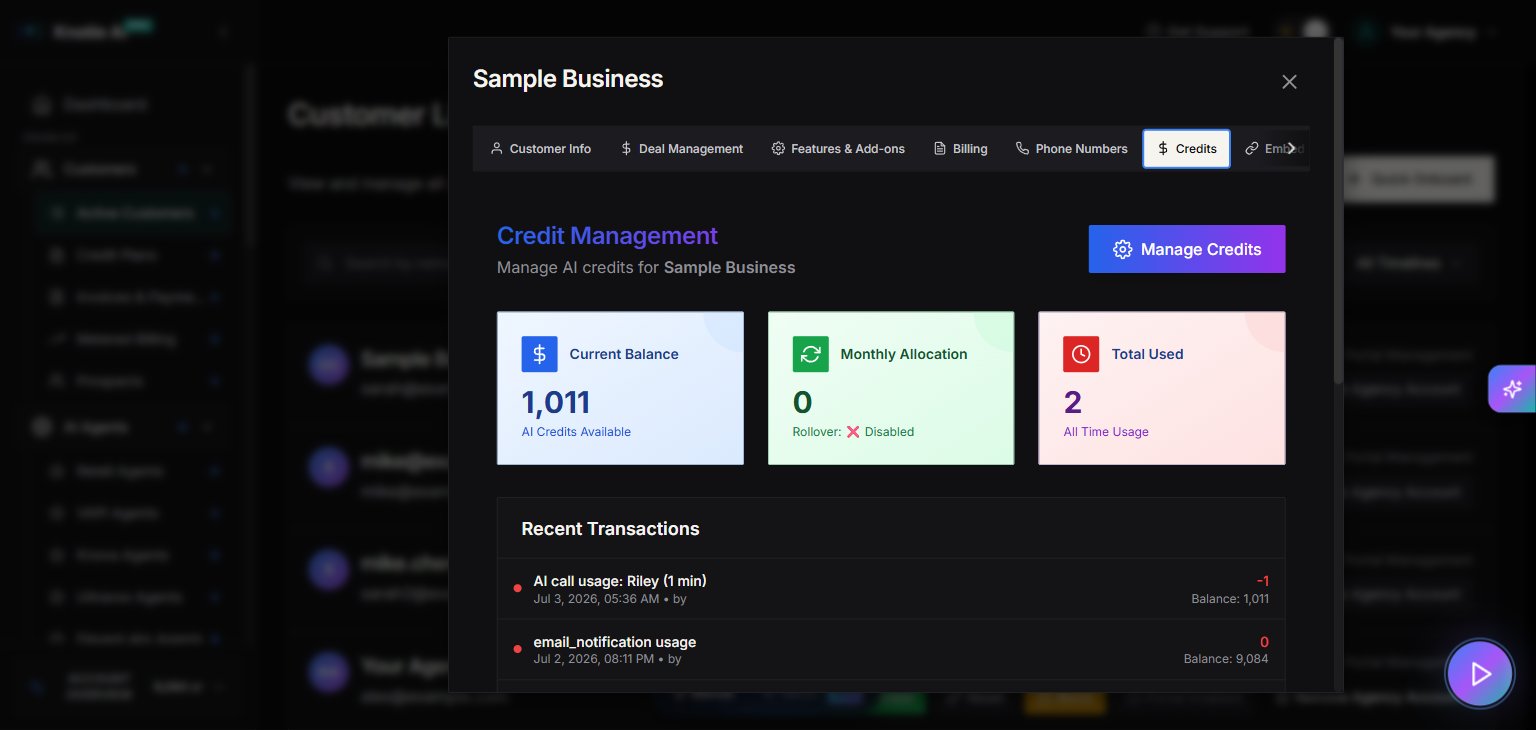
- Select the Credits tab.
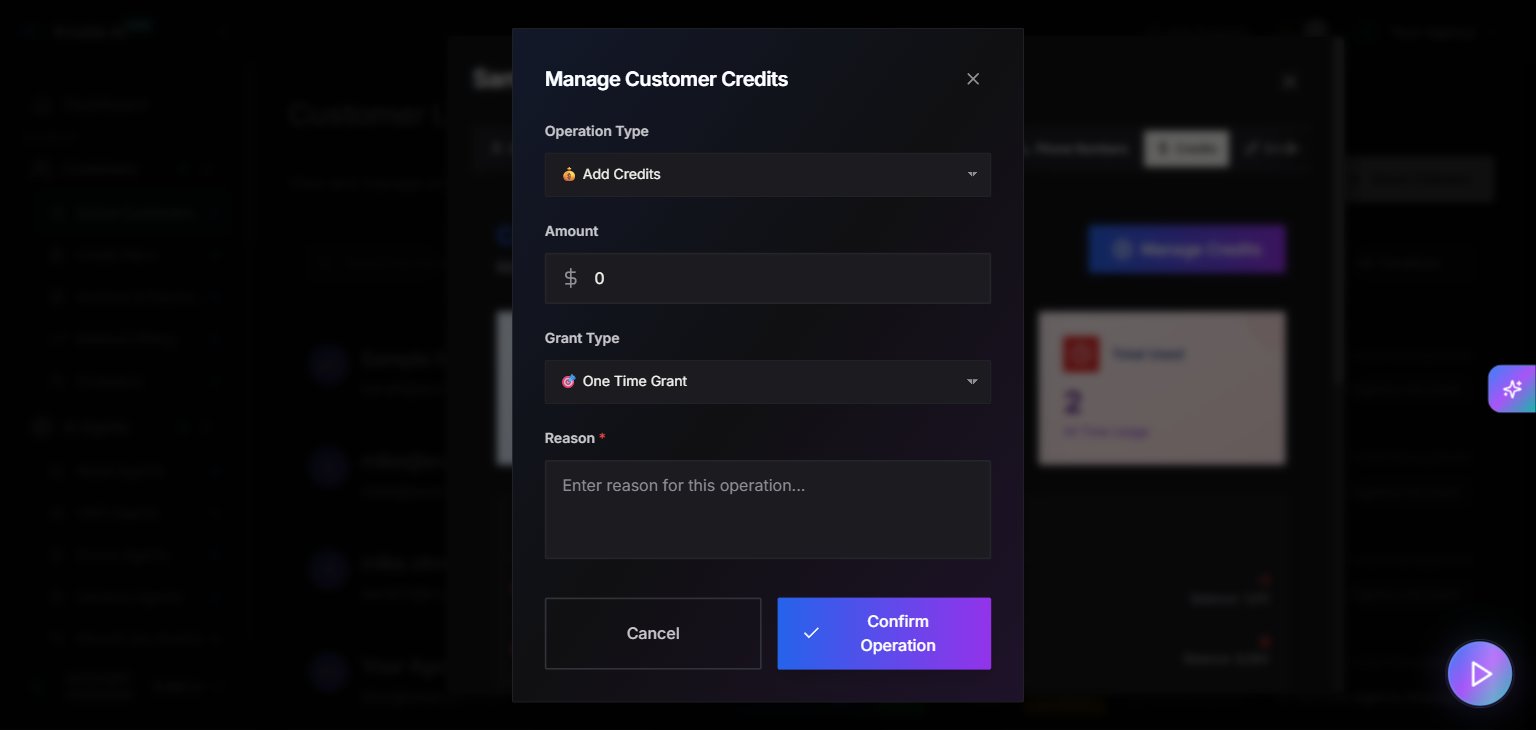
- Open Manage to configure customer credit settings.
Credits tab
The Credits tab provides customer-level credit management. Use it to:- View customer credit status
- Apply credits or adjustments (where supported)
AI Credits Enabled (feature toggle)
In Features & Add-ons, you can enable AI Credits. When enabled:- The UI displays: “Charge customer using AI Credits instead of dollar pricing.”
- Low-credit notifications can be configured.
- Enable Notifications
- Low Credit Threshold
Important interaction: pricing visibility
When AI credits are enabled, pricing display may be disabled. The UI indicates that “Show Pricing Information” is disabled while AI credits are enabled.Screenshots