Overview

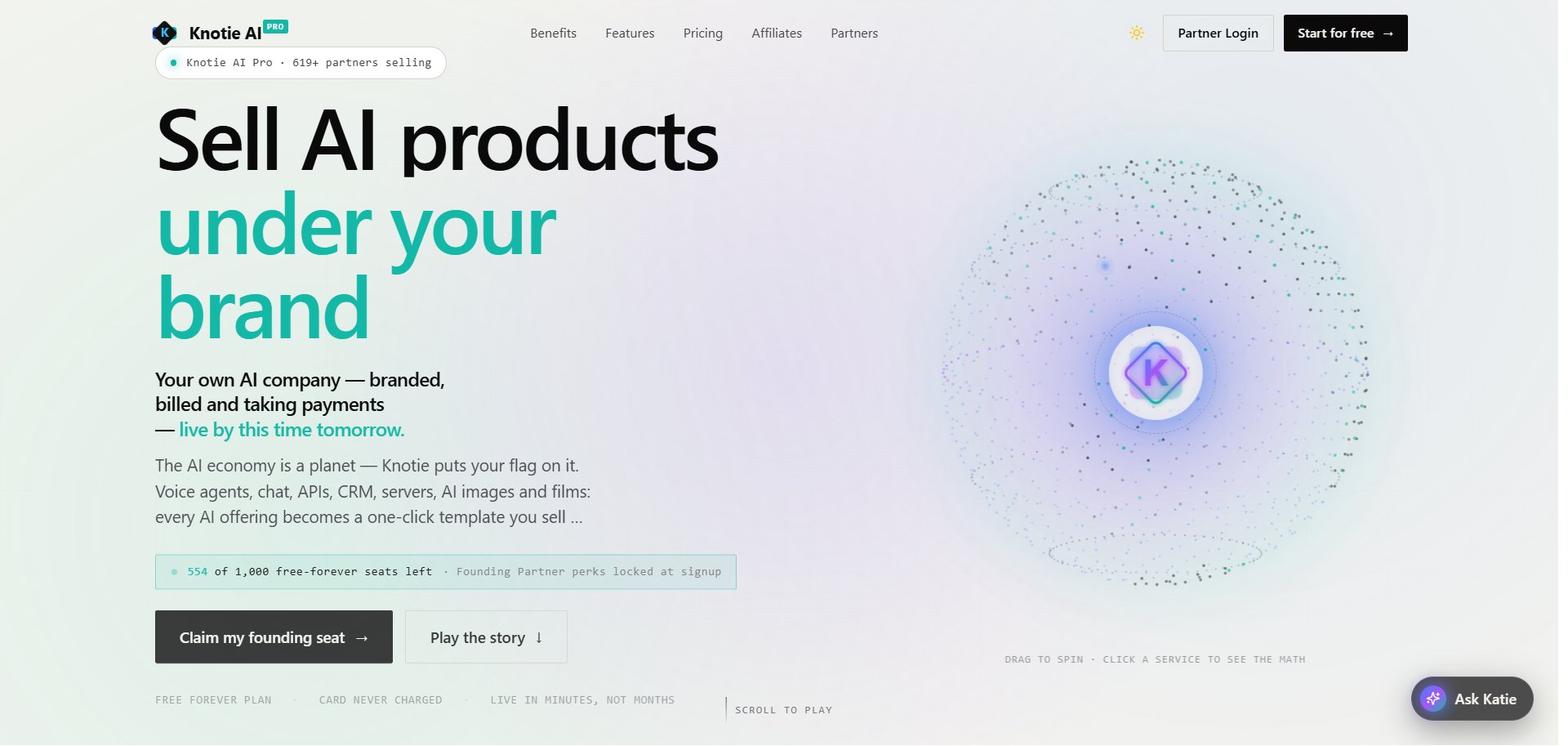
The Knotie AI Pro homepage (knotie-ai.pro) received a full hero-section revamp. The new design replaces the previous centered headline layout with an interactive split view:
  • Left panel — value proposition, headline, and calls to action
  • Right panel — an animated 3D globe showing every Knotie service as a pinned tile
Clicking any globe tile opens a Service Drawer with a live revenue calculator for that service. Below the hero, the existing decision tree section guides visitors through three paths for selling AI, each with its own calculator. Knotie AI Pro landing page hero — split layout with headline on the left and the spinning globe on the right

Globe hero

The globe shows nine Knotie services as tiles you can click to explore. The globe rotates automatically and you can drag it around to explore. Knotie AI Pro landing page globe — rotating earth with service tiles (Voice AI, AI Receptionist, Chat AI, Hermes Agent, API Gateway, Business Audit, CRM SaaS, VPS Resell, AI Support) pinned to geographic locations

Service drawer

Clicking any tile on the globe slides in a Service Drawer from the right edge of the screen. The drawer:
  1. Shows the service name, billing model, and a short description
  2. Exposes sliders for every revenue input relevant to that service
  3. Computes and displays live results as you move each slider
  4. Closes via the × button, the Escape key, or clicking the overlay

Example: Voice AI drawer

Displayed results Knotie AI Pro landing page — Service Drawer open on the Voice AI tile showing customer count, minutes, resale price sliders, and computed monthly revenue, wholesale cost, and annual profit

”How do you want to sell AI?” — decision tree

Below the globe hero, the decision tree section guides visitors through three top-level paths:

Path 01 — AI as Agency Services

You build, configure, and deliver AI for clients on a project-based or retainer model. Four sub-options:

Path 02 — AI as SaaS

You resell AI products under your own brand on a recurring subscription. Five sub-options:

Path 03 — One-Click Experiences

Ready-made AI products you can enable, white-label, and sell immediately. Each comes with its own landing page, onboarding flow, and agent deployment. Available experiences include AI Receptionist, AI Support, SDR agent, Hermes agent, and Business Audit. Knotie AI Pro landing page — "How do you want to sell AI?" decision tree section showing the three top-level paths: 01 Project-based revenue (AI as Agency Services), 02 Recurring revenue (AI as SaaS), 03 White-label · ready in 1 click (One-Click Experiences)

Revenue calculators

Every leaf node in the decision tree opens an inline revenue calculator. All calculators follow the same pattern: adjustable sliders → live computed results table. Common outputs across all calculators
  • Monthly revenue (or project revenue)
  • Your wholesale cost (what Knotie charges you)
  • Annual profit estimate
VPS Reselling example Calculators are illustrative estimates. Actual margins depend on your plan, usage, and retail pricing.