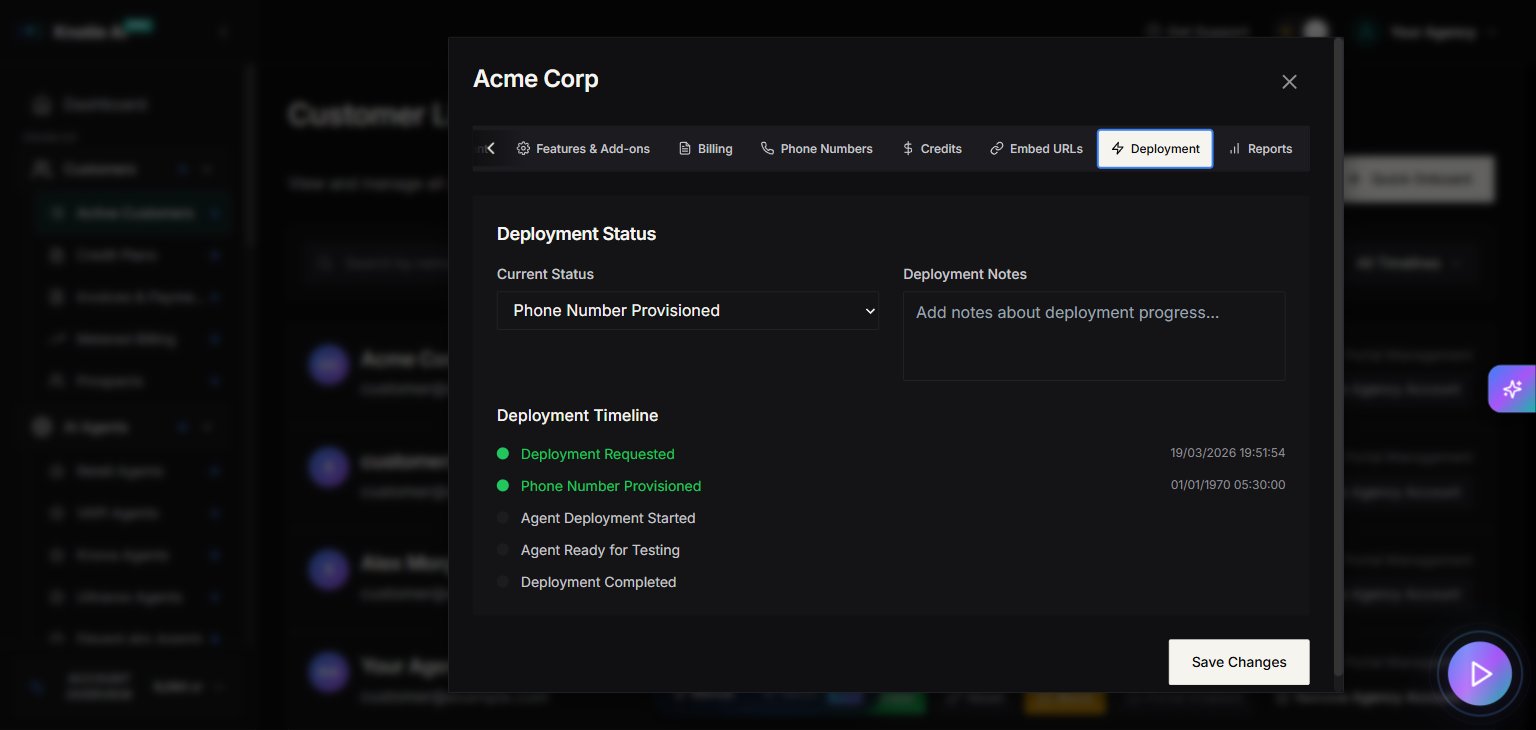
Where to find it
- Open Customers in the sidebar.
- Select a customer.
- Click Manage.
- Go to the Deployment tab.
Update the status
The Deployment tab has a status picker so you can mark how far along the setup is. The options are:- Not Started
- Phone Number Provisioned
- AI Agent Deploying
- Agent Ready for Testing
- Deployment Complete
Add deployment notes
Use the Deployment Notes field to jot down anything worth remembering about the setup. Your notes are saved automatically when you click away from the field.Follow the timeline
The tab also shows a timeline of the key milestones as they happen:- Deployment Requested
- Phone Number Provisioned
- Agent Deployment Started
- Agent Ready for Testing
- Deployment Completed
Screenshots