

Where to find it
In the Partner Portal sidebar, click Customers. The Customers button expands to two sub-items:- Active Customers — your full customer list (the page most partner actions live on).
- Prospects — leads from the AI Receptionist still in the onboarding process (Enterprise feature).
What customer management is
In Knotie AI PRO, Customer Management is everything you can control for a specific customer after they’ve been created. Most partner actions live in the Customer List page under a customer’s Manage modal.Customer List: Two tabs
The Customer List page has two main tabs:- Customers – Active customers who have completed onboarding
- Prospects – Leads from the AI Receptionist who are still in the onboarding process (Enterprise feature)
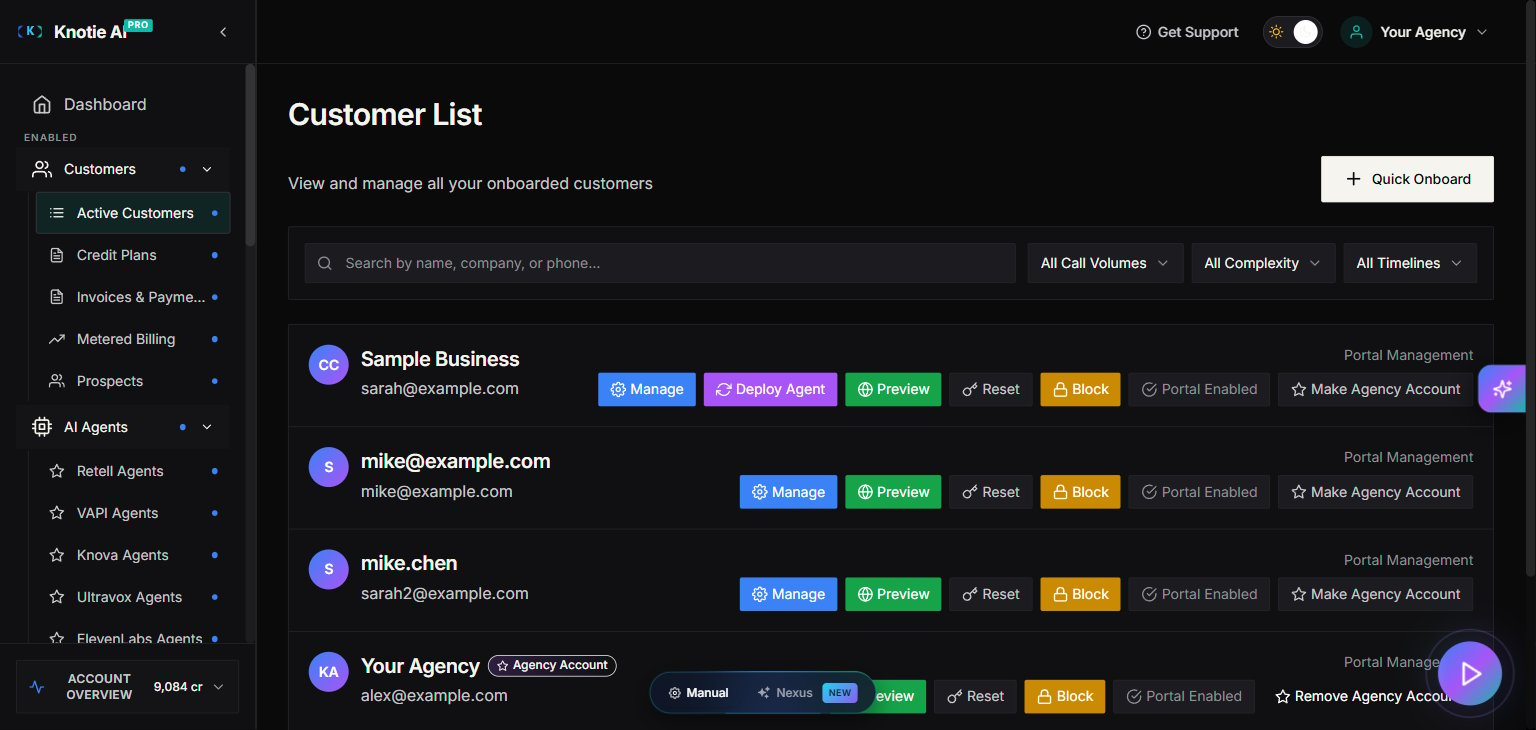
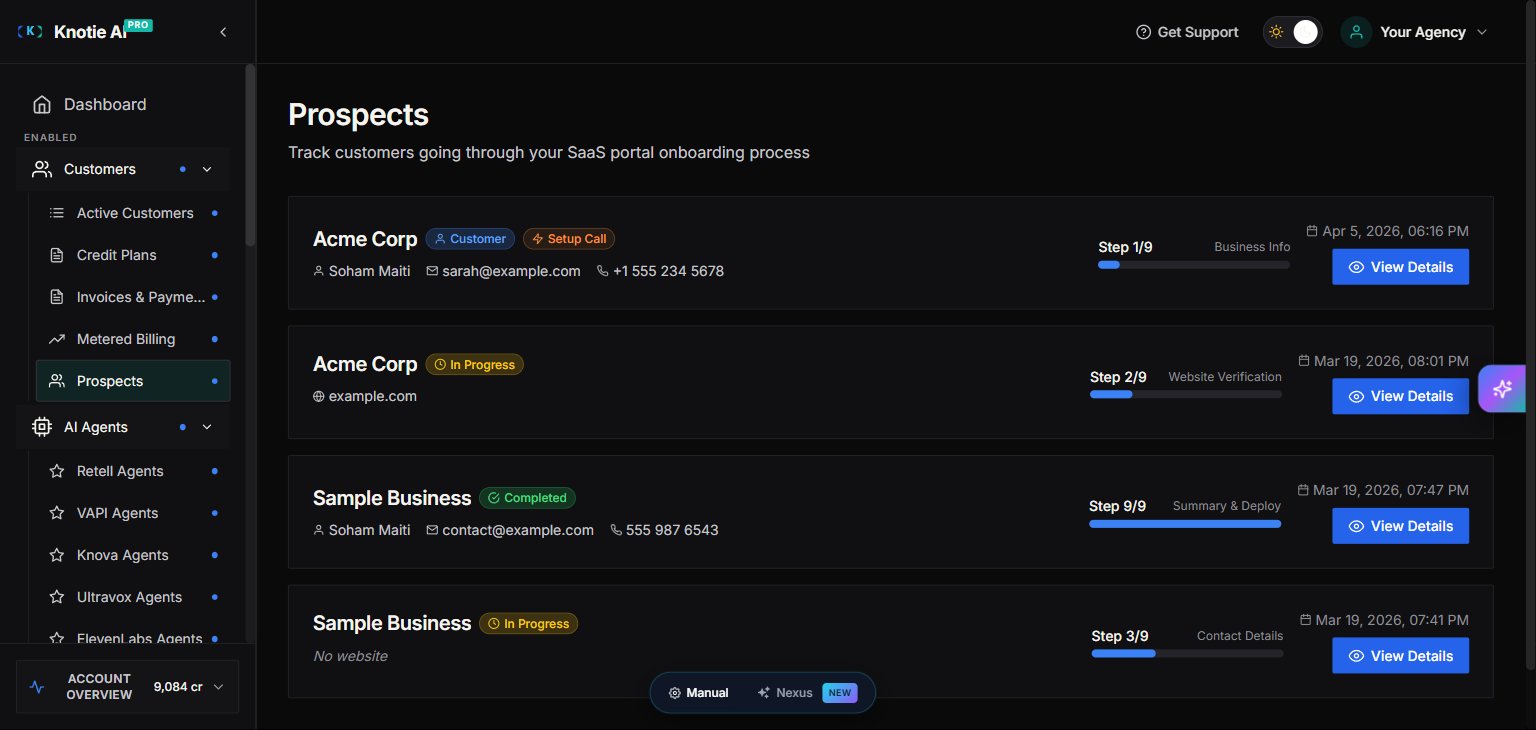
Understanding the onboarding flow
How prospects become customers
- Prospect creation – When someone interacts with your AI Receptionist, they are automatically added as a Prospect.
- Onboarding journey begins – The prospect starts the 9-step onboarding process.
- Conversion at Step 3 – Once a prospect completes Step 3 of the onboarding journey, they are converted from a Prospect into a Customer.
- Payment at Step 9 – The customer reaches Summary & Deploy (step 9/9) and pays via Stripe Checkout (subscription, fixed price, or pay-as-you-go). Free Forever and pay-as-you-go portals skip checkout.
- Full activation at Step 9 – Once payment has cleared, the customer clicks Deploy on the Summary & Deploy step. The AI Agent/Receptionist is automatically turned on and ready to handle calls.
The 9 onboarding steps
This 9-step flow is available only when your portal is in SaaS mode.
- Business Info
- Website Verification
- Contact Details
- Service Categories
- Knowledge Base
- Greeting Setup
- Information Collection
- Communication Settings
- Summary & Deploy
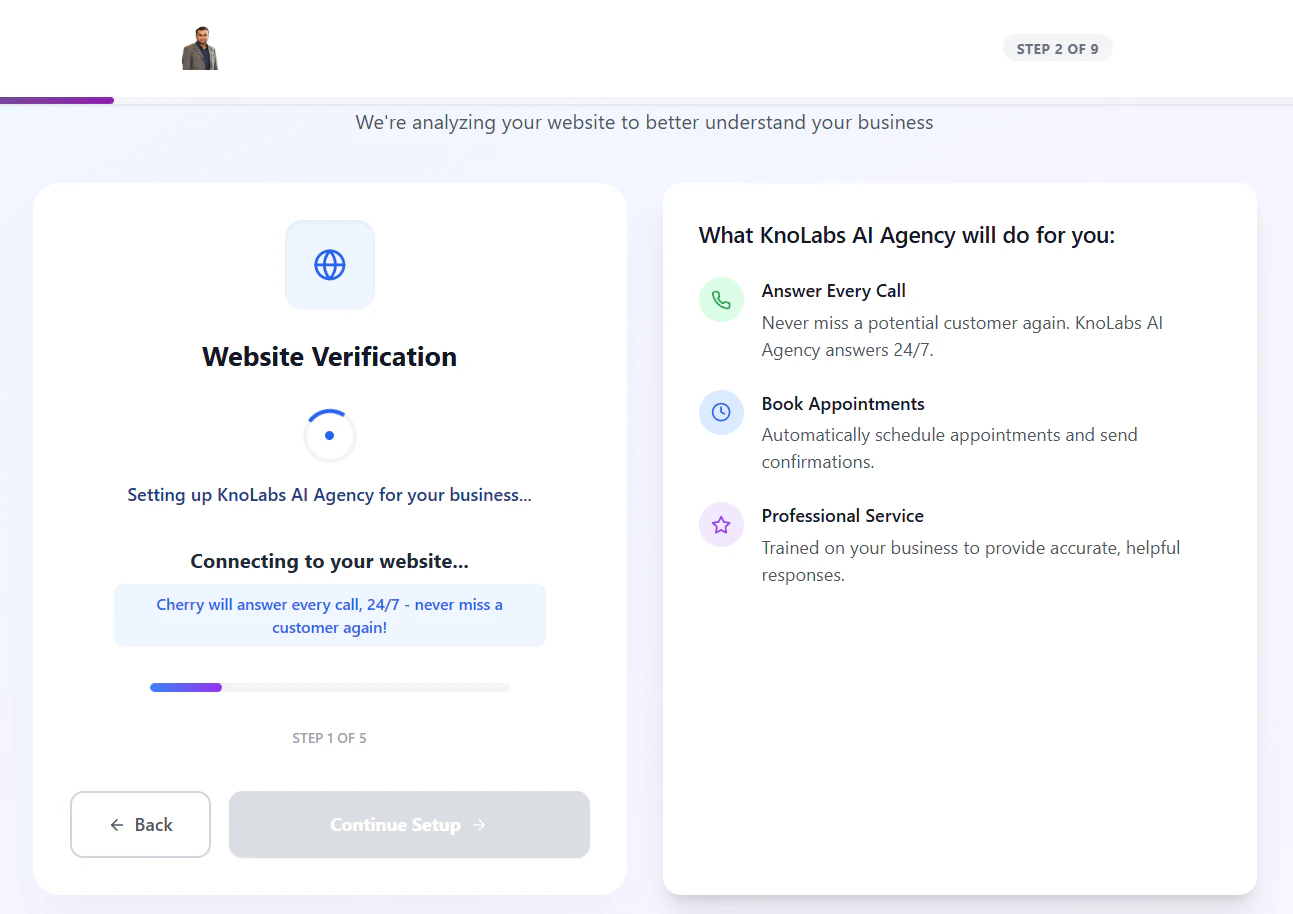
Where to find customer actions
You’ll typically use one of these locations:- Customer List →Active Customers → Manage
- This opens a multi-tab management modal.
- Customers → Customer Portal Management
- This is for creating customer login credentials and sending invitation emails.
What you can manage per customer
The customer management modal is organized into tabs:- Customer Info
- Deal Management
- Features & Add-ons
- Billing
- Phone Numbers
- Credits
- Embed URLs – Generate customer-scoped tokens and URLs for widgets, iframes, and embedded experiences
- Tool Call Quota (only appears if Integration is enabled)
- Deployment
Common prerequisites
Some features require setup elsewhere:- Customer Portal actions require your Whitelabel portal to be configured.
- Billing inside the customer modal requires Stripe Connect.
- API Keys menu visibility requires API Access to be enabled for the customer.
- Embed URLs are typically configured after customer portal access is enabled and the customer is ready for embedded experiences.