What Prospects is for
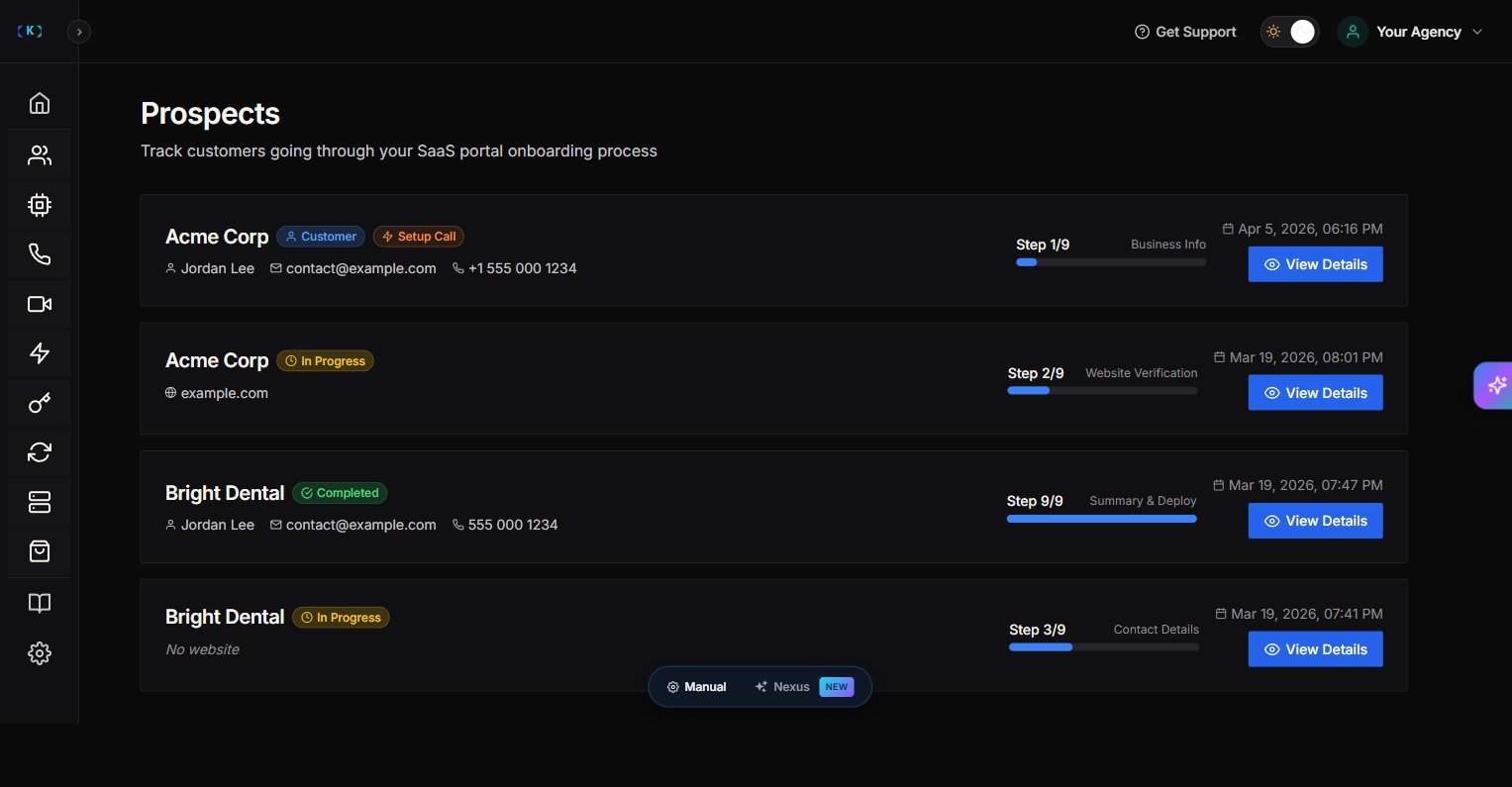
Prospects shows people who started your SaaS portal onboarding flow but haven’t become full customers yet. This is useful if you’re running a “productized” offer (agency-as-a-SaaS) and want to:- See who started onboarding
- See where they dropped off
- Follow up and convert them
Plan requirement
Prospects is an Enterprise feature. If you’re not on an Enterprise tier, the page shows an upgrade message.Where to find it
In the Partner Portal sidebar:- Customers
- Prospects (Enterprise)
What you’ll see
On the Prospects page, you’ll typically see:- Prospect business name
- Contact details (email/phone)
- Current onboarding step
- Status (in progress vs completed)
Understanding the onboarding step
The onboarding flow walks prospects through 9 steps:- Step 1/9 — Business Info
- Step 2/9 — Website Verification
- Step 3/9 — Contact Details
- Step 4/9 — Service Categories
- Step 5/9 — Knowledge Base
- Step 6/9 — Greeting Setup
- Step 7/9 — Information Collection
- Step 8/9 — Communication Settings
- Step 9/9 — Summary & Deploy
Steps 4–8 (Service Categories, Knowledge Base, Greeting Setup, Information Collection, Communication Settings) now appear as summary cards inside Step 9 (Summary & Deploy) rather than as separate steps. The step indicator shows 1–9.
How to use Prospects (simple workflow)
- Open Prospects.
- Sort by most recent.
- Click View to open details.
- Follow up with:
- A short help message (if they’re stuck)
- A quick call invite (if they’re close to completion)
Viewing business details
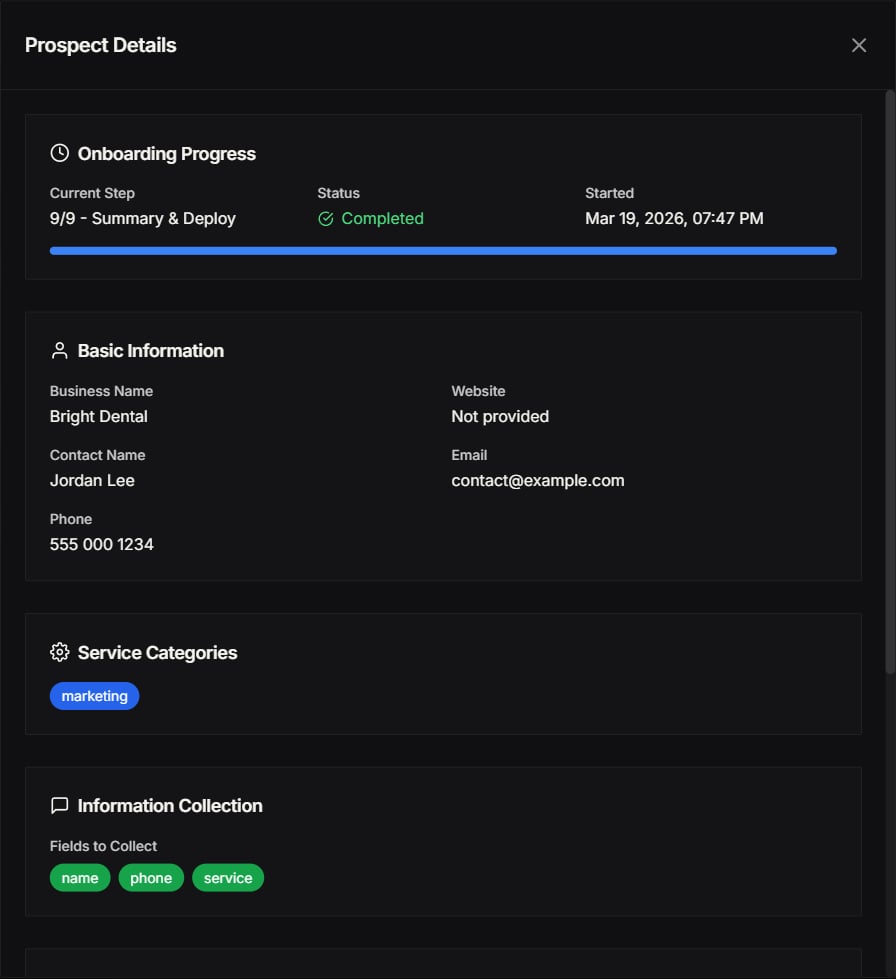
When you click View on a prospect, you can see their complete business information:- Business name and contact details
- Website URL
- Current onboarding step
- Service categories selected
- Any notes or custom fields they’ve filled in
Free AI Credits allocation
You can allocate Free AI Credits to prospects to help them get started without any upfront cost:- Open the prospect’s details.
- Find the Free AI Credits section.
- Set the amount of credits you want to allocate.
- Save changes.
- Trial periods – Let prospects test the AI before committing.
- Onboarding incentives – Reduce friction during signup.
- Demo accounts – Give sales demos without affecting your main credits.
Committed Memberships
Committed Memberships offer a reduced price rate for prospects who commit to longer-term plans. If you’re interested in offering Committed Memberships to your prospects, please contact us for pricing and setup details.Tips
- Treat prospects like “warm leads”—they already showed intent.
- Keep follow-ups helpful and specific (“Need help connecting your knowledge base?”).
- Use Free AI Credits strategically to convert high-value prospects.
Screenshots