

Start here first
If you are looking for the current OpenAI-compatible API key flow, use the top-level AI Gateway page. That is where partners now:- Create AI API keys
- Control which models can be used
- Manage budgets and top-ups
- Regenerate or revoke keys
- Set up customer self-service AI Gateway access
Which option to use
AI Gateway
Use AI Gateway when you need:- OpenAI-compatible API keys
- Limits on which models can be used
- Usage-based AI billing
- Customer-billed AI Gateway keys
- Customer self-service key creation from the whitelabel portal
Customer portal API Keys
Use the customer-side API Keys menu when a customer needs standard programmatic access that depends on:- API Access being enabled
- API Keys menu visibility being enabled
MCP Tokens
Use MCP Tokens when you are working with MCP-specific integrations and agent tooling.Embed URLs
Use Embed URLs for:- Customer-scoped widgets
- Embedded portal experiences
- iframe or embedded access flows
Whitelabel branding on API keys pages
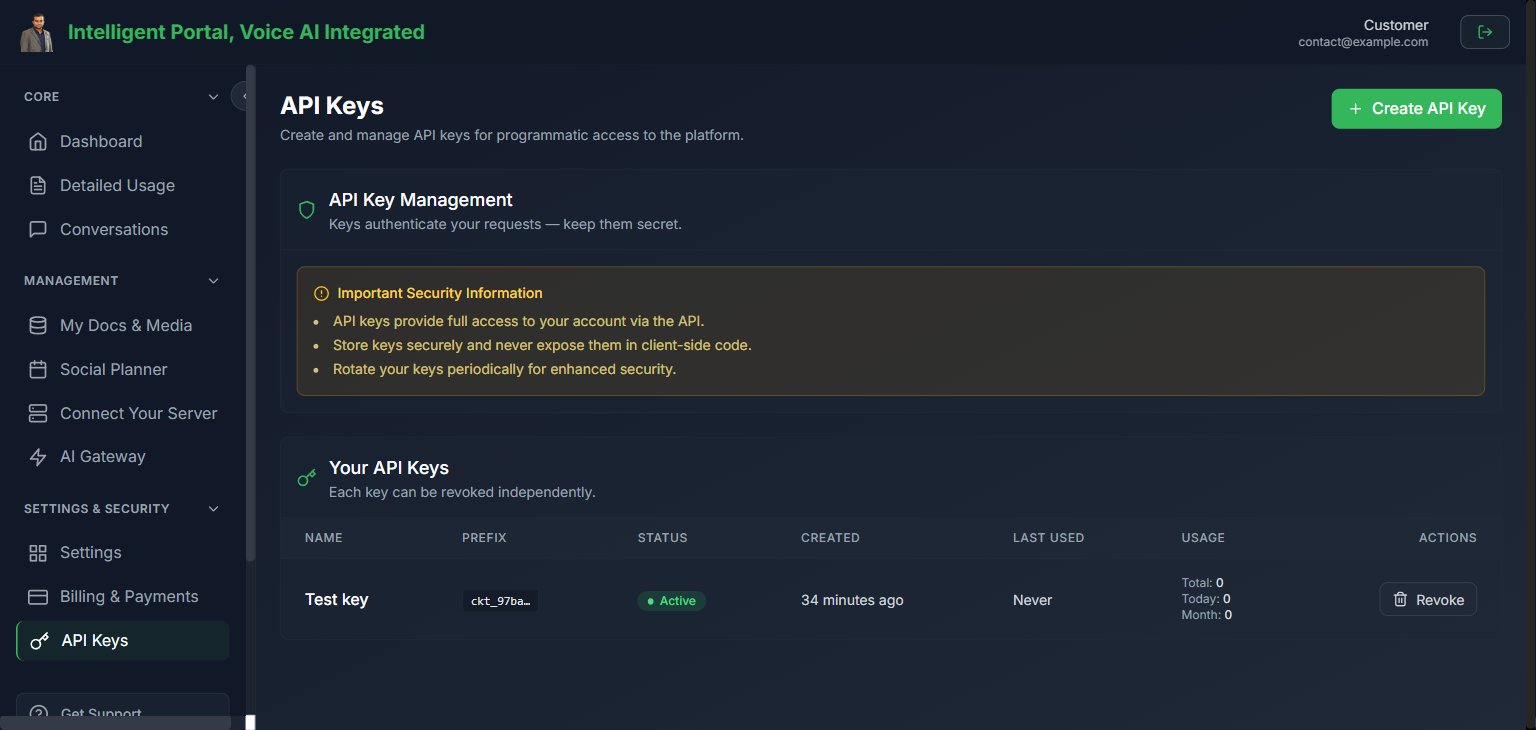
Both the partner-side Settings → API Keys page and the customer portal API Keys section automatically follow your partner brand settings. No extra configuration is needed. What this means in practice:- Primary color — the action buttons (Generate, Copy, Delete) use your brand’s primary color from Whitelabel settings.
- Dark theme — the page matches the partner portal’s dark look.
- Branded key reveal — when a new API key is generated and shown once, that pop-up uses your primary color.
- Branded empty state — when a customer has no API keys yet, the message references your business name.
Security reminders
Treat any key or token like a password:- Never expose it in client-side code unless that flow is specifically designed for browser use
- Store it in a secrets manager or password vault
- Rotate it after team changes or suspected exposure
Common confusion to avoid
- AI Gateway is for usage-based AI access.
- API Keys visibility in the client portal depends on API Access.
- AI Gateway visibility in the client portal depends on AI Credits plus the partner self-service setting.
- Embed URLs are for embedded customer experiences, not server-side partner automation.