

What AI Gateway is
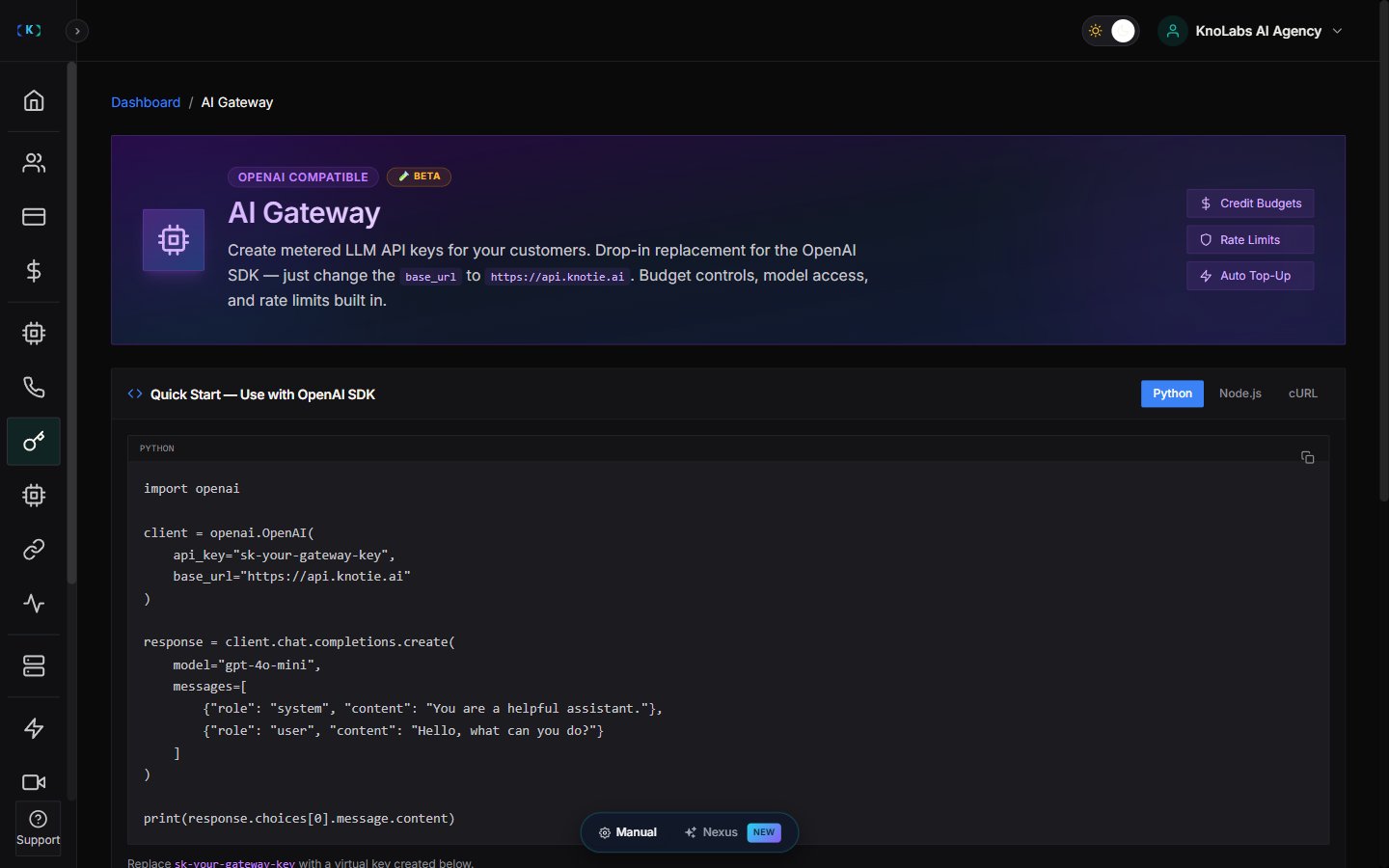
AI Gateway is where you create metered AI API keys from the Partner Portal. It’s OpenAI-compatible, so you can use the standard OpenAI SDK and simply point thebase_url at https://api.knotie.ai. The page is marked as Beta.
Use AI Gateway when you want to:
- Create your own AI API keys
- Limit each key to specific models
- Fund usage from your AI Credits
- Assign a key to a customer and bill their usage back to their AI Credits
- Let customers create their own keys from your white-label portal
Where to find it
In the Partner Portal sidebar:- Open AI Gateway.
- The top of the page has a quick-start guide.
- AI Gateway Keys is where you create and manage keys.
- Customer Self-Service API Keys is where you control whether customers can create their own.
Quick start
The page includes ready-made code snippets for Python, Node.js, and cURL. Each one uses your key andhttps://api.knotie.ai as the base URL, so you can be up and running in a couple of minutes.
Create a key
Click Create Key to open the key window.Who the key is for
You start by choosing who the key belongs to:- For my customer (the default) — the key is tied to one of your customers, and their AI Credits are charged for usage, with your markup added.
- For my internal use — no customer is attached, and all usage comes out of your own AI Credits.
Key details
- Key name
- Description
- Allowed models — pick one or more models this key is allowed to use
Reserved deposit
Each key sets aside a fixed $10 deposit (1,000 credits) from your balance. Once that deposit is used up, usage keeps drawing from your main balance automatically — there’s no separate per-key cap. The key stops working the moment your balance hits zero, so it’s worth setting up auto-recharge in your billing settings to avoid interruptions.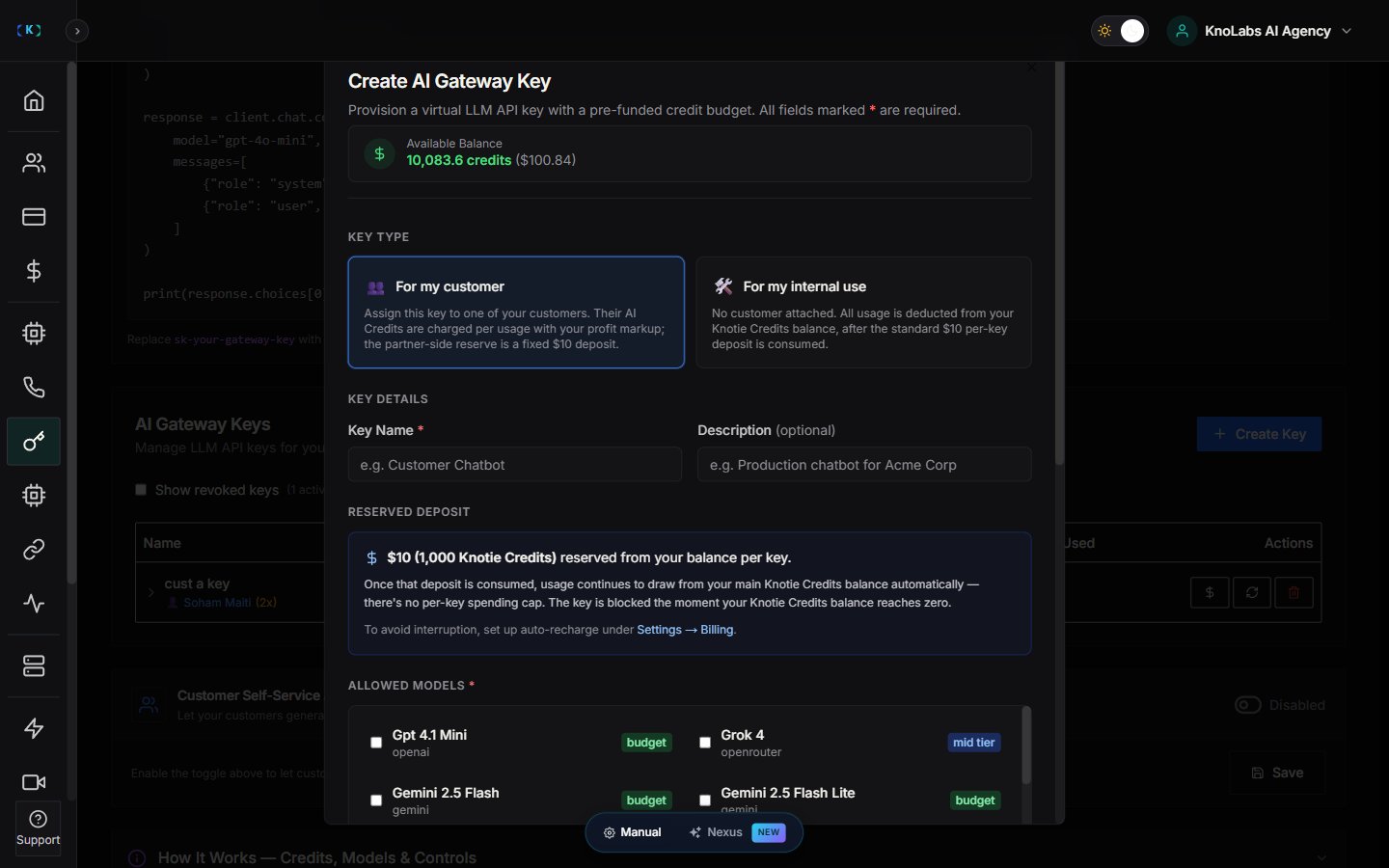
Which models you can choose
The models on offer depend on your subscription. They’re grouped into tiers — such as budget, mid-tier, and premium — and any model your plan doesn’t include simply won’t appear as an option.Billing a customer
When you assign a key to a customer, a billing section appears where you set how their usage is priced — including your profit multiplier and the price per credit — with a live preview showing your cost and what the customer will be charged. These fields only show up once you’ve picked a customer.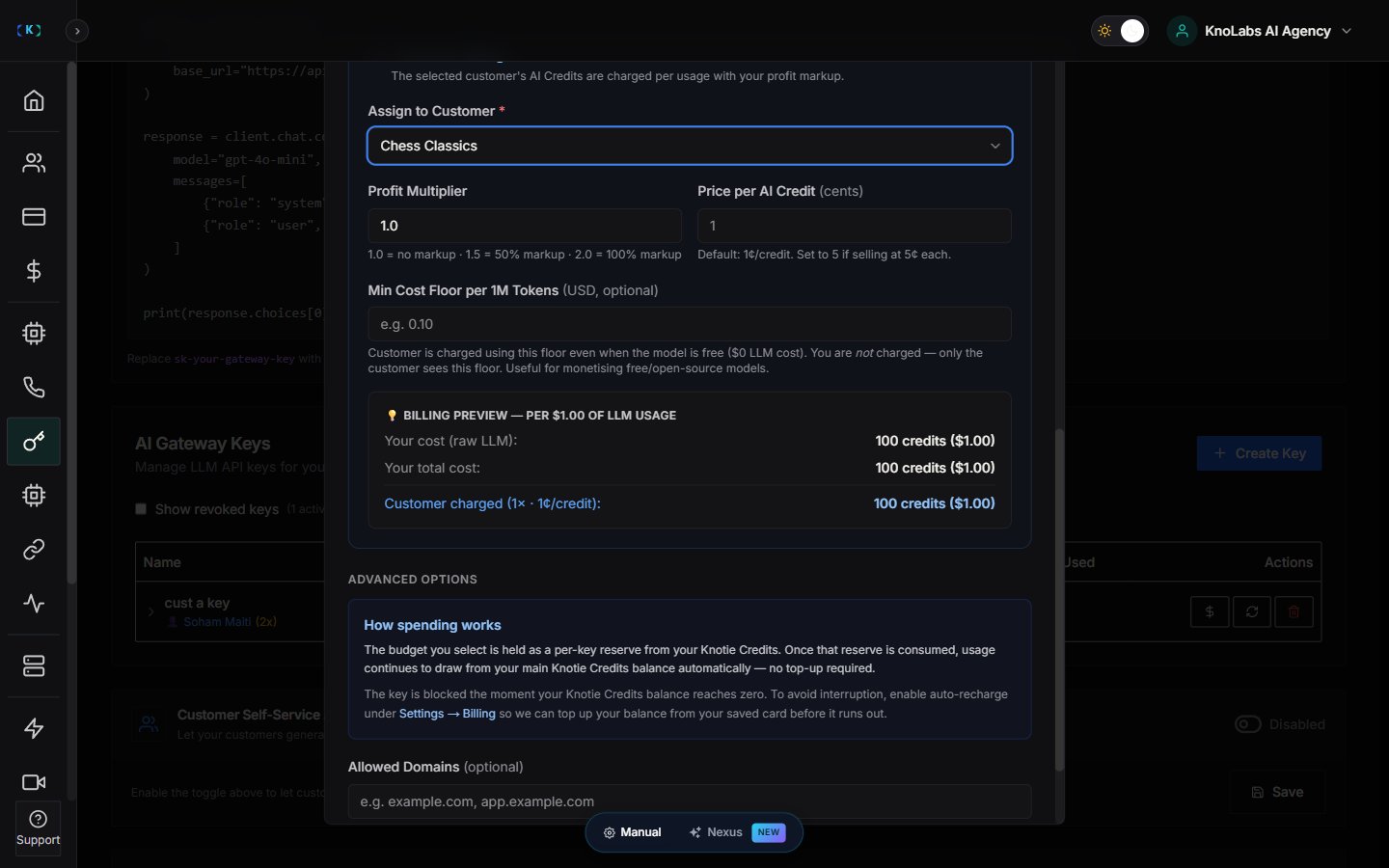
Restricting to certain domains (optional)
Under Advanced Options, you can limit a key to a list of approved domains.Managing your keys
The AI Gateway Keys table lists each key with its name, prefix, spend against its deposit, allowed models, status, and when it was last used. For each active key you can:- Top Up
- Regenerate
- Revoke
- Regenerating a key immediately makes the old one stop working.
- Revoking a key can’t be undone.
- Revoking refunds any unused deposit back to your balance.
- You can choose to show revoked keys in the table.
Copying a new key
When you create or regenerate a key, the key is shown once, in a confirmation banner. Copy it right away — for security, it won’t be shown again.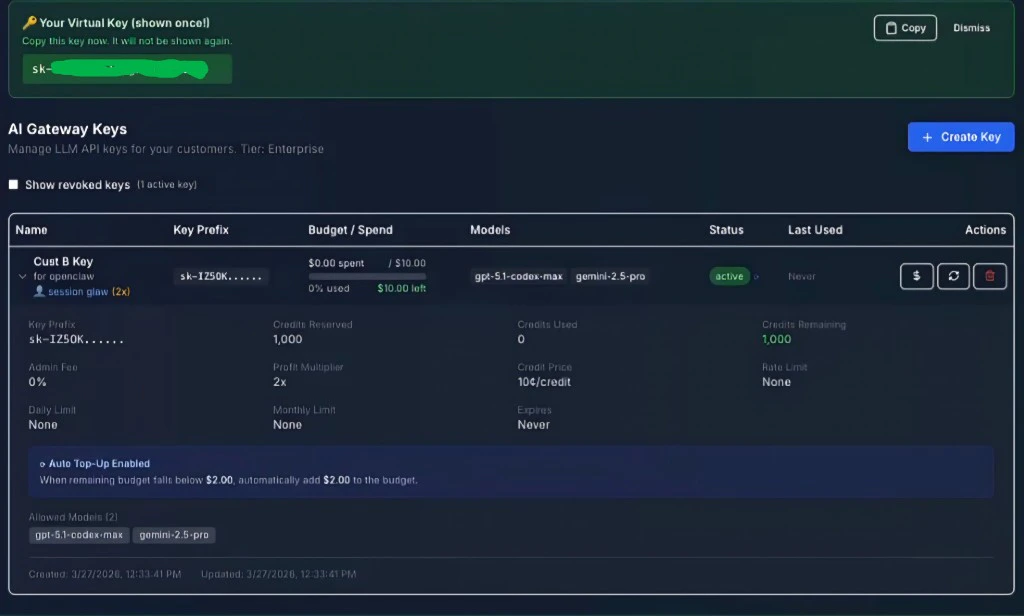
Letting customers create their own keys
The lower part of the page controls whether your customers can create their own AI Gateway keys from your portal. There’s a master on/off toggle. While it’s off, the rest of the settings stay hidden — turn it on to reveal options like applying the setting to new or existing customers, a default profit multiplier, and the credit-to-cost rate.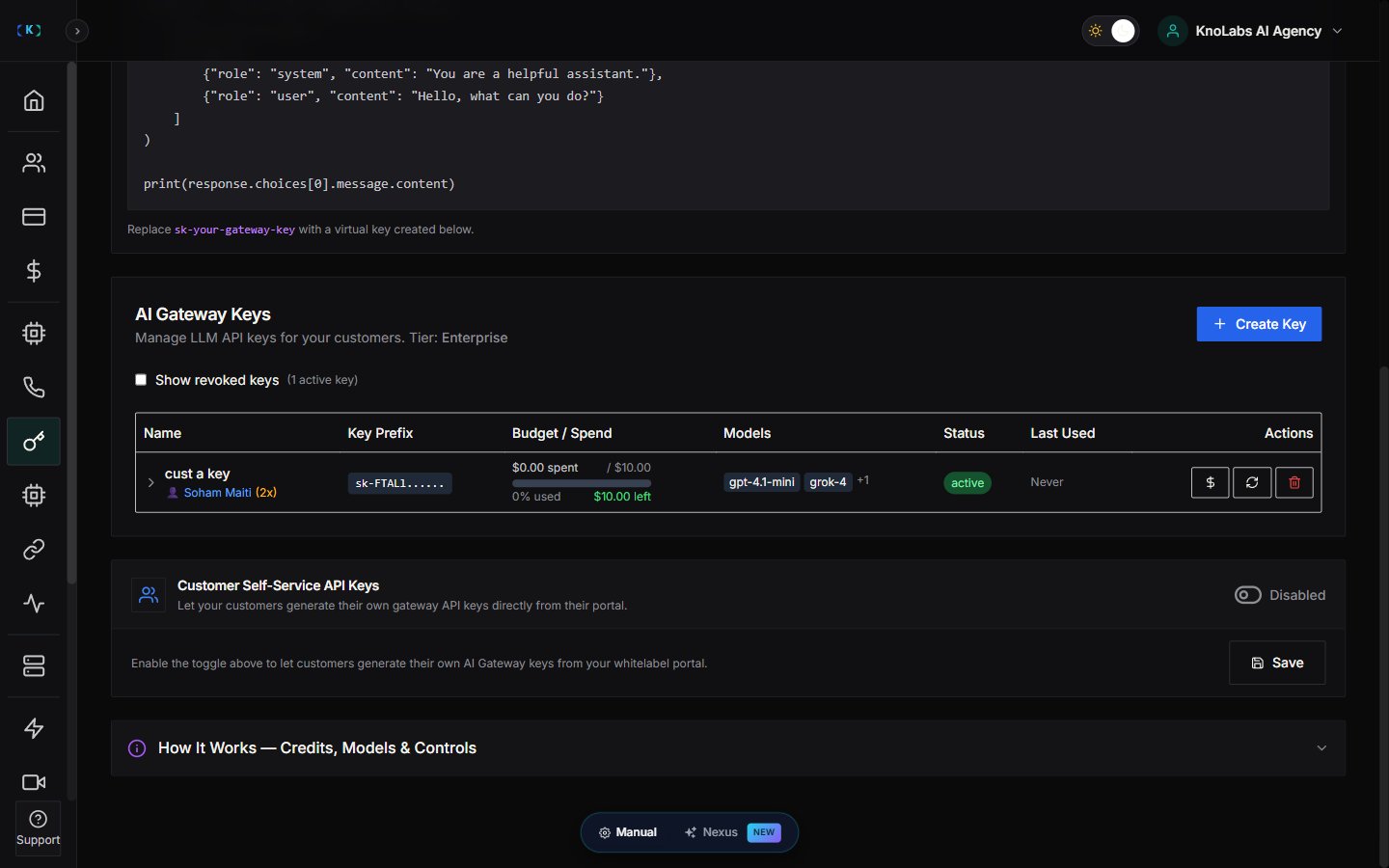
How the deposit works for customer keys
When customer self-service is on, each key a customer creates sets aside a deposit of about $10 (1,000 credits) from your balance. If your balance drops below that, customer-created keys may be paused until you top up again.What else a customer needs
Turning on the master toggle isn’t quite enough on its own. For a customer to see AI Gateway in their portal, all of these need to be true:- Your Customer Self-Service API Keys master toggle is on.
- The customer has AI Credits enabled.
- The customer’s AI Gateway menu is turned on in Features & Add-ons.
Good to know
- Keys you create use a fixed $10 deposit, not a budget you set. Once it’s used up, usage draws from your main balance automatically.
- Keys your customers create are pay-as-you-go from their own AI Credits — they’re never asked to set a budget.
- API Keys in the customer portal are a different thing from AI Gateway: API Keys rely on API Access, while AI Gateway relies on AI Credits plus your self-service settings.