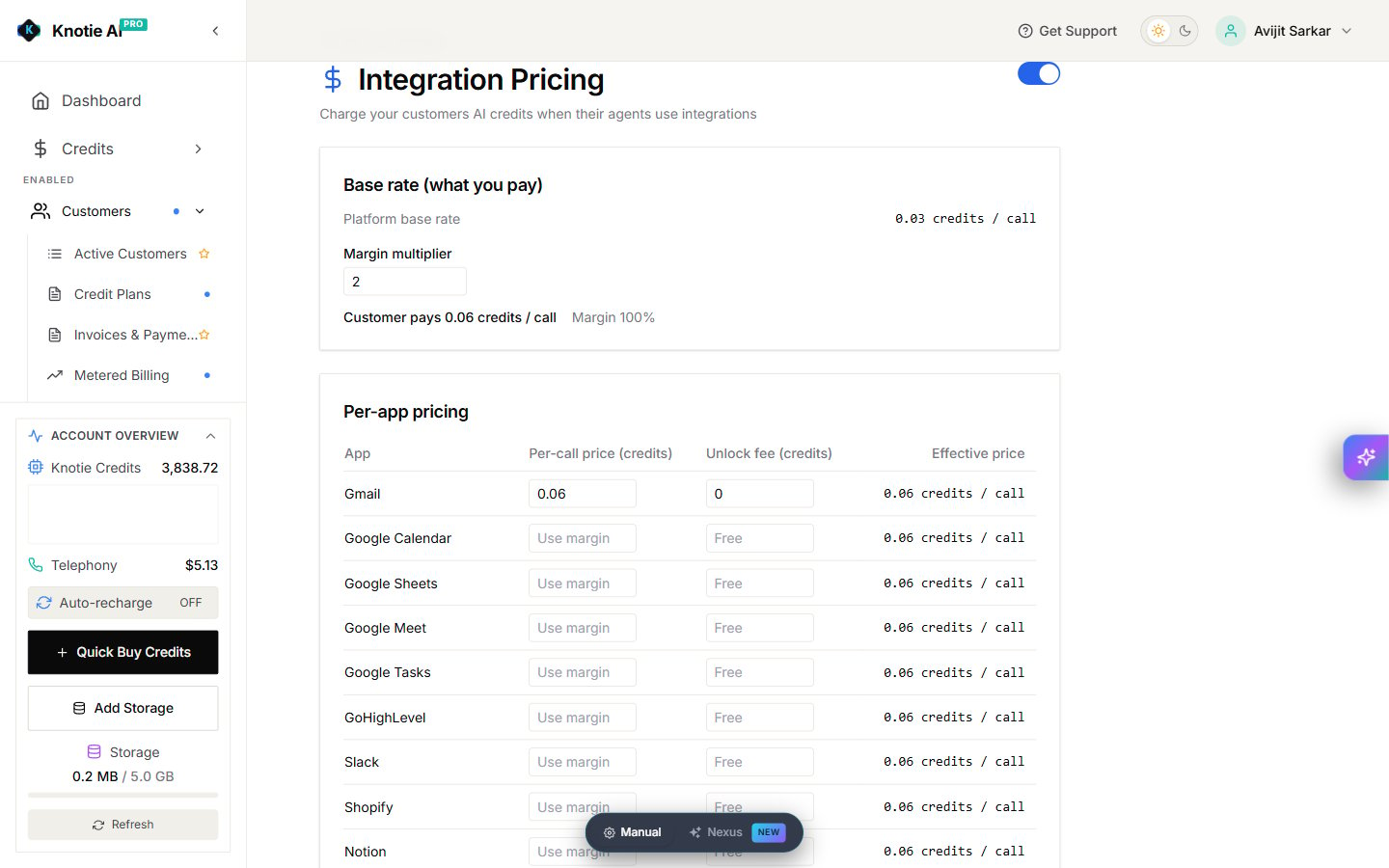
In the Partner Portal, open Settings → Integration Pricing.Use the switch at the top of the page to turn integration charging on or off for the partner account.
The page shows the platform base rate and a Margin multiplier. Production currently displays a base rate of 0.03 credits per call. The calculated customer price and margin update as you change the multiplier.Review the calculated price before saving.
Turn on Automatically add new apps as we release them to add each new app to your list on the day it’s released. This only ever adds apps — anything you’ve unticked stays off.
Existing customers shows how many customers already follow your list, and how many have no apps of their own.Select Give them this list to hand your list to the customers who have no apps of their own. From then on they follow your list.
Give them this list uses the apps ticked on screen right now. Tick the apps you want before you select it.
To give one customer a different set of apps, choose them in that customer’s Edit Apps. They’ll then keep their own list instead of following yours.