

Overview
As a partner or agency, onboarding a customer is the first step to setting up their portal experience. In the Partner Portal, customer onboarding is designed to be fast.What you’ll need
- Customer name and contact details
- Which portal URL you want to use (subdomain or custom domain)
Before you onboard customers
Make sure your whitelabel portal is set up:- A subdomain or verified custom domain is configured
- Customer portal is enabled
Steps
- In the Partner Portal, go to Customers.
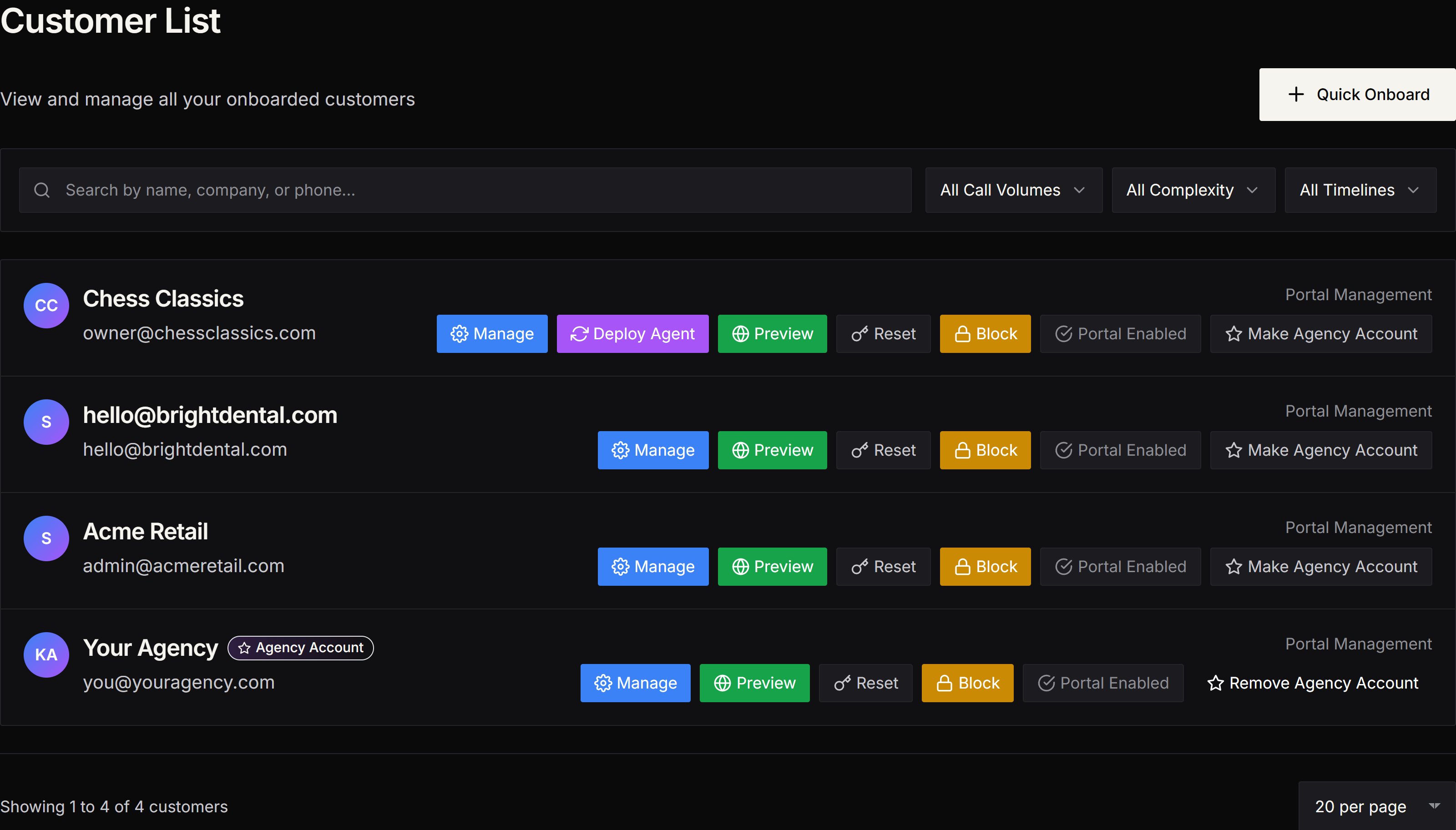
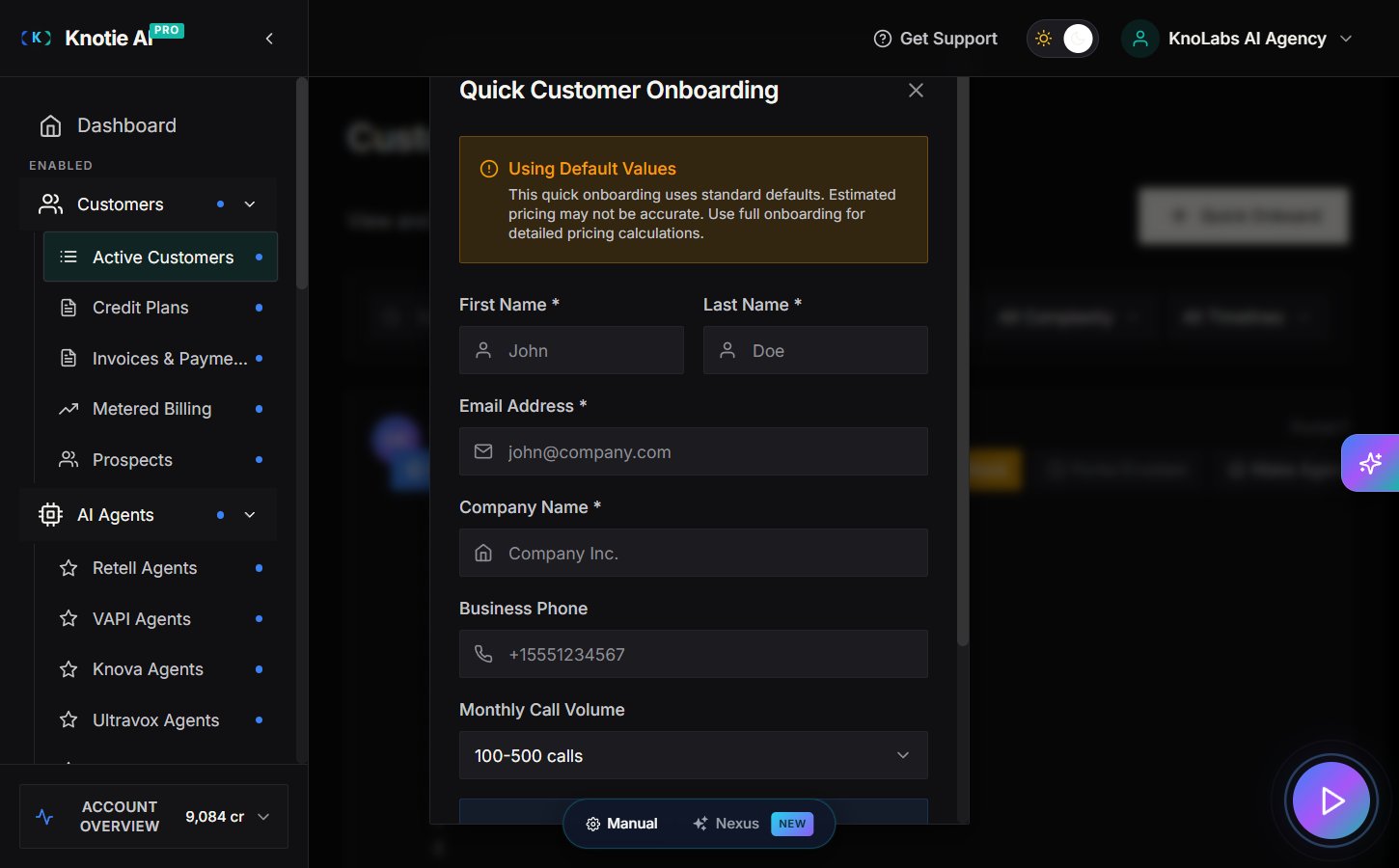
- Click Quick Onboard.
- Fill in the customer details.
- Confirm and submit.
Free Forever limits
On Free Forever, you can onboard up to 2 customers. If you reach the limit, the app will show an upgrade prompt.After onboarding
From the Customers list you can:- Open Manage to change customer settings
- Preview the customer portal (opens a temporary preview window)
- Reset the customer’s portal password
- Block portal access if needed
Screenshots
Next steps
- Configure portal modes and what sections the customer can see
- Import or create an agent and map it to the customer
- Set up email domain (optional)