

Start activation
- Open Phone Numbers in the Partner Portal.
- Find the Activate Phone Service panel.
- Select Get Started.
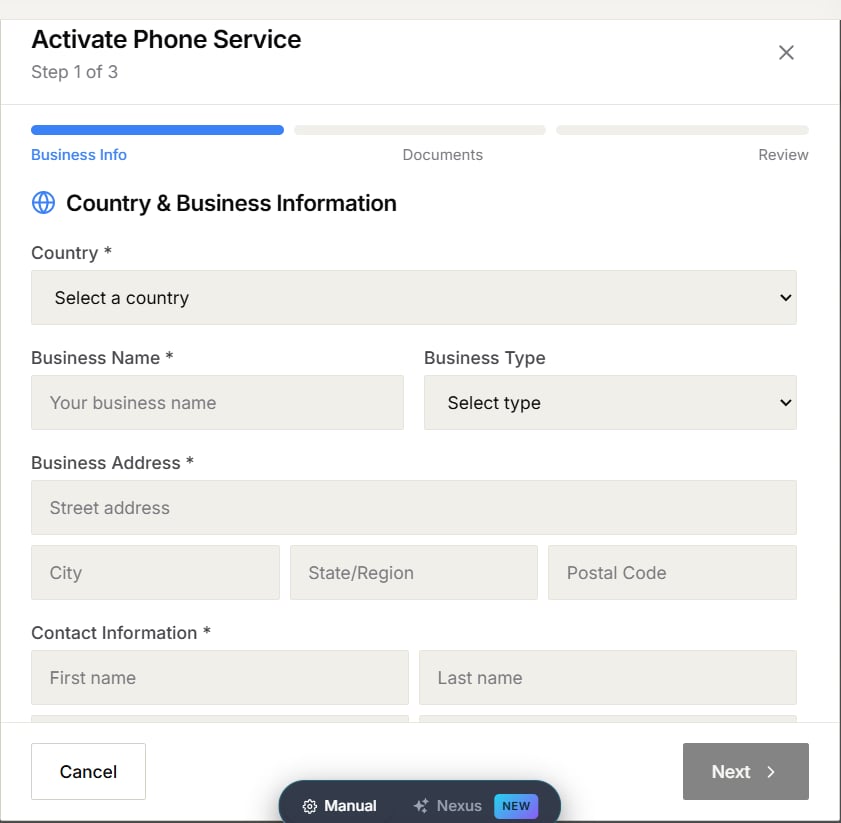
Add business information
Choose the country where your business is registered, then enter the business name, business type, address, and contact information requested by the form. Use your legal business details so they match the documents you upload in the next step.Upload documents
The required documents depend on the selected country and phone-number type. Use the file guidance shown in the portal, and make sure every upload is current and readable.Review and submit
Check the details and documents before submitting. After submission, return to Phone Numbers to follow the status shown in the activation panel. If the portal asks for corrections, update the requested information or replace the affected document, then submit again.Availability and document requirements vary by country and provider. Follow the requirements displayed in your activation form.