What “import” means

Importing pulls your existing Retell agents into Knotie AI so you can manage them in the Partner Portal. This is the fastest path if you already built agents in Retell and want them available inside Knotie.

Before you start

  • You need a Retell API key.
  • You must be able to log in to the Partner Portal.

Import Retell agents into Knotie AI

  1. In the Partner Portal, open AI Agents.
  2. Click Retell Agents.
  3. Click Import Agents.
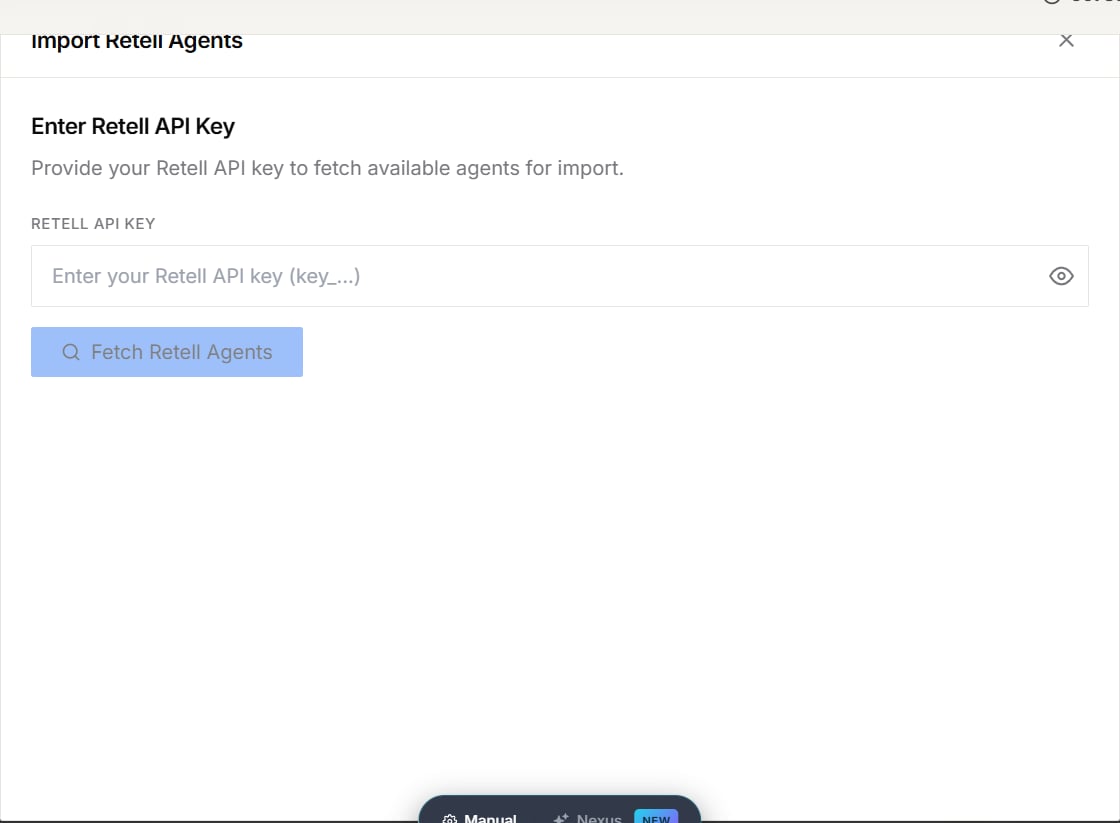
  4. In the modal, paste your Retell API Key.
  5. Click Fetch Retell Agents.
  6. Select the agents you want to import:
    • Agents already imported show as Imported.
    • Use Select All if you’re importing multiple at once.
  7. Click Import.
Knotie AI will import the agents and automatically handle the “plumbing” behind the scenes (analytics registration + webhook configuration).
  • Open an imported agent and map it to a customer if needed (so your customer sees the right agents and usage).

Troubleshooting

  • “Retell API key is missing” or “Invalid Retell API key”
    • Go to Settings and update your Retell API key.
    • Then come back and try importing again.
  • You hit the Free Forever limit
    • Free Forever accounts have a Retell agent limit. If you hit it, you’ll see an upgrade message.
  • No agents available for import
    • This usually means all your Retell agents are already imported.

Screenshots

Screenshot2025 12 28at02 13 11 Screenshot2025 12 28at02 13 21 Screenshot2025 12 28at02 13 34