Documentation Index
Fetch the complete documentation index at: https://docs.knotie-ai.pro/llms.txt
Use this file to discover all available pages before exploring further.
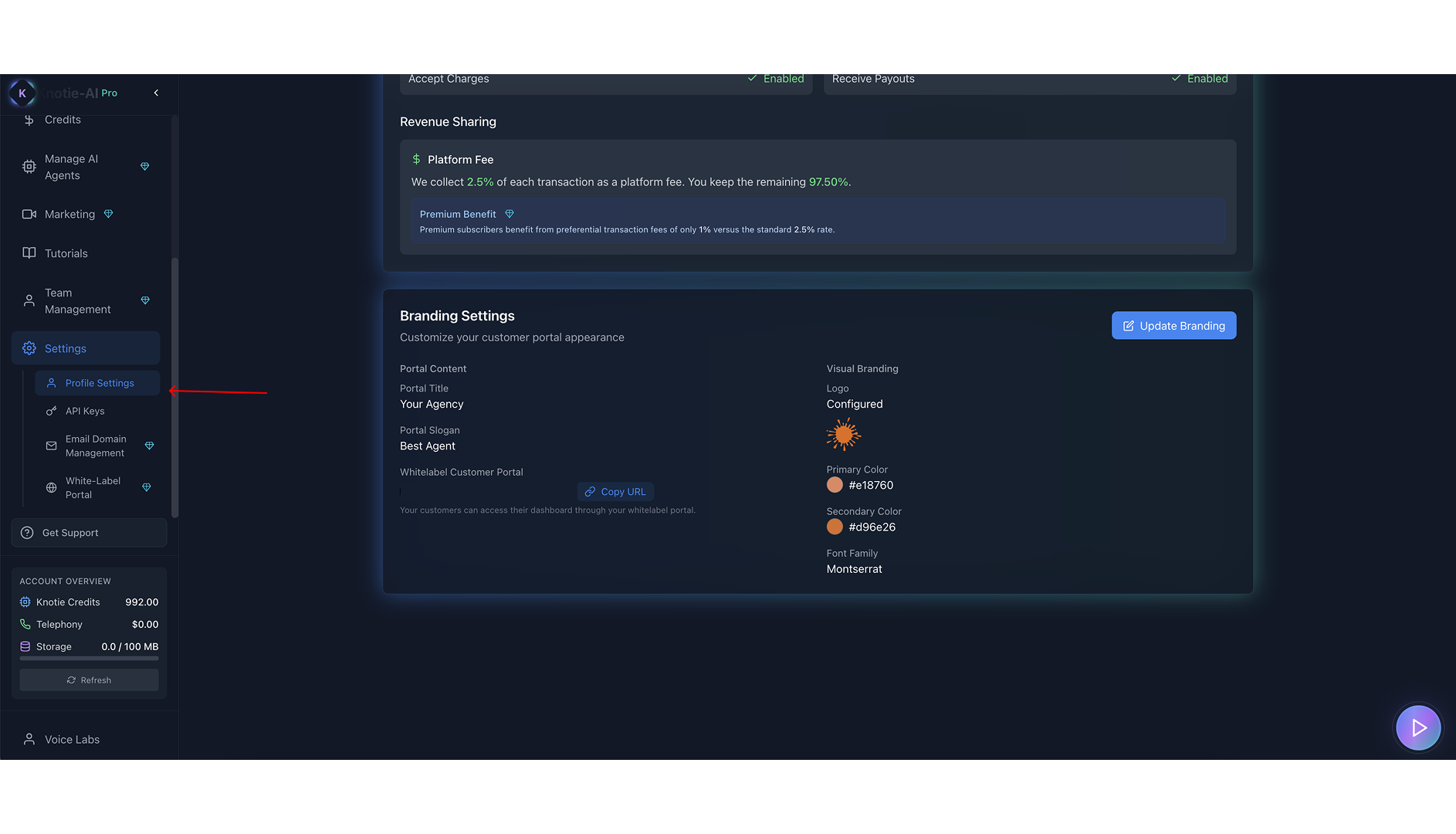
What Branding Settings controls
Branding Settings affects how your customer-facing portal looks. The Settings page shows:- Portal Title
- Portal Slogan
- Portal URL (subdomain or custom domain)
- Logo
- Primary Color
- Secondary Color
- Font Family
Where to find it
- Open Settings.
- Scroll to Branding Settings.
- Click Update Branding.
Copy your portal URL
In Partner Information or Branding Settings, the portal displays your customer portal URL. Use Copy URL to copy it. If you haven’t configured subdomain/custom domain yet, it will prompt you to configure it in Whitelabel settings.How this relates to Whitelabel
Branding Settings controls the look and feel. For domain setup and portal mode selection, use:- Whitelabel Subdomain
- Custom Domain
- Portal Modes
Screenshots