

Who this is for
This playbook is for agencies that:- Run outbound lead follow-up for multiple clients
- Need clean separation by client (billing, credits, reporting)
- Want to avoid adding extra platforms (middleware costs + complexity)
The client concern this solves
A common objection to outbound automation stacks is:- “I don’t want to pay for Knotie and another automation platform.”
What you’ll build
A repeatable client delivery process:- Onboard a client as a Customer
- Import a phone number (Twilio or Retell)
- Assign a voice agent to that number with Outbound enabled
- Generate a per-number outbound webhook key (
owk_...) - Add a GHL workflow webhook step using that key
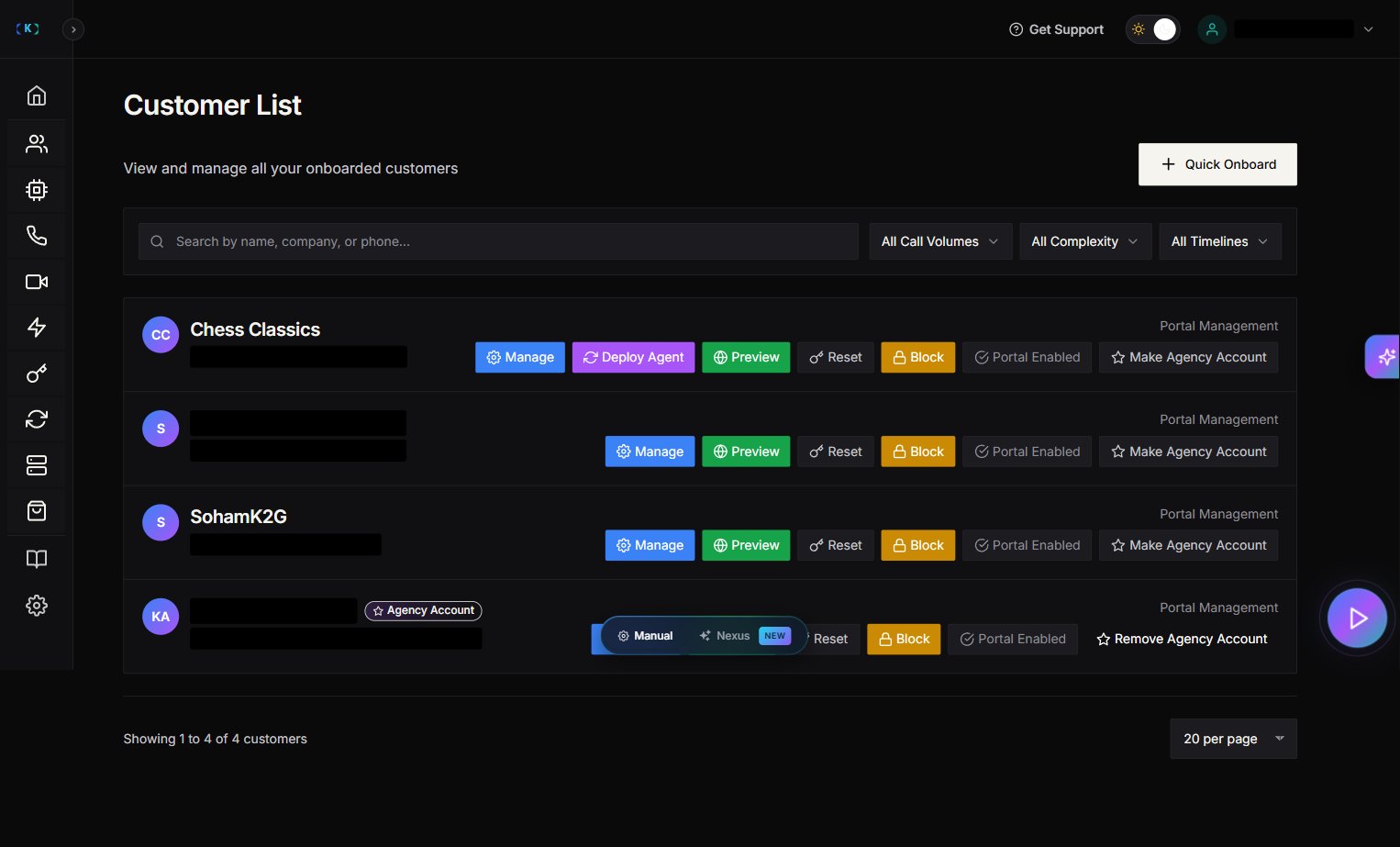
Step 1 — Onboard the client as a customer
- Partner Portal → Customers
- Create the customer record
- (Optional) Enable customer portal access if you want them to see call logs/credits
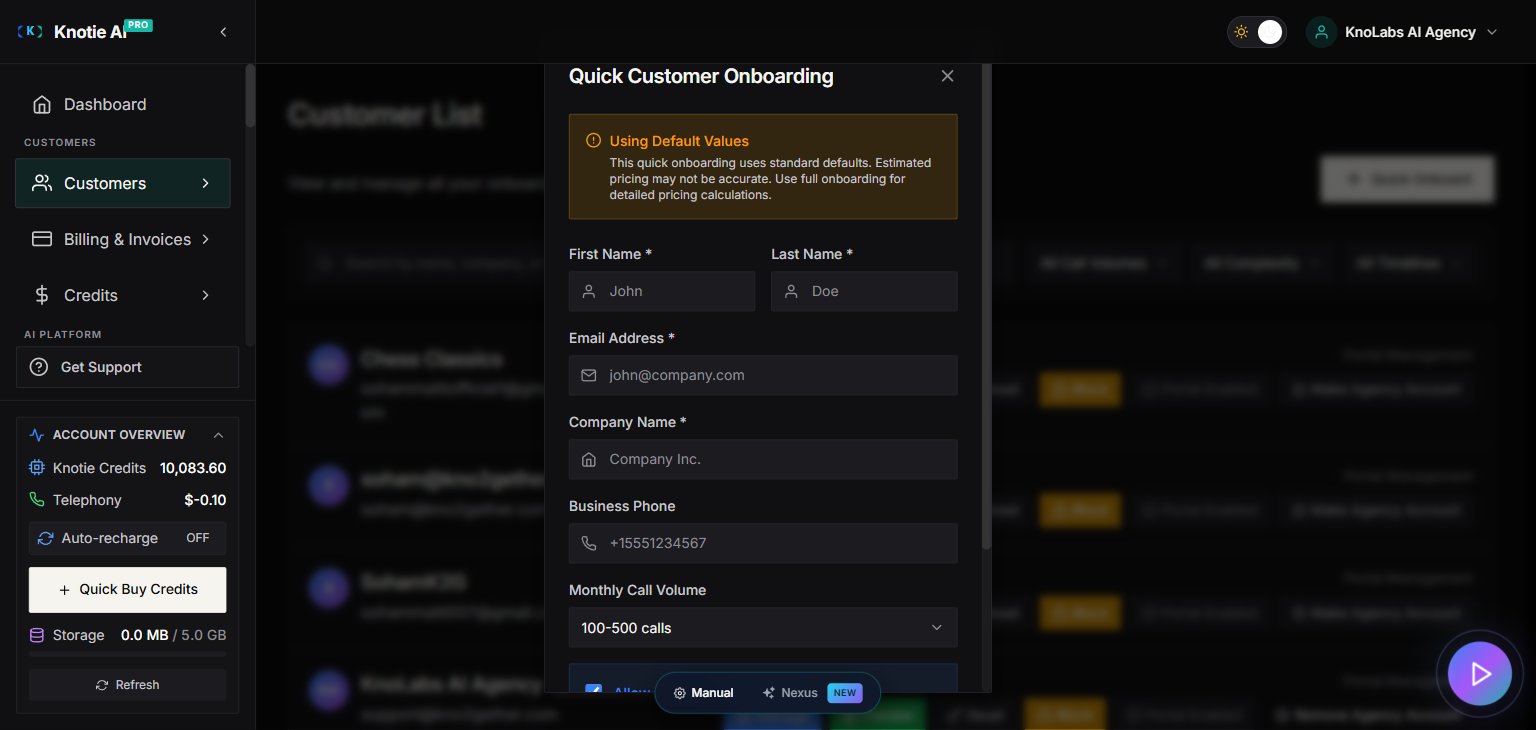
Step 2 — Set up credits (so usage is enforceable)
Why credits matter:- Agencies need a hard stop to prevent runaway spend
- Clients need predictable billing
- Open customer Manage modal
- Go to Credits
- Add credits for the customer
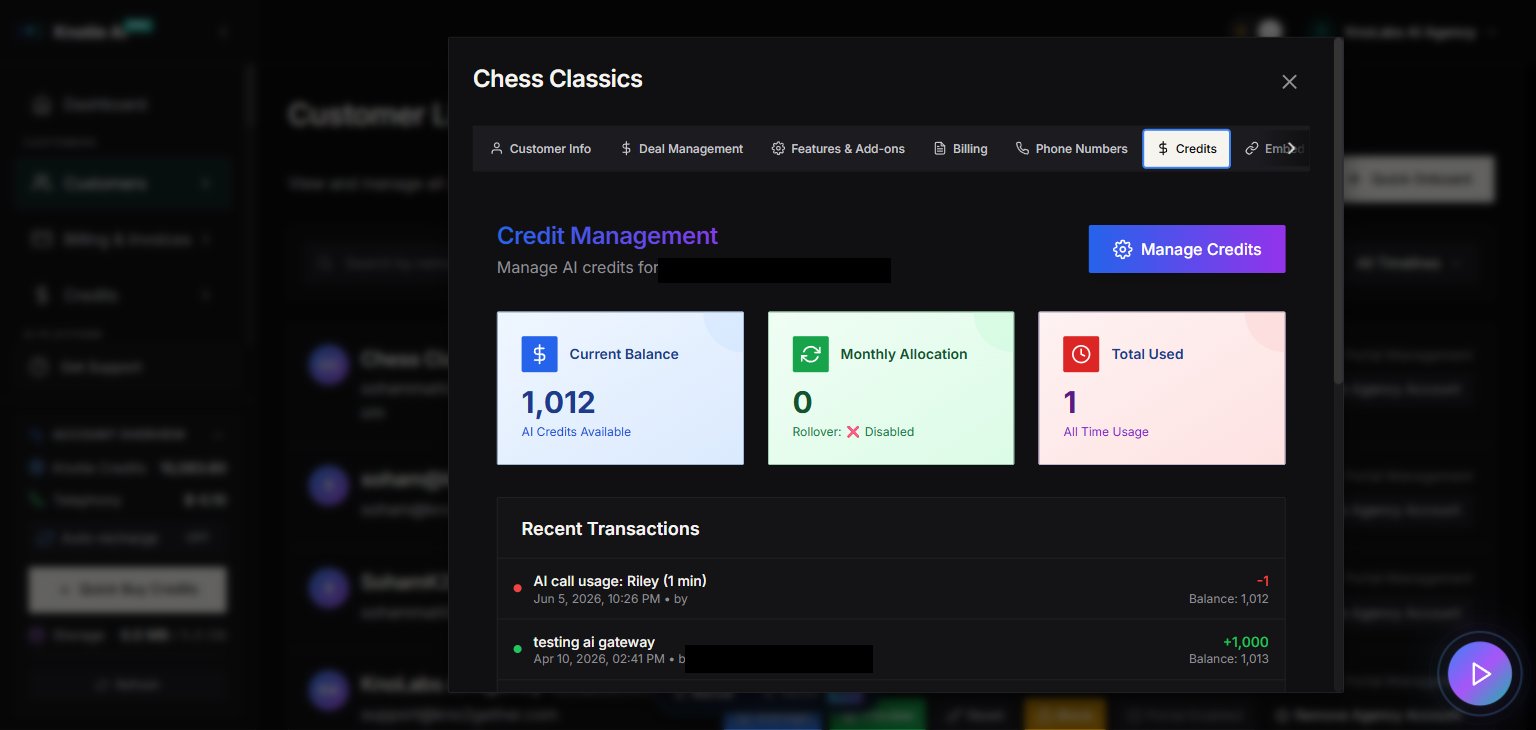
Step 3 — Import and assign a phone number
- Partner Portal → Phone Numbers
- Import from:
- Twilio (owned in Twilio)
- Retell (purchased inside Retell)
- Assign the number to the client/customer
The Assign Customer picker is a typeahead — type the client’s first name, last name, or email. The Phone Numbers list shows the contact name, not the brand/company name from your Customers list, so the same client may appear under either name depending on where you’re looking.
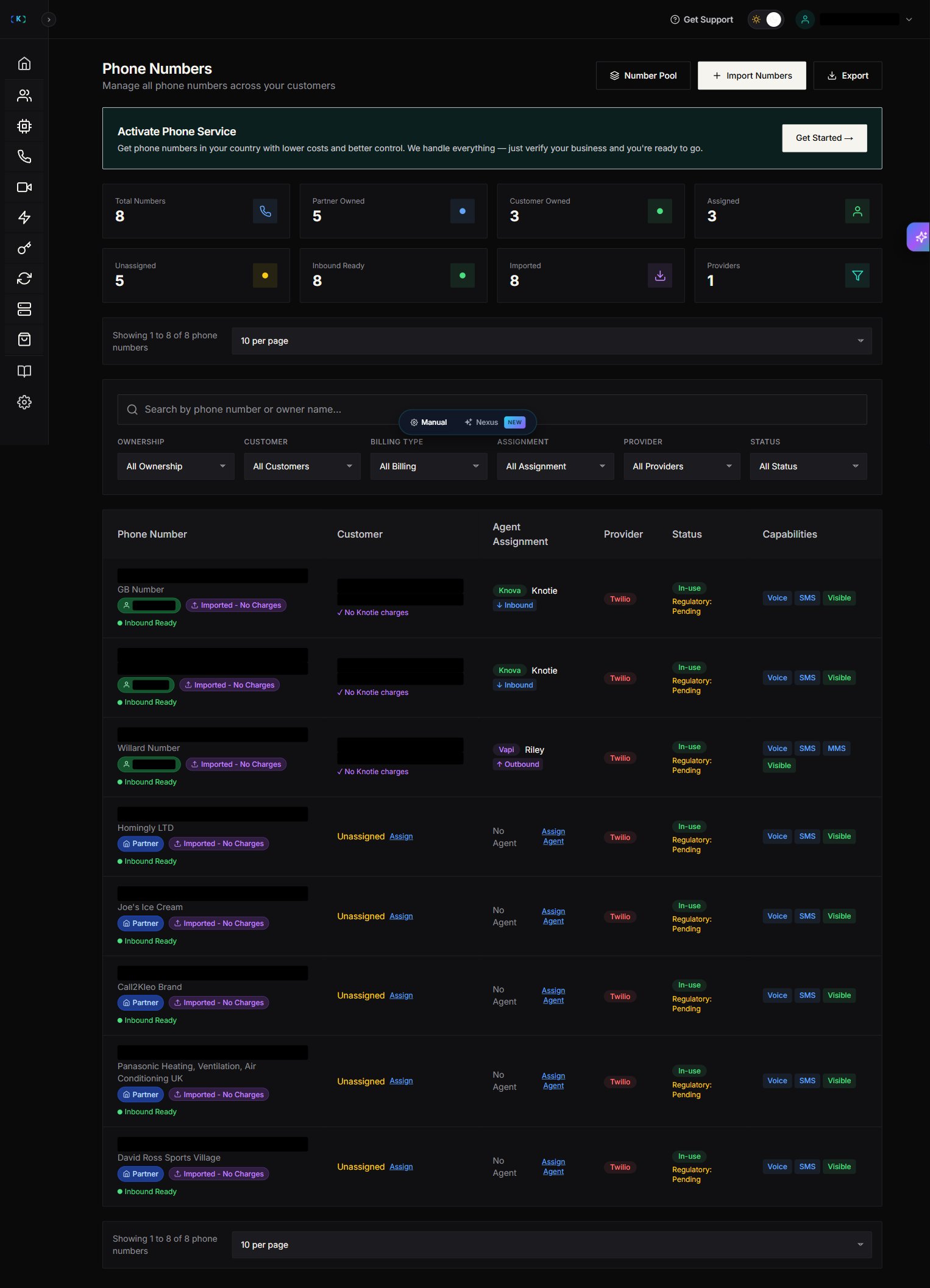
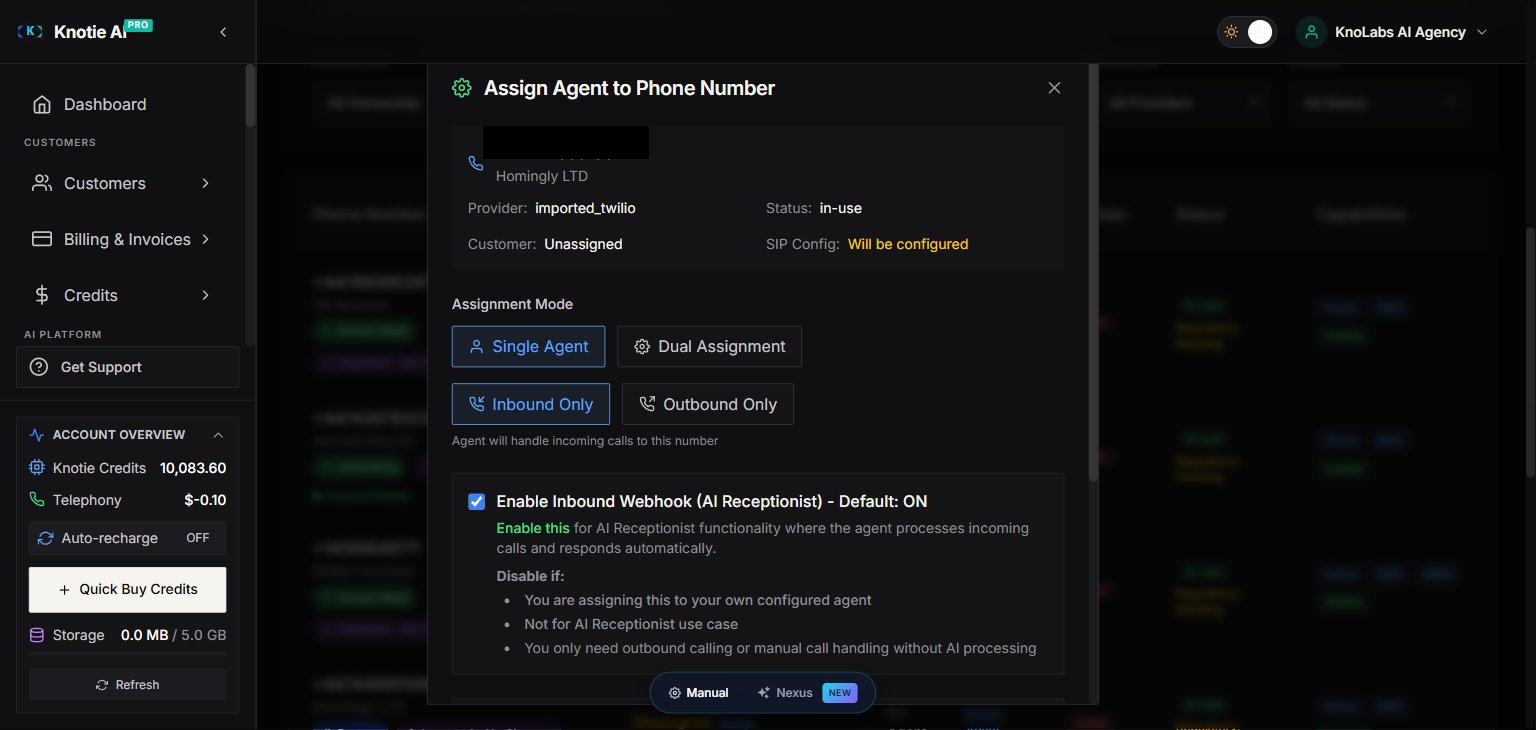
Step 4 — Assign the outbound agent
- In the phone numbers table, click Assign Agent
- Select the correct provider agent
- Enable Outbound
The agent dropdown is scoped to the customer on this number — only agents belonging to that client will appear. If you don’t see an agent, you may need to create or import one for that client first.
Step 5 — Generate a dedicated webhook key
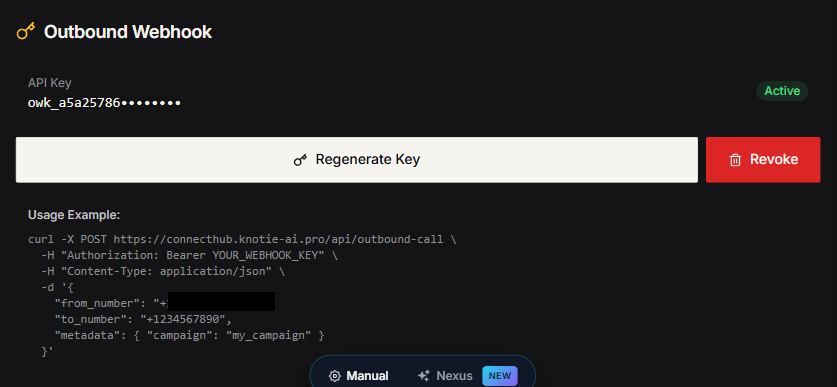
Each outbound-mapped phone number has its own key.- Open phone number details
- Generate Outbound Webhook Key
- Store in your agency vault/password manager
Step 6 — Connect the client’s GHL workflow
In the client’s GoHighLevel account:- Add a Webhook step:
- Set the method to
POST. - Copy the URL shown in the phone number’s Outbound Webhook section.
- Set the method to
- Add
Authorization: Bearer owk_... - Add required custom data:
from_numberto_number
- Add a
metadataobject with any personalization variables your agent expects
Delivery checklist (copy/paste)
- Customer created
- Credits added
- Number imported
- Customer assigned to number
- Agent assigned to number (Outbound enabled)
- Outbound key generated and stored
- GHL workflow published
- Test lead submitted and call verified
Best practices
- Use warm lead timing (call within minutes)
- Keep your outbound agent CTA simple (book, qualify, route)
- Rotate numbers if you see spam flagging patterns