> ## Documentation Index
> Fetch the complete documentation index at: https://docs.knotie-ai.pro/llms.txt
> Use this file to discover all available pages before exploring further.
# Telephony credits
> Manage the credits that cover phone calls, SMS, and phone numbers.
## What telephony credits are for
**Telephony Credits** cover your phone and calling costs, kept completely separate from your AI Credits. They pay for:
* **Inbound call minutes** — calls your customers receive
* **Outbound call minutes** — calls your AI agents make
* **Phone number rentals** — the monthly cost of the numbers you use
* **SMS messaging** — text messages
## Telephony Credits vs AI Credits
| | Telephony Credits | AI Credits |
| ------------ | ------------------------- | -------------------------------- |
| **Used for** | Calls, SMS, phone numbers | AI processing, platform features |
| **Pricing** | At cost, no markup | Platform pricing |
| **Balance** | Separate | Separate |
You keep two balances so it's clear what you're spending on phone usage versus AI usage. Top each one up on its own.
## Where to find it
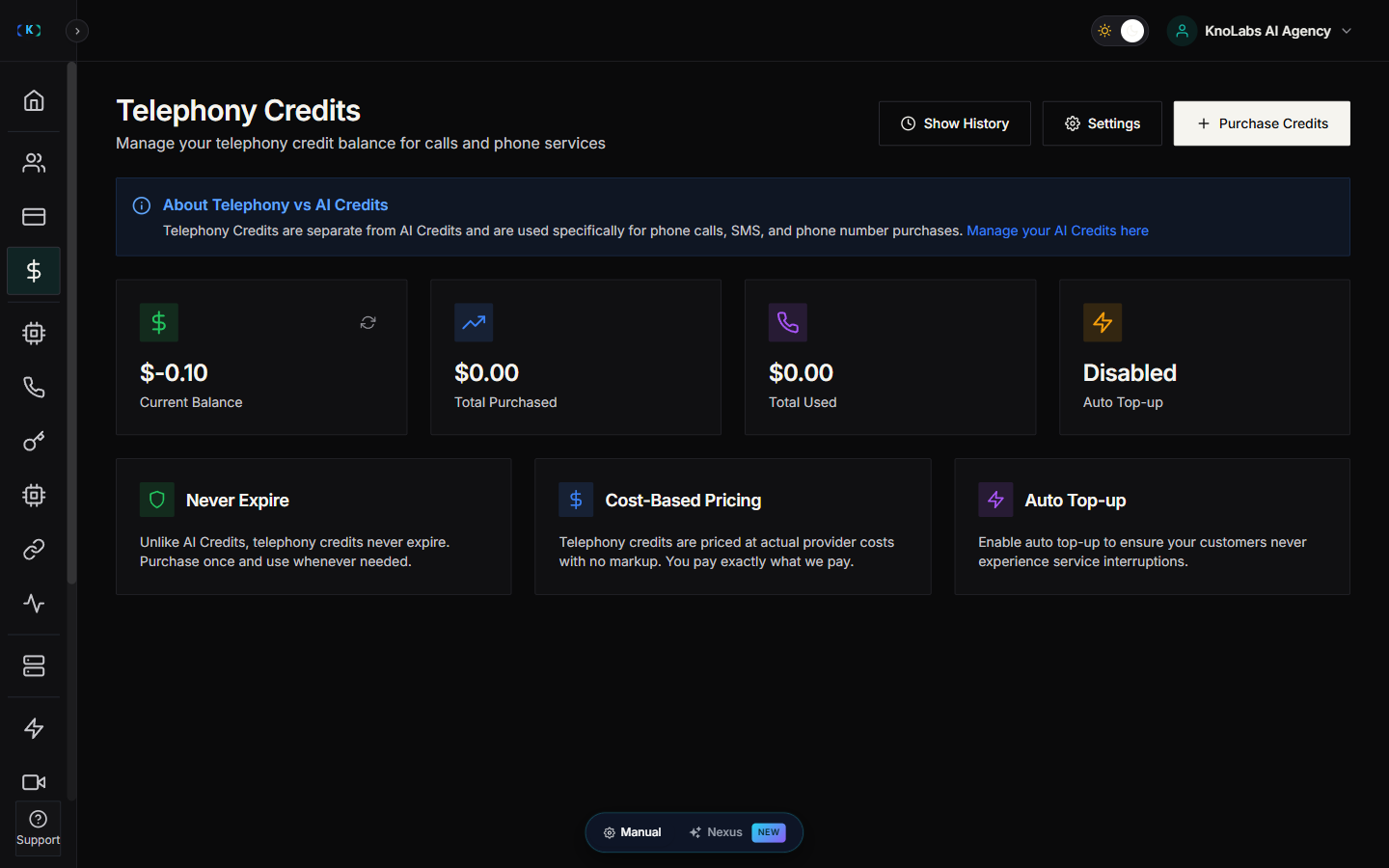
Open **Credits** in the Partner Portal sidebar, then go to the telephony credits view.
## Check your balance
The page shows your current telephony balance, a low-balance warning when you're running low, your recent history, and the packages you can buy.
 ## Buy telephony credits
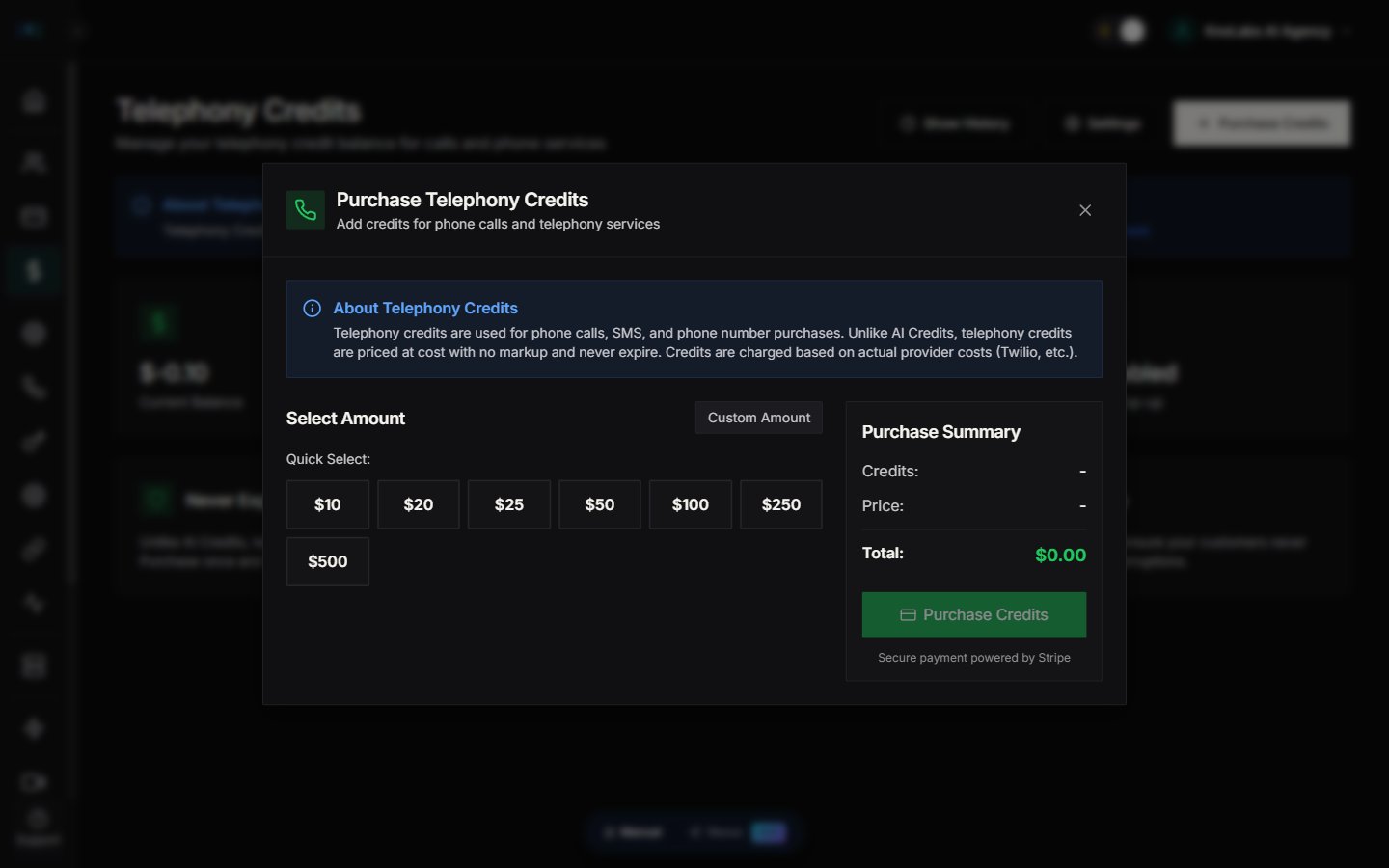
1. Open the telephony credits page.
2. Click **Purchase Credits** at the top.
3. Choose a package, or enter your own amount.
4. Complete checkout.
Your credits are added as soon as the payment is confirmed, and you'll see a summary of what you bought and your new balance.
## Buy telephony credits
1. Open the telephony credits page.
2. Click **Purchase Credits** at the top.
3. Choose a package, or enter your own amount.
4. Complete checkout.
Your credits are added as soon as the payment is confirmed, and you'll see a summary of what you bought and your new balance.
 ## Set up low-balance alerts
Get a heads-up before you run out:
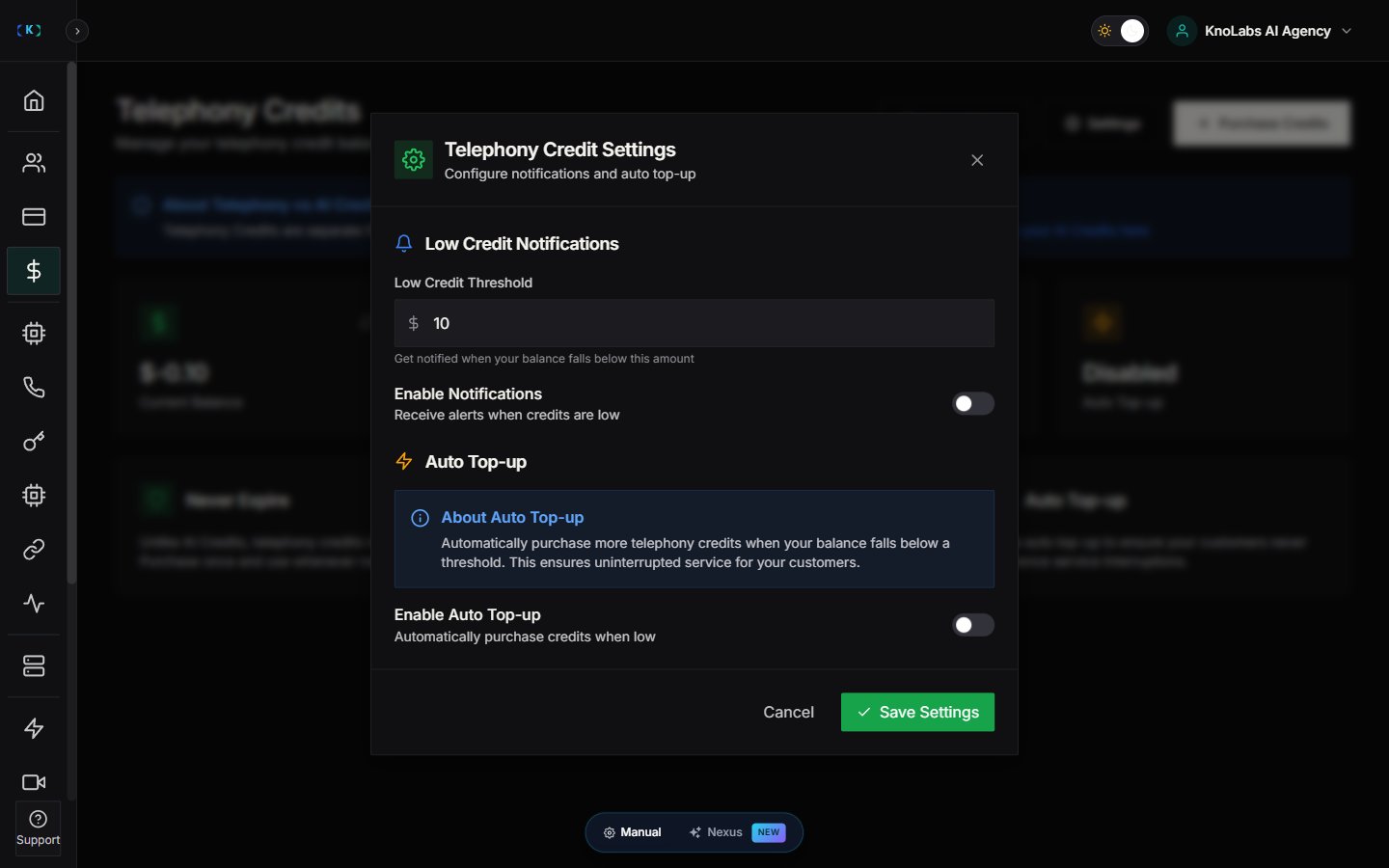
1. Open the telephony credits page.
2. Click **Settings**.
3. Choose the balance that should trigger an alert and how you want to be notified.
This helps you top up before any calls are affected, so there are no last-minute scrambles.
## Set up low-balance alerts
Get a heads-up before you run out:
1. Open the telephony credits page.
2. Click **Settings**.
3. Choose the balance that should trigger an alert and how you want to be notified.
This helps you top up before any calls are affected, so there are no last-minute scrambles.
 ## View your history
Click **Show History** to see everything that's happened with your telephony credits — purchases, usage from calls and SMS, and any adjustments, each with a date and the balance afterwards. Some plans also let you export this as a CSV for your accounting.
## How credits are used
* **Calls** are charged by the minute, based on their length and whether they're inbound or outbound.
* **Phone numbers** carry a small monthly rental, charged automatically each month.
* **SMS messages** are charged per message.
The exact rates depend on your provider and the type of number, and you'll always see the actual usage in your history.
## Cost-based pricing
Telephony credits are priced at cost — you pay what Knotie AI pays the underlying providers, with no markup added. You're free to mark up these services to your own customers in your own billing. Telephony credits also don't expire, so anything you buy stays on your balance until you use it.
## Tips
* **Keep a buffer** — hold a bit more than your typical monthly usage so you don't run out mid-month.
* **Set your alerts early** — a warning while you still have room beats an interruption.
* **Watch your trends** — as you take on more customers, your usage grows, so review it now and then and top up ahead of demand.
## Troubleshooting
* **Payment went through but the balance didn't update** — refresh the page, wait a minute or two, and check your email for a receipt. If it's still missing after a few minutes, contact support.
* **Low-balance alert isn't showing** — check that you've set an alert threshold and that your balance is actually below it.
* **Can't make calls even though you have telephony credits** — calls need both telephony *and* AI credits, so check your AI balance too, and confirm the number is active and the agent is set up.
* **Credits went down more than expected** — check your history to see what used them. Remember that test calls use real credits, and phone number rentals are charged automatically each month.
## Related pages
* [Credits](/partner-portal/credits) — Overview of the two credit balances
* [AI credit management](/partner-portal/customers/ai-credit-management) — Customer AI credits
* [Phone numbers](/partner-portal/phone-numbers) — Setting up phone numbers
* [Auto-deploy](/partner-portal/auto-deploy) — Credit requirements for auto-deployment
## View your history
Click **Show History** to see everything that's happened with your telephony credits — purchases, usage from calls and SMS, and any adjustments, each with a date and the balance afterwards. Some plans also let you export this as a CSV for your accounting.
## How credits are used
* **Calls** are charged by the minute, based on their length and whether they're inbound or outbound.
* **Phone numbers** carry a small monthly rental, charged automatically each month.
* **SMS messages** are charged per message.
The exact rates depend on your provider and the type of number, and you'll always see the actual usage in your history.
## Cost-based pricing
Telephony credits are priced at cost — you pay what Knotie AI pays the underlying providers, with no markup added. You're free to mark up these services to your own customers in your own billing. Telephony credits also don't expire, so anything you buy stays on your balance until you use it.
## Tips
* **Keep a buffer** — hold a bit more than your typical monthly usage so you don't run out mid-month.
* **Set your alerts early** — a warning while you still have room beats an interruption.
* **Watch your trends** — as you take on more customers, your usage grows, so review it now and then and top up ahead of demand.
## Troubleshooting
* **Payment went through but the balance didn't update** — refresh the page, wait a minute or two, and check your email for a receipt. If it's still missing after a few minutes, contact support.
* **Low-balance alert isn't showing** — check that you've set an alert threshold and that your balance is actually below it.
* **Can't make calls even though you have telephony credits** — calls need both telephony *and* AI credits, so check your AI balance too, and confirm the number is active and the agent is set up.
* **Credits went down more than expected** — check your history to see what used them. Remember that test calls use real credits, and phone number rentals are charged automatically each month.
## Related pages
* [Credits](/partner-portal/credits) — Overview of the two credit balances
* [AI credit management](/partner-portal/customers/ai-credit-management) — Customer AI credits
* [Phone numbers](/partner-portal/phone-numbers) — Setting up phone numbers
* [Auto-deploy](/partner-portal/auto-deploy) — Credit requirements for auto-deployment