> ## Documentation Index
> Fetch the complete documentation index at: https://docs.knotie-ai.pro/llms.txt
> Use this file to discover all available pages before exploring further.
# Email settings (SMTP and Domain Email Service)
> Choose between custom SMTP or Domain Email Service for sending white-label emails from your portal.
## What Email Settings is for
Email Settings controls how your portal sends white-label emails (invites, notifications, and system messages).
You typically choose one of two options:
* **Custom SMTP Server** (bring your own mail server)
* **Domain Email Service** (one-click setup to send from your domain)
## Where to find it
1. Open **Settings**.
2. Scroll to **Email Settings**.
## Option A: Configure a custom SMTP server
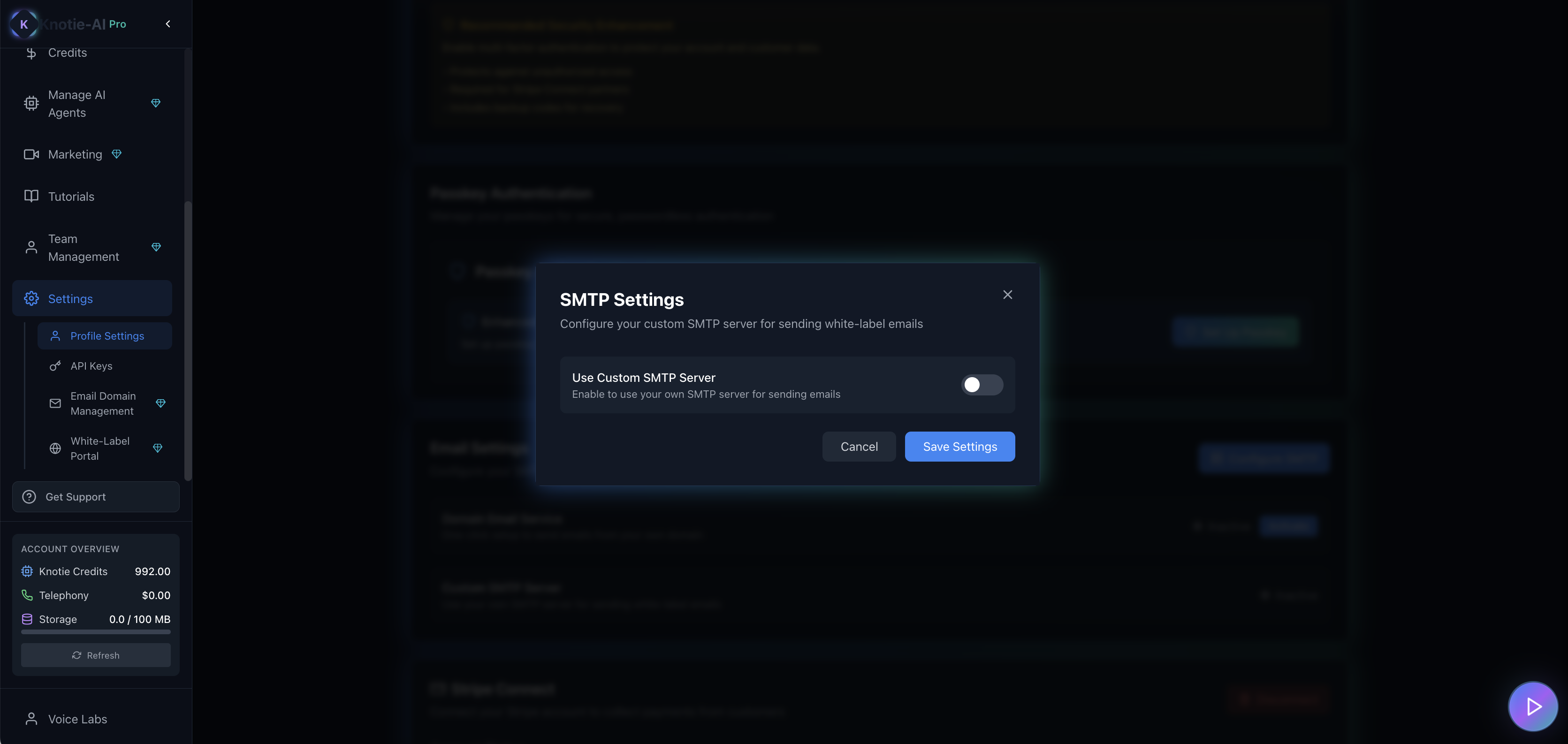
1. Click **Configure SMTP**.
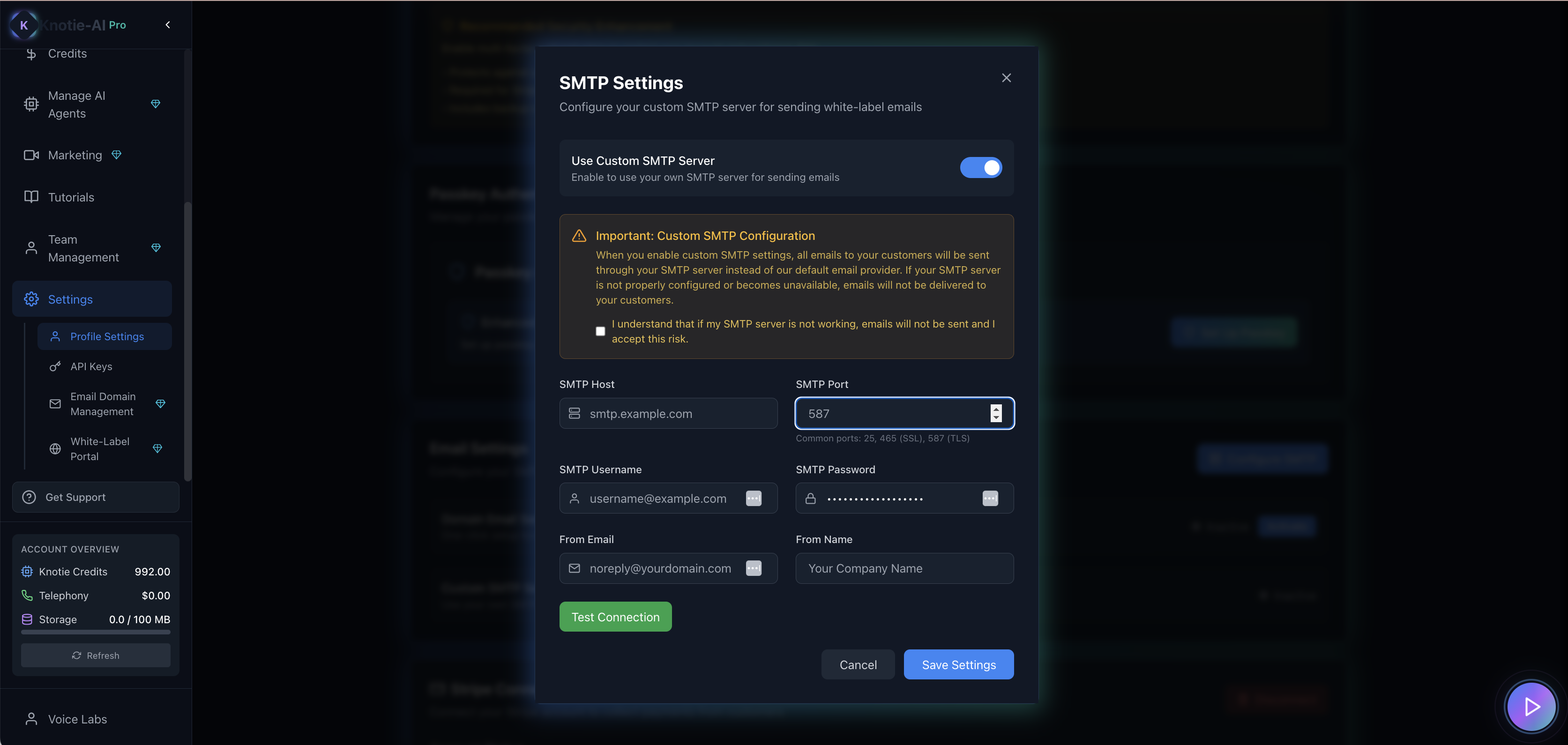
2. Toggle **Use Custom SMTP**.
3. Fill in:
* SMTP Host
* SMTP Port
* SMTP Username
* SMTP Password
* From Email
* From Name
4. Acknowledge the risk checkbox (required).
5. Click **Test Connection** (recommended).
6. Save.
Notes:
* If you already have a saved password, you may not need to re-enter it unless you're changing it.
* **Test Connection** sends a check to your SMTP server so you can confirm the details work before saving.
### SMTP security and vulnerabilities
When using custom SMTP, be aware of potential security considerations:
* **Credential exposure** – SMTP credentials are stored in the database. Use a dedicated email account with limited permissions.
* **Connection security** – Always use TLS/SSL (port 465 or 587) to encrypt the connection.
* **Rate limiting** – Some SMTP providers have rate limits. Monitor your sending volume.
* **SPF/DKIM/DMARC** – Configure these DNS records to improve deliverability and prevent spoofing.
The UI includes a risk acknowledgment checkbox to ensure you understand these considerations before enabling custom SMTP.
 ## Option B: Enable Domain Email Service (irreversible)
The Settings page includes a **Domain Email Service** block with an **Activate** button.
Important:
* The UI warns this is **irreversible**.
* Once enabled, **SMTP cannot be re-enabled**.
When you click **Enable Domain Email Service**, the portal redirects you to:
* `/partner/settings/email-domain`
Follow that page’s domain verification steps.
### Post-activation state
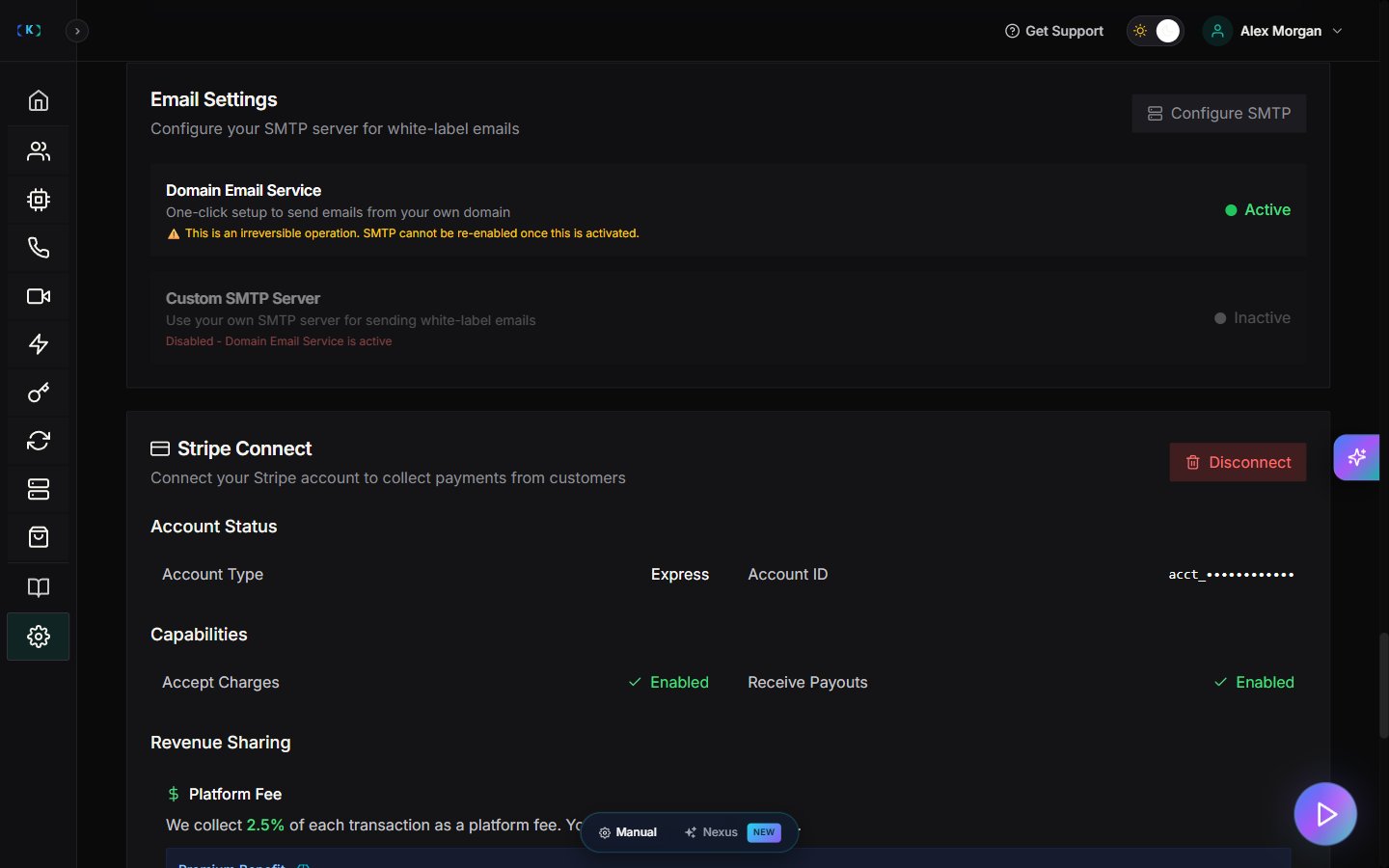
After Domain Email Service is activated, the UI changes significantly:
* **Configure SMTP** button becomes **disabled** with text: "Inactive — Disabled - Domain Email Service is active"
* The **Activate** button is replaced with an **Active** status badge
* The Domain Email Service block shows an irreversibility warning
> This page describes the *first-time setup* experience. If your account already has Domain Email Service active, the main buttons will be disabled or hidden.
## Troubleshooting
* **Configure SMTP is disabled**
* Domain Email Service is active.
* **SMTP test fails**
* Confirm host/port.
* Confirm username/password.
* Confirm your SMTP provider allows the sender address.
## Screenshots
## Option B: Enable Domain Email Service (irreversible)
The Settings page includes a **Domain Email Service** block with an **Activate** button.
Important:
* The UI warns this is **irreversible**.
* Once enabled, **SMTP cannot be re-enabled**.
When you click **Enable Domain Email Service**, the portal redirects you to:
* `/partner/settings/email-domain`
Follow that page’s domain verification steps.
### Post-activation state
After Domain Email Service is activated, the UI changes significantly:
* **Configure SMTP** button becomes **disabled** with text: "Inactive — Disabled - Domain Email Service is active"
* The **Activate** button is replaced with an **Active** status badge
* The Domain Email Service block shows an irreversibility warning
> This page describes the *first-time setup* experience. If your account already has Domain Email Service active, the main buttons will be disabled or hidden.
## Troubleshooting
* **Configure SMTP is disabled**
* Domain Email Service is active.
* **SMTP test fails**
* Confirm host/port.
* Confirm username/password.
* Confirm your SMTP provider allows the sender address.
## Screenshots