> ## Documentation Index
> Fetch the complete documentation index at: https://docs.knotie-ai.pro/llms.txt
> Use this file to discover all available pages before exploring further.
# Nexus Orb
> AI-powered command center for agency operations — search customers, score leads, and automate tasks through a conversational interface.
## Overview
Nexus Orb is an AI-powered command center that lets you manage your agency operations through a conversational interface. It acts as an intelligent assistant that understands your intent and can execute operations across your customer base — from searching and filtering customers to scoring leads and drafting communications.
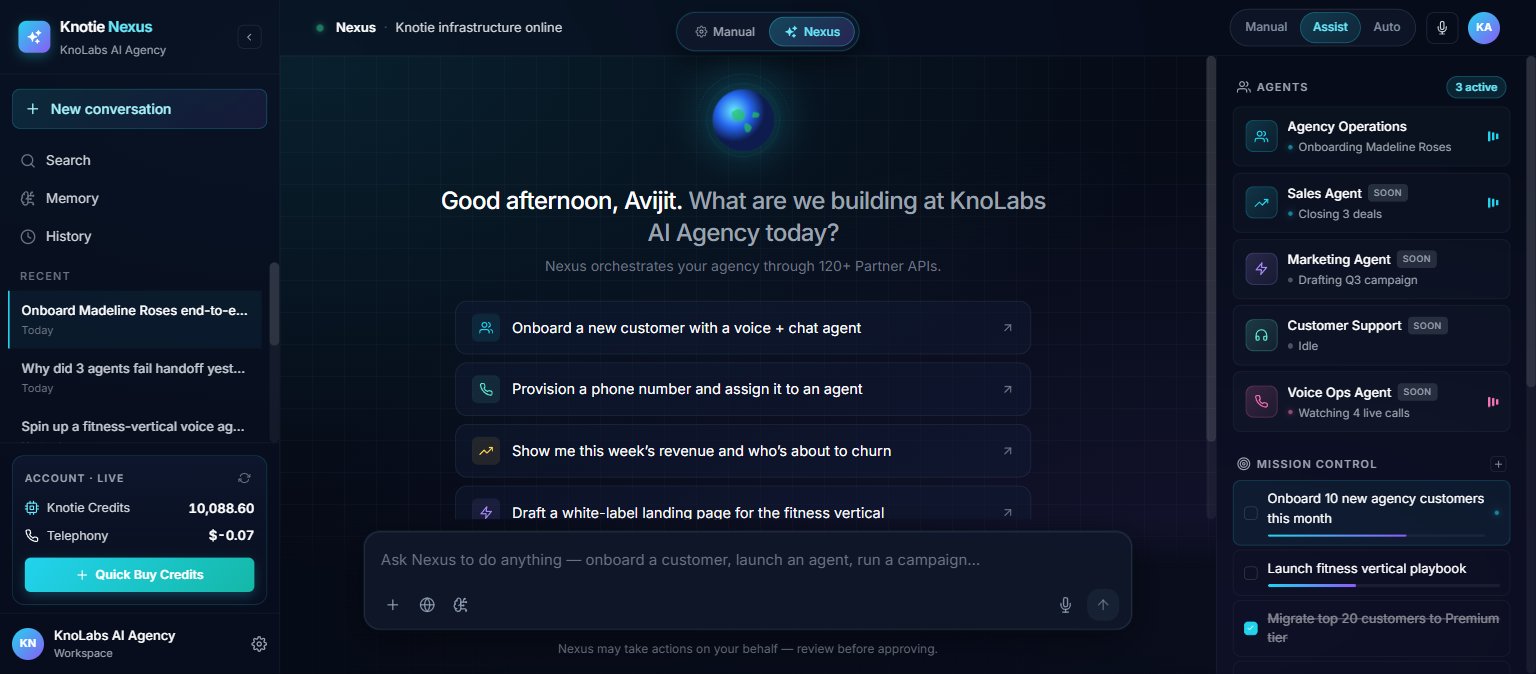
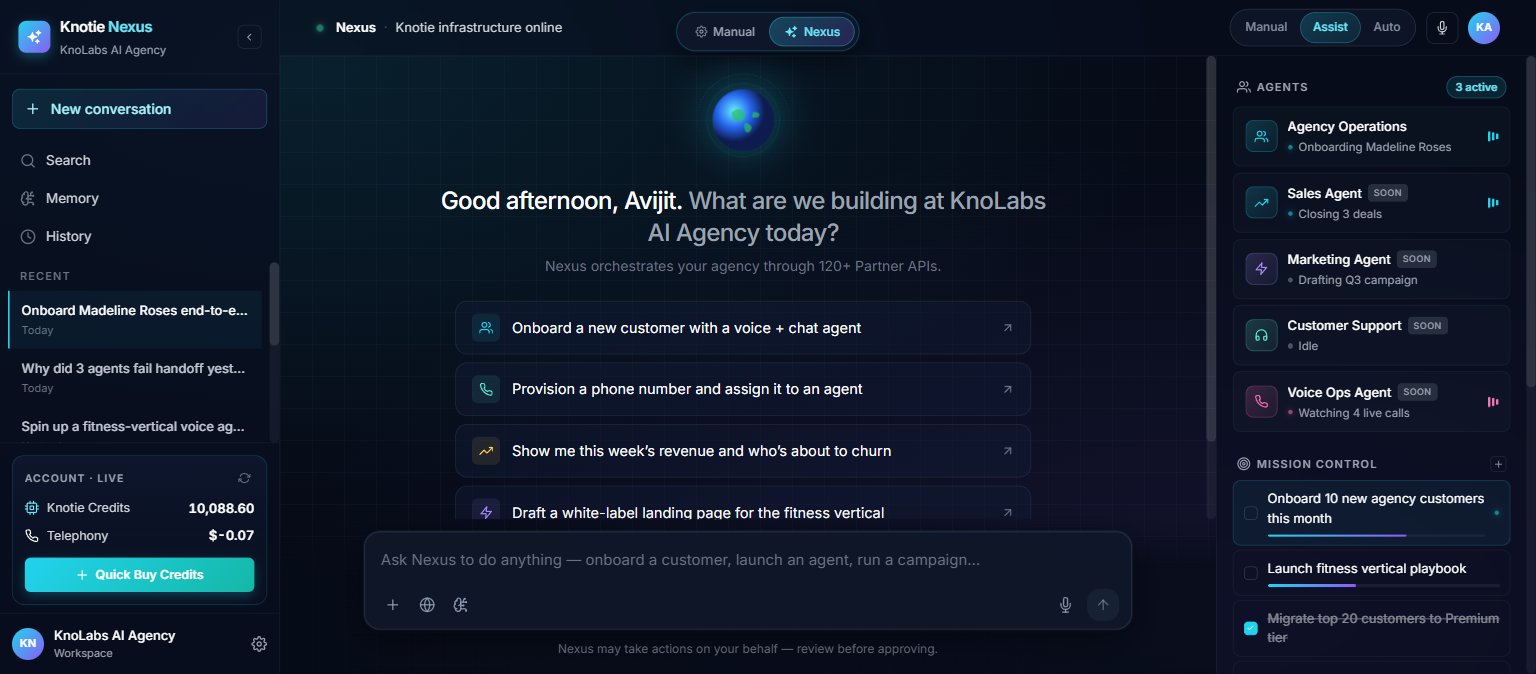
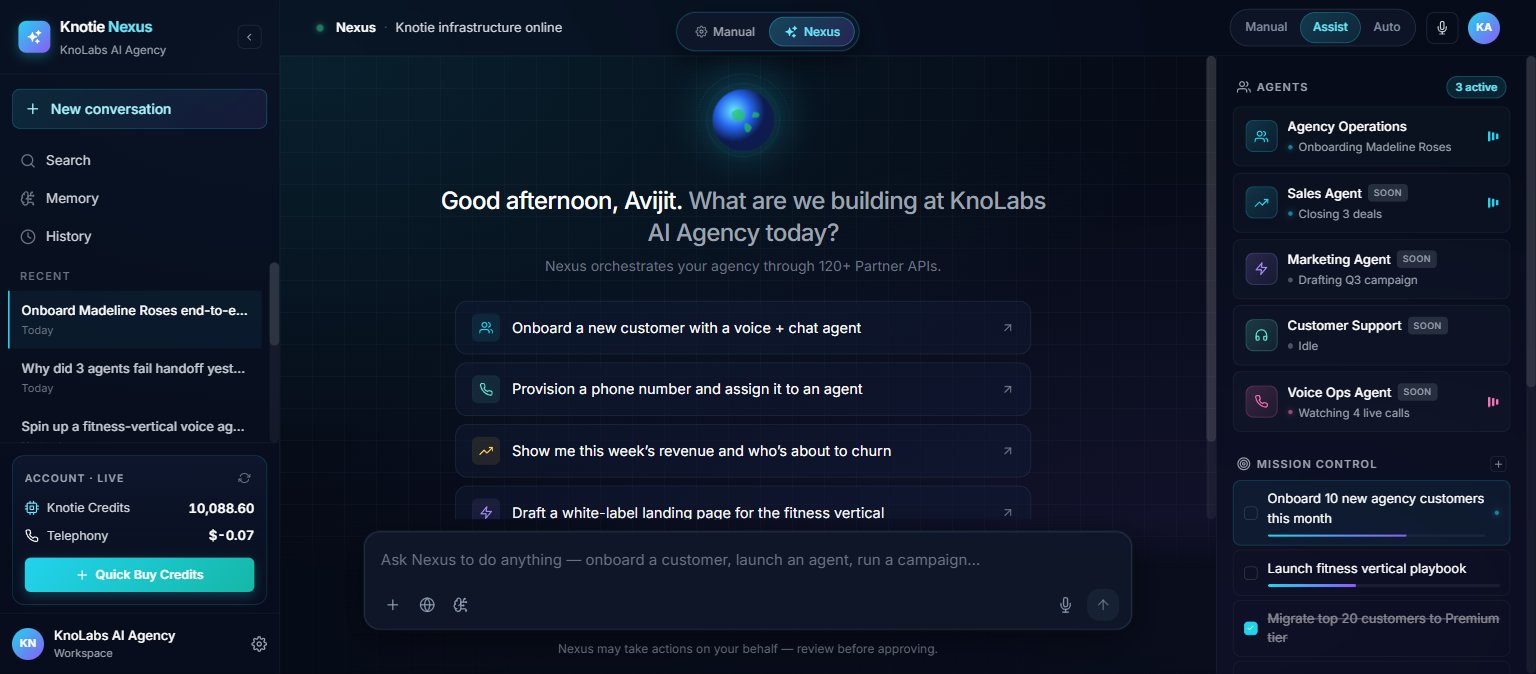
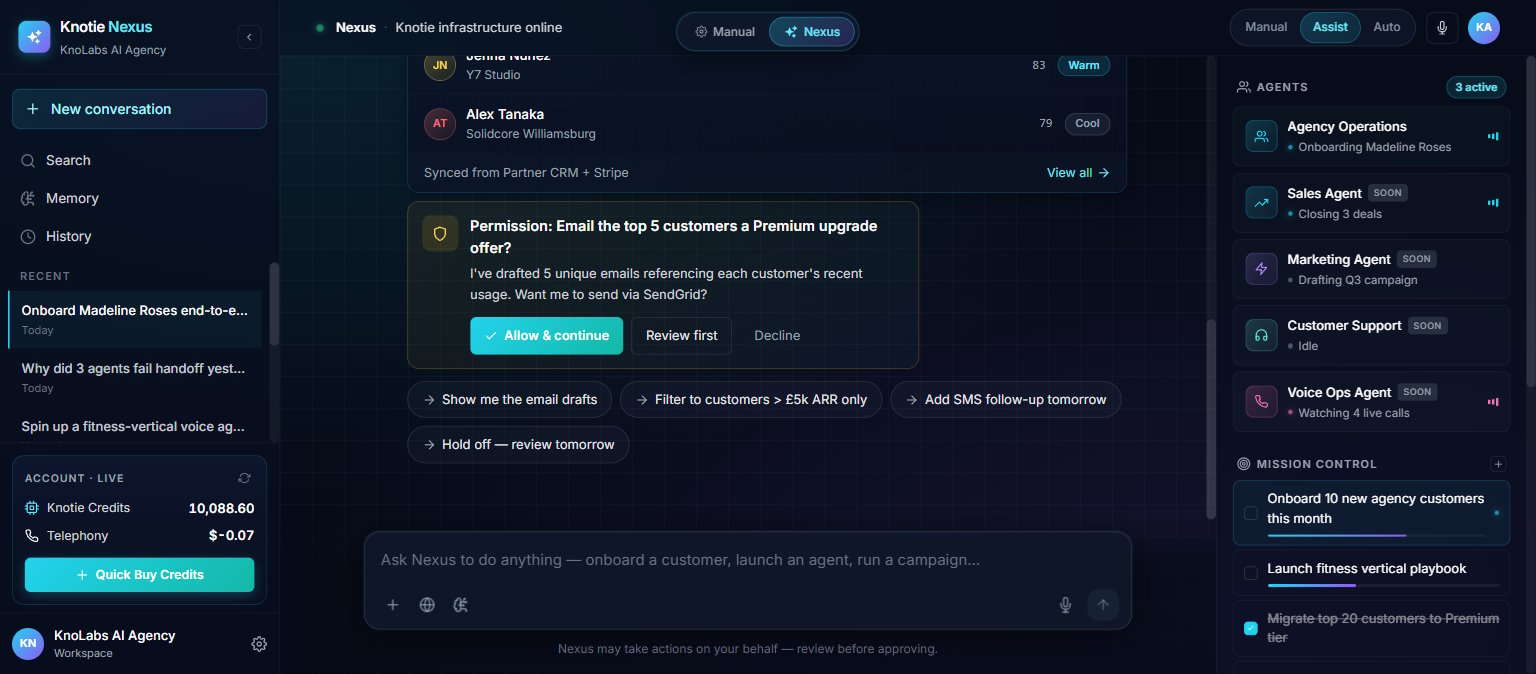
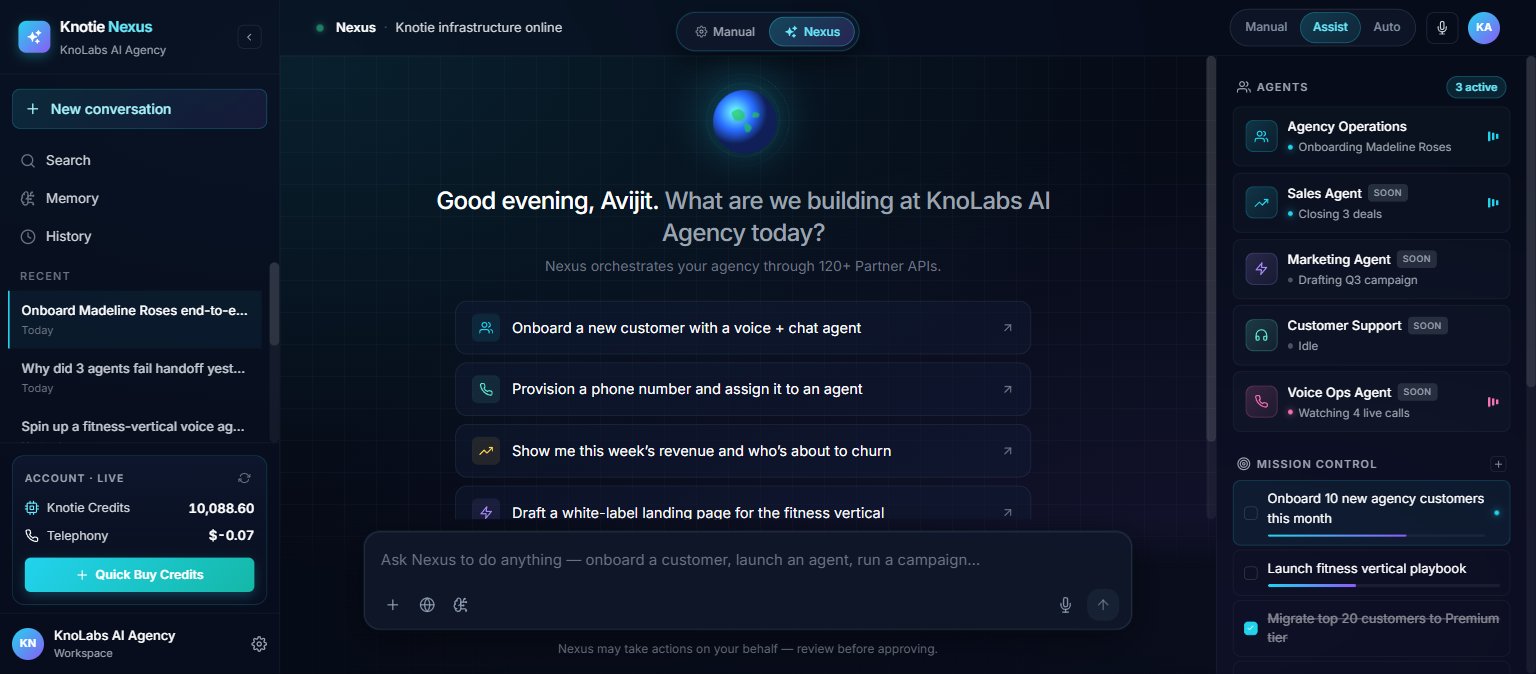 The landing view is the welcome screen — Nexus greets you by name, shows a suggested-prompt rail (Onboard a new customer, Provision a phone number, Show me revenue, Draft a landing page, etc.), exposes the **Manual / Assist / Auto** autonomy switcher up top, and pins your active **Agents** and **Account** stats to the right rail.
## Where to find it
Nexus is opened from a **Manual / Nexus (NEW)** toggle in the **header of every partner-portal page** (bottom-left floating panel) — NOT a sidebar entry. Direct URL `/partner/nexus` also works.
The header toggle is a 2-mode switcher (Manual / Nexus). Inside `/partner/nexus`, the 3-level autonomy switcher (Manual / Assist / Auto) controls how Nexus behaves.
Nexus Orb is currently in preview. Actions shown are simulated and not yet executing against live systems.
## Autonomy levels
The autonomy switcher in the header controls how Nexus Orb behaves when taking actions:
| Level | Label | Behavior |
| ----- | -------------- | -------------------------------------------- |
| 0 | **Manual** | Nexus asks before every action |
| 1 | **Assisted** | Nexus acts on small things, asks on big ones |
| 2 | **Autonomous** | Nexus runs goals end-to-end on its own |
Each selection surfaces a one-line explainer chip directly under the switcher:
You can change levels mid-conversation — the change applies to the next action Nexus takes, not retroactively.
## What you can do
### Customer search
Ask Nexus to find customers matching criteria — it searches your customer database and returns matches with counts.
Example prompt: *"Find all customers in the UK with more than 5 agents"*
### Lead scoring
Ask Nexus to score and rank your leads or customers by various attributes.
Example prompt: *"Rank my top 50 customers by usage this month"*
### CRM sync
Nexus can push customer data into your connected CRM, keeping records in sync as it works.
### Email drafting
When Nexus needs to send emails on your behalf, it pauses for approval — showing you the draft first so you can review, filter, or adjust before anything goes out.
### Example conversation
A single prompt like *"Onboard a new customer with a voice + chat agent"* triggers Nexus to chain several steps and show its progress inline — each step (searching customers, scoring, syncing your CRM) appears as a check chip with a one-line outcome ("matched 286", "50 ranked", "synced"), followed by any result card Nexus produced.
The landing view is the welcome screen — Nexus greets you by name, shows a suggested-prompt rail (Onboard a new customer, Provision a phone number, Show me revenue, Draft a landing page, etc.), exposes the **Manual / Assist / Auto** autonomy switcher up top, and pins your active **Agents** and **Account** stats to the right rail.
## Where to find it
Nexus is opened from a **Manual / Nexus (NEW)** toggle in the **header of every partner-portal page** (bottom-left floating panel) — NOT a sidebar entry. Direct URL `/partner/nexus` also works.
The header toggle is a 2-mode switcher (Manual / Nexus). Inside `/partner/nexus`, the 3-level autonomy switcher (Manual / Assist / Auto) controls how Nexus behaves.
Nexus Orb is currently in preview. Actions shown are simulated and not yet executing against live systems.
## Autonomy levels
The autonomy switcher in the header controls how Nexus Orb behaves when taking actions:
| Level | Label | Behavior |
| ----- | -------------- | -------------------------------------------- |
| 0 | **Manual** | Nexus asks before every action |
| 1 | **Assisted** | Nexus acts on small things, asks on big ones |
| 2 | **Autonomous** | Nexus runs goals end-to-end on its own |
Each selection surfaces a one-line explainer chip directly under the switcher:
You can change levels mid-conversation — the change applies to the next action Nexus takes, not retroactively.
## What you can do
### Customer search
Ask Nexus to find customers matching criteria — it searches your customer database and returns matches with counts.
Example prompt: *"Find all customers in the UK with more than 5 agents"*
### Lead scoring
Ask Nexus to score and rank your leads or customers by various attributes.
Example prompt: *"Rank my top 50 customers by usage this month"*
### CRM sync
Nexus can push customer data into your connected CRM, keeping records in sync as it works.
### Email drafting
When Nexus needs to send emails on your behalf, it pauses for approval — showing you the draft first so you can review, filter, or adjust before anything goes out.
### Example conversation
A single prompt like *"Onboard a new customer with a voice + chat agent"* triggers Nexus to chain several steps and show its progress inline — each step (searching customers, scoring, syncing your CRM) appears as a check chip with a one-line outcome ("matched 286", "50 ranked", "synced"), followed by any result card Nexus produced.
 ## Suggested prompts
On the welcome screen, suggested prompts include:
* "Onboard a new customer with a voice + chat agent"
* "Provision a phone number and assign it to an agent"
* "Show me this week's revenue and who's about to churn"
* "Draft a white-label landing page for the fitness vertical"
Each triggers a different branch of AI responses and actions.
## Next steps
* Explore [AI Experiences](/partner-portal/experiences) to enable one-click AI products
* Learn about [Customer Management](/customer-management/onboard-customer)
* Review [Agent Analytics](/partner-portal/agent-analytics) for usage insights
## Suggested prompts
On the welcome screen, suggested prompts include:
* "Onboard a new customer with a voice + chat agent"
* "Provision a phone number and assign it to an agent"
* "Show me this week's revenue and who's about to churn"
* "Draft a white-label landing page for the fitness vertical"
Each triggers a different branch of AI responses and actions.
## Next steps
* Explore [AI Experiences](/partner-portal/experiences) to enable one-click AI products
* Learn about [Customer Management](/customer-management/onboard-customer)
* Review [Agent Analytics](/partner-portal/agent-analytics) for usage insights