> ## Documentation Index
> Fetch the complete documentation index at: https://docs.knotie-ai.pro/llms.txt
> Use this file to discover all available pages before exploring further.
# Metered billing
> Set up usage-based billing plans and manage customer subscriptions (when available on your account).
## What Metered Billing is
**Metered Billing** is used when you want to charge customers based on usage (for example: minutes, calls, or another tracked unit).
In the Partner Portal, this section includes:
* **Billing Plans**: define what you charge
* **Customer Billing**: assign plans to customers (as features are released)
* **Billing Settings**: connect billing tools like Stripe (as required)
## Important note: feature status
The Metered Billing page currently shows a **Feature in Development** notice.
That means:
* Some parts may be incomplete.
* If you need production billing today, use **Billing & Invoices**.
## Where to find it
In the Partner Portal sidebar:
* **Billing & Invoices**
* **Metered Billing**
## Stripe Connect requirement
Metered Billing requires **Stripe Connect**.
If the page shows a message like **Stripe Connect Required**:
1. Go to **Settings**.
2. Complete Stripe onboarding.
3. Return to **Metered Billing**.
## Tabs in Metered Billing
This section is still being rolled out. Your account may show a **"Feature in Development"** notice at the top of the page, with the three tabs below it. If the feature isn't enabled for your account yet, you'll only see the notice. Use the guidance below as a preview of how the tabs are meant to work, and check what's actually available on your account before relying on it.
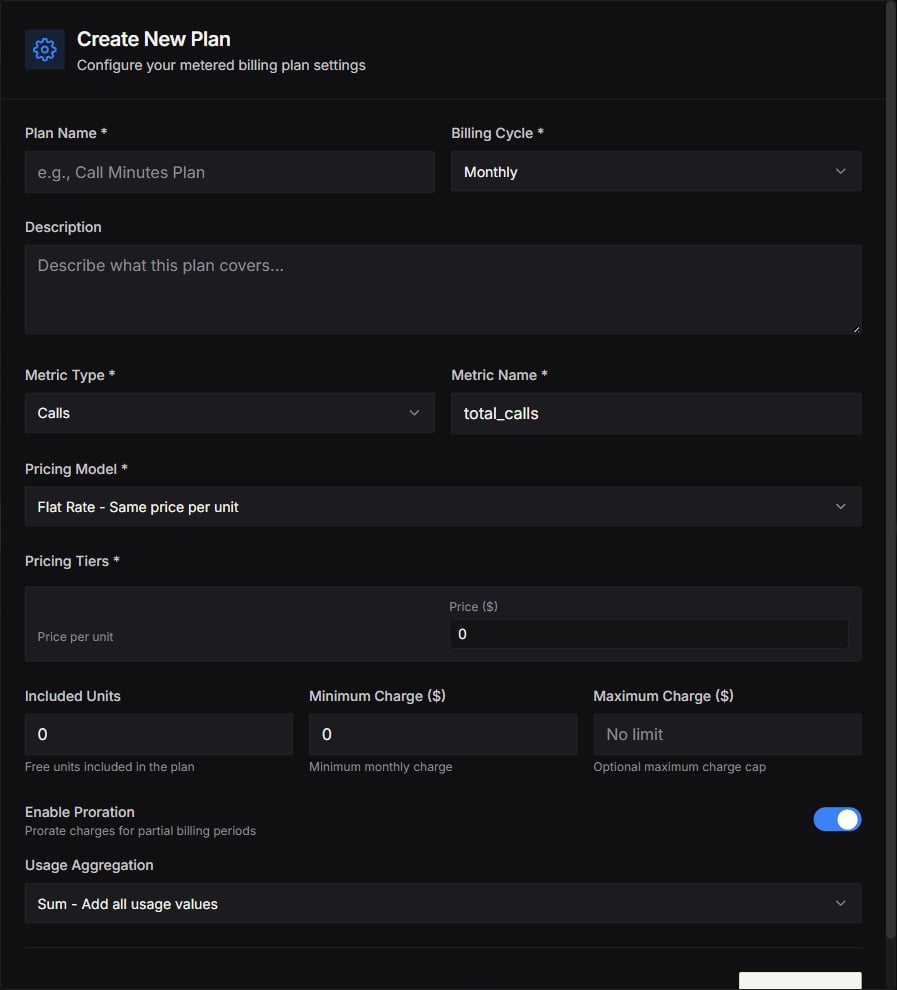
### Billing Plans
Use this tab to:
* Create a plan
* Define the price model (based on your configuration)
* Update or disable plans
### Customer Billing
Use this tab to:
* Select a customer
* Assign them a billing plan
* Manage subscription settings
If Customer Billing is marked as “coming soon,” you can still use invoice billing until it’s fully released.
### Billing Settings
Use this tab to:
* Confirm Stripe is connected
* Configure billing preferences
## Tips
* Start with a simple plan structure that is easy for customers to understand.
* Use **Agent Analytics** to validate costs before choosing your final markup.
## Screenshots