> ## Documentation Index
> Fetch the complete documentation index at: https://docs.knotie-ai.pro/llms.txt
> Use this file to discover all available pages before exploring further.
# App Marketplace
> Browse, purchase, and deploy white-label AI solutions built by other Knotie AI Pro partners.
## What the App Marketplace is
The **App Marketplace** is a partner-to-partner commerce layer inside Knotie AI Pro. Partners who build AI solutions — agents, workflow templates, integrations — can publish them as listings. Other partners can browse those listings, purchase them, and immediately deploy them as white-label "New Solutions" in their own portal.
Think of it as a curated app store where buyers and sellers are all Knotie AI Pro partners.
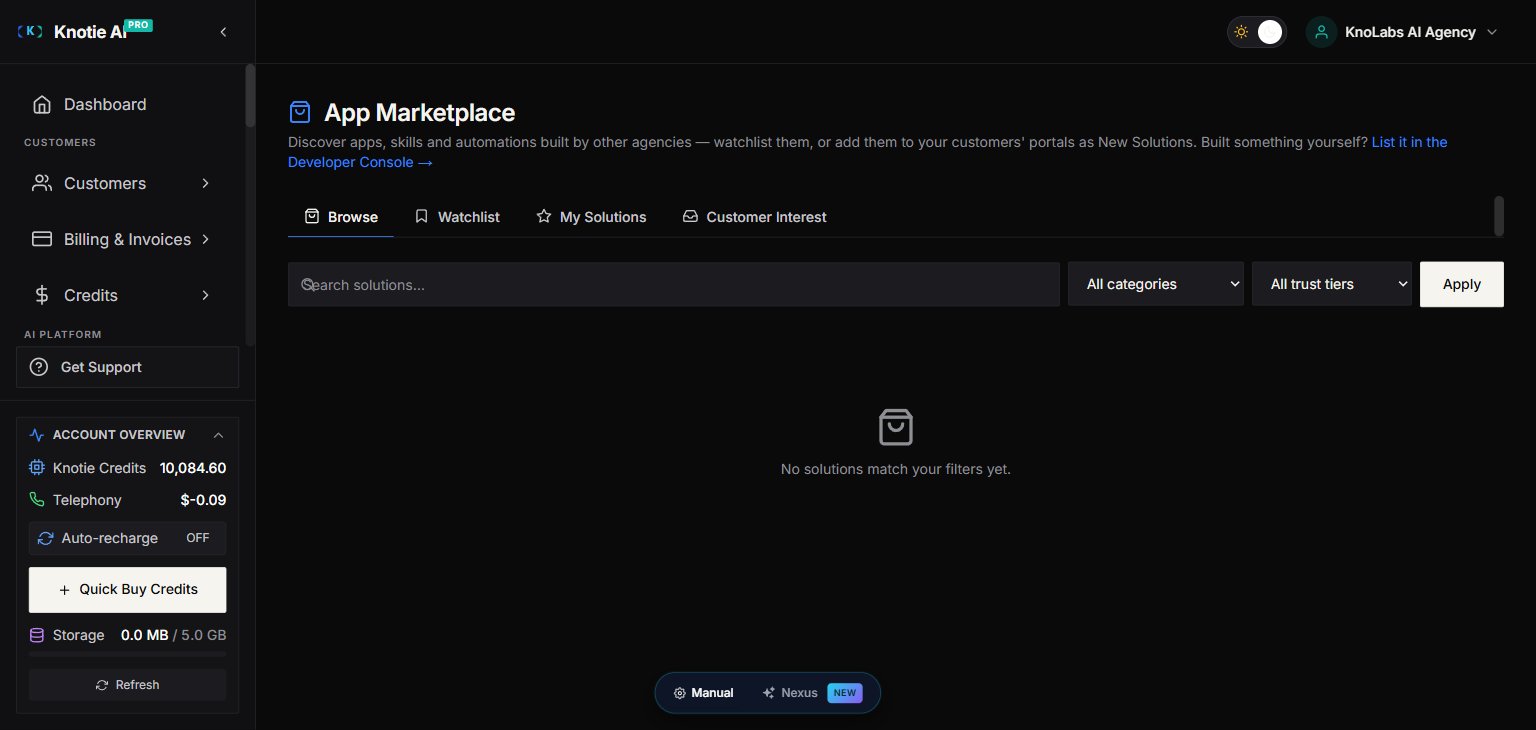 ## Where to find it
In the Partner Portal sidebar, look for **Marketplace** (or navigate to `/partner/marketplace`).
## Browsing listings
The marketplace shows listings from other partners with:
* **Name and description** — what the solution does
* **Pricing** — Free, one-time purchase, or monthly/annual subscription
* **Media** — product images, logo, and optional video demo
* **Ratings** — average star rating and review count
* **Category** — filter by type (AI agents, integrations, templates, etc.)
## Pricing types
| Pricing type | What it means |
| ------------- | ----------------------------------------------------------------------------- |
| **Free** | No charge — install immediately |
| **One-time** | Single payment; access is permanent |
| **Recurring** | Monthly or annual subscription; access continues while subscription is active |
Payments for priced listings run through your connected Stripe account on the seller's payment infrastructure. **You cannot purchase your own listings.**
## Purchasing a listing
1. Open the listing detail page.
2. Review the description, pricing, and terms.
3. Click **Purchase** (or **Add for free** for free listings).
4. Complete the Stripe checkout (priced listings only).
5. Once payment is confirmed, you receive **entitlement** to use the listing.
Checkout appears after you click **Get started** on a priced (non-free) listing. It's the same secure Stripe Checkout used elsewhere in the Partner Portal, handled by the seller's connected Stripe account. Free listings skip checkout entirely.
### What "entitlement" means
After a successful purchase:
* **Free listings** — permanent access
* **One-time listings** — permanent access
* **Recurring subscriptions** — access while your subscription is active; if you cancel the subscription, the New Solution is automatically disabled and cannot be re-enabled until you resubscribe
## Adding a purchased listing to your portal
Once you have entitlement, you can add the listing as a **New Solution** — a white-label offering in your own partner portal for customers.
1. Go to your purchased listing (or find it in **My Solutions**).
2. Click **Add as New Solution**.
3. The solution appears in your portal under the configured name and branding.
## Leaving a review
After purchasing a listing, you can rate and review it:
1. Go to the listing detail page.
2. Click **Write a Review**.
3. Select a star rating and enter your review text.
4. Submit.
Reviews are public and visible to all partners. You cannot review a listing you haven't purchased, and you cannot review your own listings.
## Managing your purchases
Go to **Marketplace → My Solutions** to see:
* All active entitlements
* Subscription status (active / cancelled)
* Renewal dates for recurring subscriptions
To cancel a recurring subscription, use the cancel option on the purchase detail. Access continues until the end of the current billing period, then the linked New Solution is disabled.
## Terms of service
All marketplace transactions must run through the Knotie AI Pro platform. By making a purchase or publishing a listing, you agree to the platform's Terms of Service (presented during the developer console agreement gate). The platform may update these terms periodically; a new agreement prompt appears when you next access the Developer Console.
## Related pages
* [Developer Console](/partner-portal/marketplace/developer-console) — Publish your own listings and earn revenue
* [Partner Settings: Stripe Connect](/partner-portal/settings/stripe-connect) — Required for accepting payments
* [New Solutions](/partner-portal/experiences/overview) — How purchased listings appear in your portal
* [VPS & App Catalog](/partner-portal/vps/app-catalog) — Install apps on VPS instances (separate from marketplace)
## Where to find it
In the Partner Portal sidebar, look for **Marketplace** (or navigate to `/partner/marketplace`).
## Browsing listings
The marketplace shows listings from other partners with:
* **Name and description** — what the solution does
* **Pricing** — Free, one-time purchase, or monthly/annual subscription
* **Media** — product images, logo, and optional video demo
* **Ratings** — average star rating and review count
* **Category** — filter by type (AI agents, integrations, templates, etc.)
## Pricing types
| Pricing type | What it means |
| ------------- | ----------------------------------------------------------------------------- |
| **Free** | No charge — install immediately |
| **One-time** | Single payment; access is permanent |
| **Recurring** | Monthly or annual subscription; access continues while subscription is active |
Payments for priced listings run through your connected Stripe account on the seller's payment infrastructure. **You cannot purchase your own listings.**
## Purchasing a listing
1. Open the listing detail page.
2. Review the description, pricing, and terms.
3. Click **Purchase** (or **Add for free** for free listings).
4. Complete the Stripe checkout (priced listings only).
5. Once payment is confirmed, you receive **entitlement** to use the listing.
Checkout appears after you click **Get started** on a priced (non-free) listing. It's the same secure Stripe Checkout used elsewhere in the Partner Portal, handled by the seller's connected Stripe account. Free listings skip checkout entirely.
### What "entitlement" means
After a successful purchase:
* **Free listings** — permanent access
* **One-time listings** — permanent access
* **Recurring subscriptions** — access while your subscription is active; if you cancel the subscription, the New Solution is automatically disabled and cannot be re-enabled until you resubscribe
## Adding a purchased listing to your portal
Once you have entitlement, you can add the listing as a **New Solution** — a white-label offering in your own partner portal for customers.
1. Go to your purchased listing (or find it in **My Solutions**).
2. Click **Add as New Solution**.
3. The solution appears in your portal under the configured name and branding.
## Leaving a review
After purchasing a listing, you can rate and review it:
1. Go to the listing detail page.
2. Click **Write a Review**.
3. Select a star rating and enter your review text.
4. Submit.
Reviews are public and visible to all partners. You cannot review a listing you haven't purchased, and you cannot review your own listings.
## Managing your purchases
Go to **Marketplace → My Solutions** to see:
* All active entitlements
* Subscription status (active / cancelled)
* Renewal dates for recurring subscriptions
To cancel a recurring subscription, use the cancel option on the purchase detail. Access continues until the end of the current billing period, then the linked New Solution is disabled.
## Terms of service
All marketplace transactions must run through the Knotie AI Pro platform. By making a purchase or publishing a listing, you agree to the platform's Terms of Service (presented during the developer console agreement gate). The platform may update these terms periodically; a new agreement prompt appears when you next access the Developer Console.
## Related pages
* [Developer Console](/partner-portal/marketplace/developer-console) — Publish your own listings and earn revenue
* [Partner Settings: Stripe Connect](/partner-portal/settings/stripe-connect) — Required for accepting payments
* [New Solutions](/partner-portal/experiences/overview) — How purchased listings appear in your portal
* [VPS & App Catalog](/partner-portal/vps/app-catalog) — Install apps on VPS instances (separate from marketplace)