> ## Documentation Index
> Fetch the complete documentation index at: https://docs.knotie-ai.pro/llms.txt
> Use this file to discover all available pages before exploring further.
# Customer management overview
> Understand what partners can manage for each customer: portal access, features, billing, phone numbers, credits, embeds, quotas, and deployment.
## Where to find it
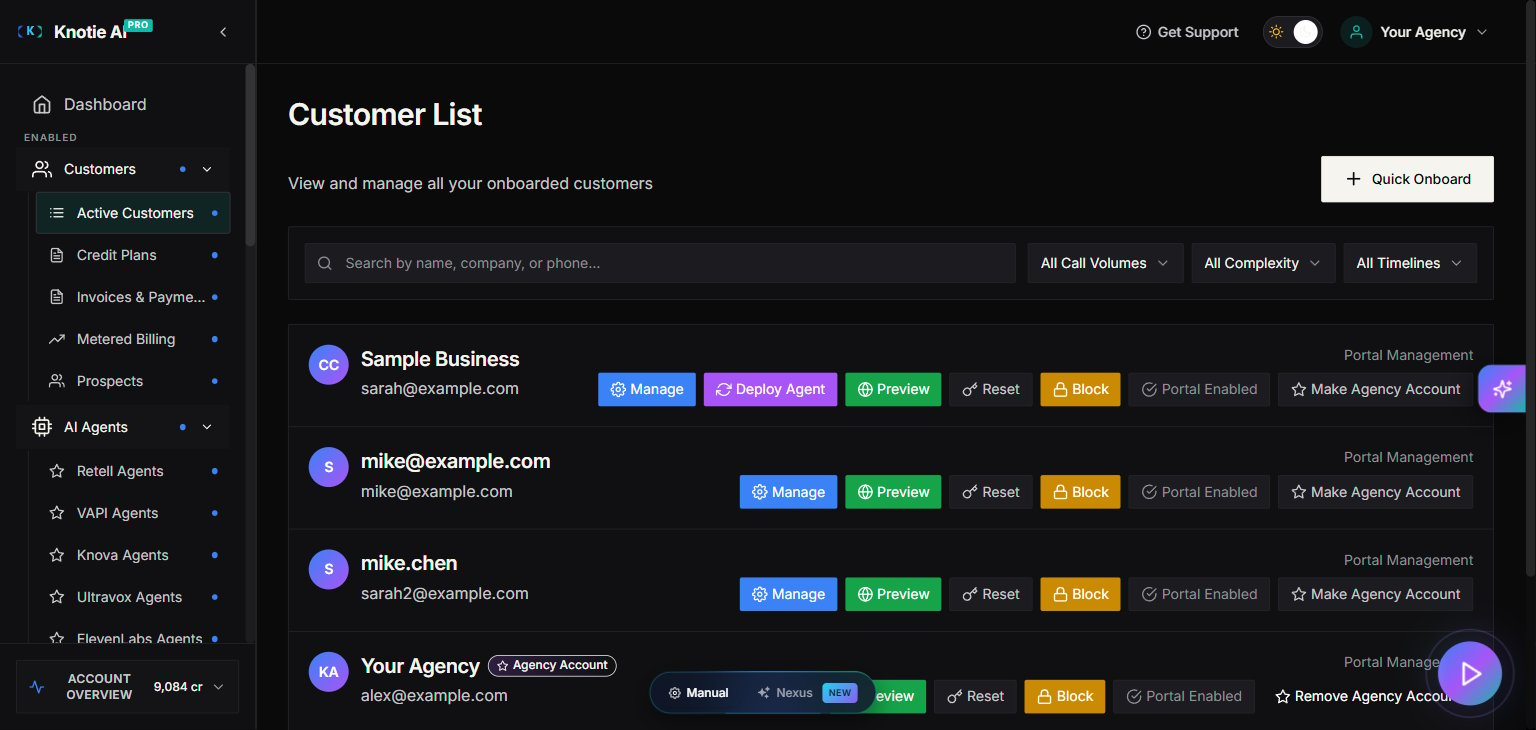
In the Partner Portal sidebar, click **Customers**. The Customers button expands to two sub-items:
* **Active Customers** — your full customer list (the page most partner actions live on).
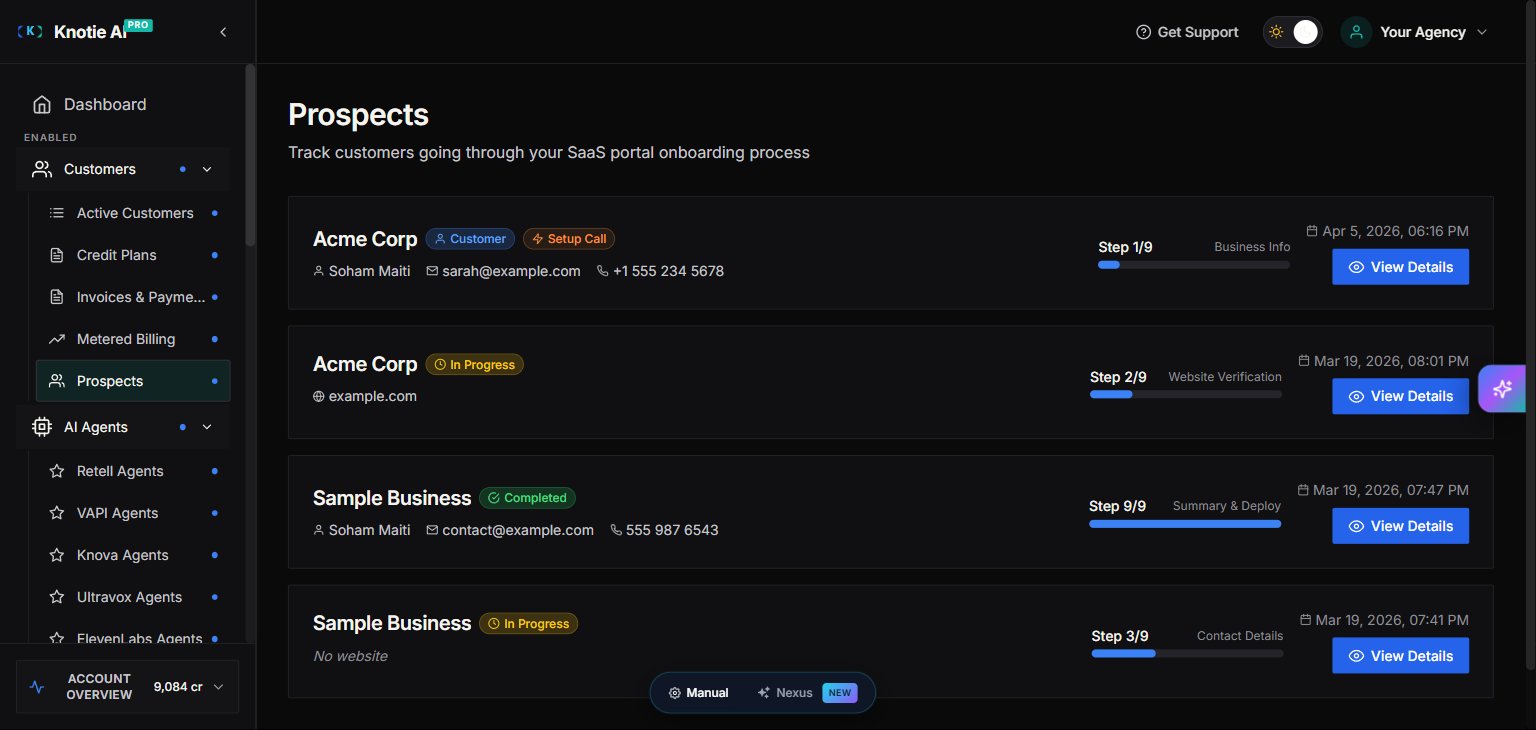
* **Prospects** — leads from the AI Receptionist still in the onboarding process (Enterprise feature).
## What customer management is
In Knotie AI PRO, **Customer Management** is everything you can control for a specific customer after they’ve been created.
Most partner actions live in the **Customer List** page under a customer’s **Manage** modal.
## Customer List: Two tabs
The **Customer List** page has two main tabs:
* **Customers** – Active customers who have completed onboarding
* **Prospects** – Leads from the AI Receptionist who are still in the onboarding process (Enterprise feature)
 ## Understanding the onboarding flow
### How prospects become customers
1. **Prospect creation** – When someone interacts with your AI Receptionist, they are automatically added as a Prospect.
2. **Onboarding journey begins** – The prospect starts the 9-step onboarding process.
3. **Conversion at Step 3** – Once a prospect completes **Step 3** of the onboarding journey, they are converted from a **Prospect** into a **Customer**.
4. **Payment at Step 9** – The customer reaches **Summary & Deploy** (step 9/9) and pays via Stripe Checkout (subscription, fixed price, or pay-as-you-go). Free Forever and pay-as-you-go portals skip checkout.
5. **Full activation at Step 9** – Once payment has cleared, the customer clicks **Deploy** on the Summary & Deploy step. The AI Agent/Receptionist is **automatically turned on** and ready to handle calls.
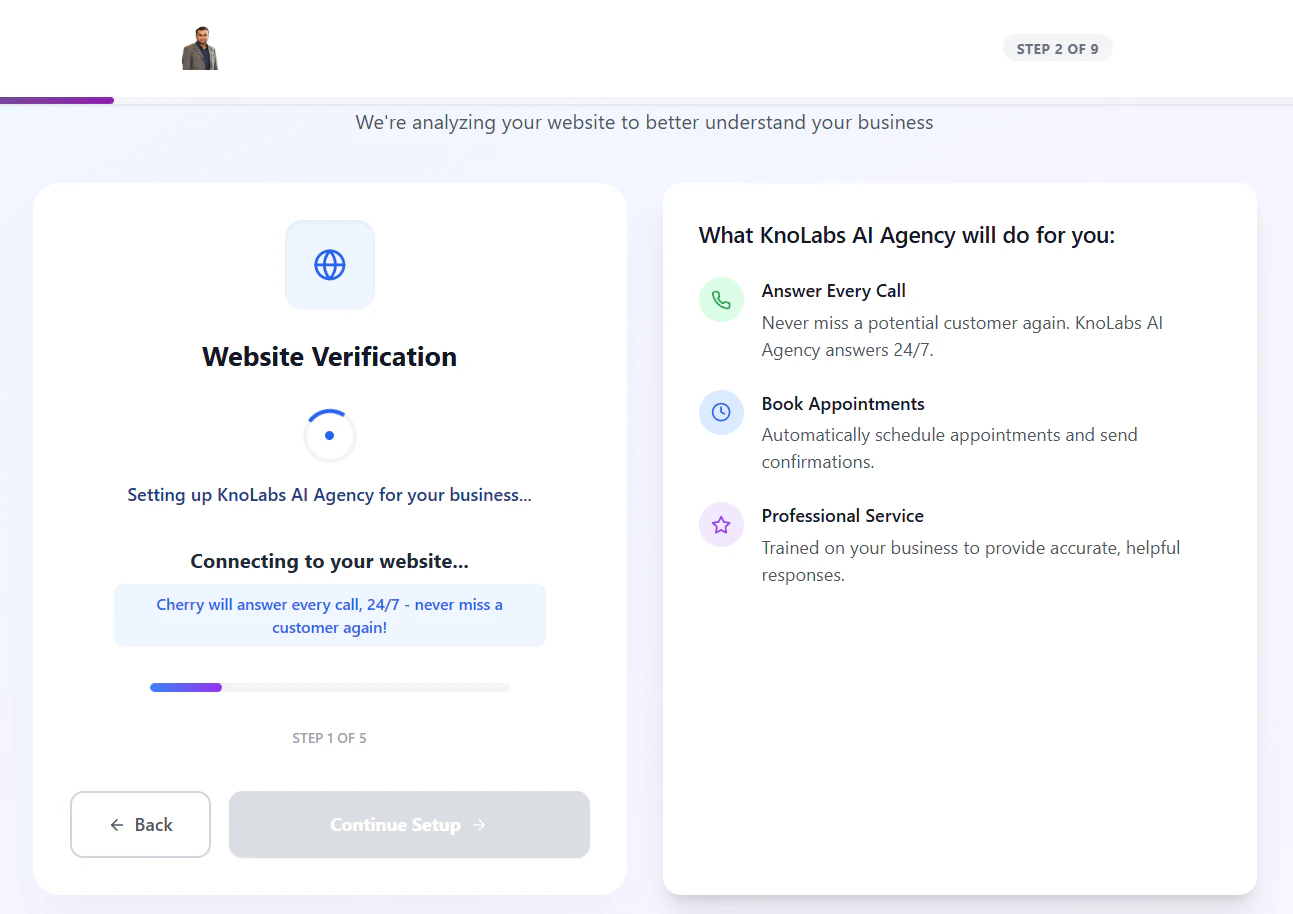
### The 9 onboarding steps
> This 9-step flow is available only when your portal is in **SaaS mode**.
1. Business Info
2. Website Verification
3. Contact Details
4. Service Categories
5. Knowledge Base
6. Greeting Setup
7. Information Collection
8. Communication Settings
9. **Summary & Deploy**
## Understanding the onboarding flow
### How prospects become customers
1. **Prospect creation** – When someone interacts with your AI Receptionist, they are automatically added as a Prospect.
2. **Onboarding journey begins** – The prospect starts the 9-step onboarding process.
3. **Conversion at Step 3** – Once a prospect completes **Step 3** of the onboarding journey, they are converted from a **Prospect** into a **Customer**.
4. **Payment at Step 9** – The customer reaches **Summary & Deploy** (step 9/9) and pays via Stripe Checkout (subscription, fixed price, or pay-as-you-go). Free Forever and pay-as-you-go portals skip checkout.
5. **Full activation at Step 9** – Once payment has cleared, the customer clicks **Deploy** on the Summary & Deploy step. The AI Agent/Receptionist is **automatically turned on** and ready to handle calls.
### The 9 onboarding steps
> This 9-step flow is available only when your portal is in **SaaS mode**.
1. Business Info
2. Website Verification
3. Contact Details
4. Service Categories
5. Knowledge Base
6. Greeting Setup
7. Information Collection
8. Communication Settings
9. **Summary & Deploy**
 ## Where to find customer actions
You’ll typically use one of these locations:
* **Customer List** →**Active Customers** → **Manage**
* This opens a multi-tab management modal.
* **Customers → Customer Portal Management**
* This is for creating customer login credentials and sending invitation emails.
## What you can manage per customer
The customer management modal is organized into tabs:
* **Customer Info**
* **Deal Management**
* **Features & Add-ons**
* **Billing**
* **Phone Numbers**
* **Credits**
* [Embed URLs](/partner-portal/customers/embed-urls) – Generate customer-scoped tokens and URLs for widgets, iframes, and embedded experiences
* **Tool Call Quota** (only appears if **Integration** is enabled)
* **Deployment**
## Common prerequisites
Some features require setup elsewhere:
* **Customer Portal actions** require your **Whitelabel portal** to be configured.
* **Billing** inside the customer modal requires **Stripe Connect**.
* **API Keys menu visibility** requires **API Access** to be enabled for the customer.
* [Embed URLs](/partner-portal/customers/embed-urls) are typically configured after customer portal access is enabled and the customer is ready for embedded experiences.
## Where to find customer actions
You’ll typically use one of these locations:
* **Customer List** →**Active Customers** → **Manage**
* This opens a multi-tab management modal.
* **Customers → Customer Portal Management**
* This is for creating customer login credentials and sending invitation emails.
## What you can manage per customer
The customer management modal is organized into tabs:
* **Customer Info**
* **Deal Management**
* **Features & Add-ons**
* **Billing**
* **Phone Numbers**
* **Credits**
* [Embed URLs](/partner-portal/customers/embed-urls) – Generate customer-scoped tokens and URLs for widgets, iframes, and embedded experiences
* **Tool Call Quota** (only appears if **Integration** is enabled)
* **Deployment**
## Common prerequisites
Some features require setup elsewhere:
* **Customer Portal actions** require your **Whitelabel portal** to be configured.
* **Billing** inside the customer modal requires **Stripe Connect**.
* **API Keys menu visibility** requires **API Access** to be enabled for the customer.
* [Embed URLs](/partner-portal/customers/embed-urls) are typically configured after customer portal access is enabled and the customer is ready for embedded experiences.