> ## Documentation Index
> Fetch the complete documentation index at: https://docs.knotie-ai.pro/llms.txt
> Use this file to discover all available pages before exploring further.
# Customer's portal access
> Safely manage a customer’s portal access: enable access, preview portal as the customer, reset credentials, block access, or delete portal access.
## Where to find portal access actions
1. Open **Customers** (sidebar — expands to Active Customers + Prospects).
2. Select a customer.
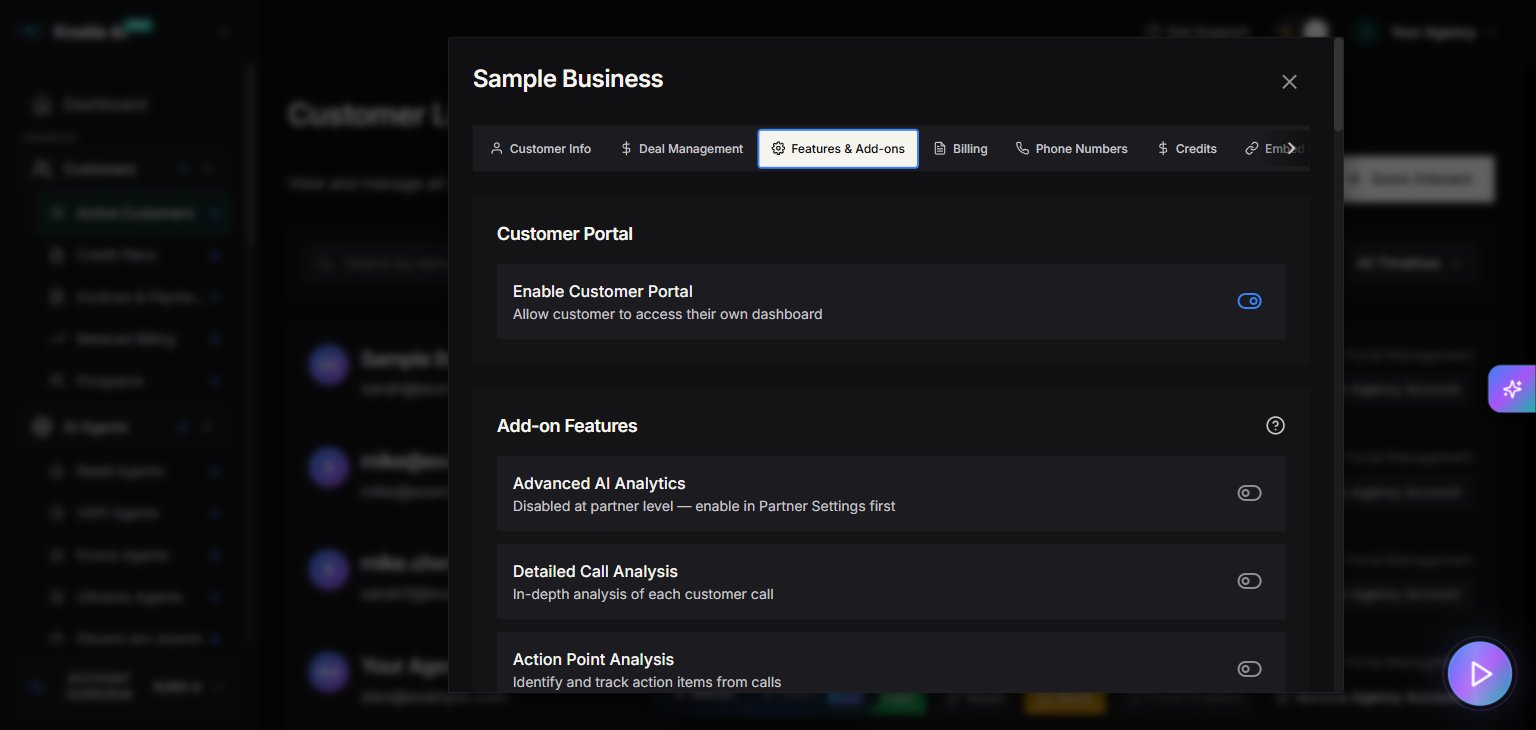
3. Open **Manage**.
4. Go to **Features & Add-ons**.
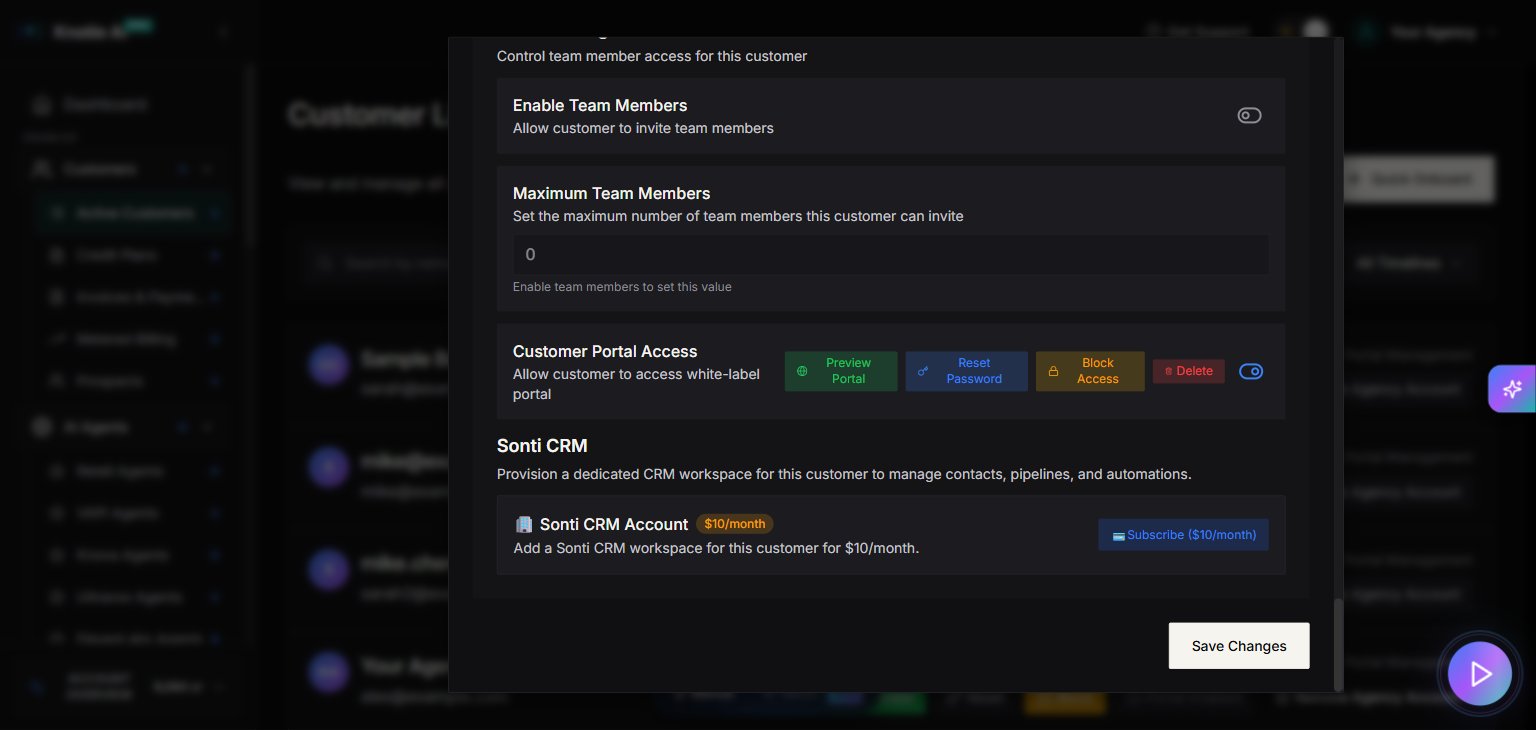
5. Find the **Customer Portal Access** area.
## Actions you can take
When the customer portal is enabled, the UI exposes buttons like:
* **Preview Portal**
* **Reset Password**
* **Block Access**
* **Delete Customer Portal**
## Preview Portal (secure impersonation)
**Preview Portal** opens a secure preview session in a new window.
Notes:
* The session is time-limited.
* If the pop-up is blocked, the UI will show an error like “Please check your pop-up blocker settings.”
## Reset Password
**Reset Password** is used to reset the customer’s portal password and send updated credentials.
Use this when:
* The customer lost access
* You suspect the account was shared
## Block Access
**Block Access** disables the customer’s ability to log in.
Use this when:
* A customer is overdue / suspended
* You need to stop access while you investigate security issues
## Delete portal access
**Delete** removes portal access.
Use this only when you are sure the customer should no longer have access.
## Common issue: Whitelabel setup required
If portal actions show an error mentioning whitelabel setup, the UI includes a **Fix Setup** shortcut that opens:
* `/partner/settings/whitelabel`
Complete whitelabel setup, then return to the customer modal.
## Related pages
* [Features & Add-ons](/partner-portal/customers/features-addons-and-menu-visibility) – Enable customer portal access and related customer features
* [Embed URLs](/partner-portal/customers/embed-urls) – Generate customer-scoped embed tokens and URLs after portal access is ready
## Screenshots