> ## Documentation Index
> Fetch the complete documentation index at: https://docs.knotie-ai.pro/llms.txt
> Use this file to discover all available pages before exploring further.
# Customer info and deal management
> Edit customer profile details, track processing status, and manage deal status and pricing fields.
## Where to find it
1. Open **Customers** in the Partner Portal sidebar (expands to **Active Customers** + **Prospects** — the page most actions live on is **Active Customers**).
2. Click **Manage** on a customer's card.
3. A modal opens with **9 tabs**: Customer Info, Deal Management, Features & Add-ons, Billing, Phone Numbers, Credits, Embed URLs, Deployment, and Reports.
4. Navigate between tabs to access different settings.
## Customer Info tab
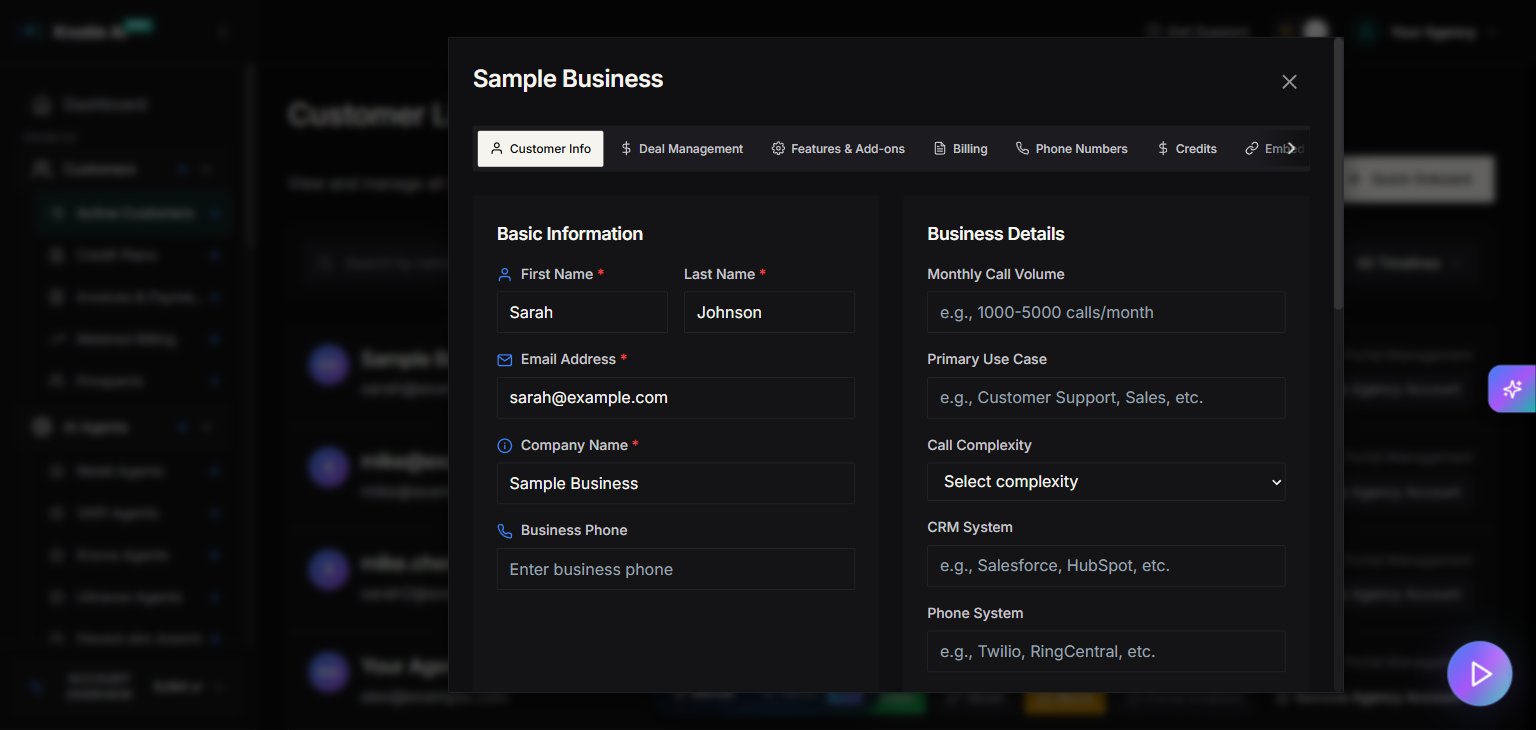
Use **Customer Info** to update customer data like:
* First name, last name, email
* Company name
* Business phone
* Business details (monthly call volume, primary use case, CRM system, phone system)
* **Call Complexity** (Simple / Medium / Complex)
* Deployment timeline
## Account management fields
The modal includes fields such as:
* **Processing Status**
* Submitted
* Processing
* Additional Info Requested
* Under Review
* Regulatory approval submitted
* Regulatory approval completed
* Business Agreement Established
* Under Development
* System under review
* Voice AI Agent Live
* **Custom Automation**
* A notes field for custom automation requirements.
## Pricing breakdown (read-only)
The UI shows a **Pricing Breakdown** panel including:
* Total Estimated Cost
* Platform Fee
* Voice AI Cost
* Telephony Cost
* Email Cost
* SMS Cost
This is useful for internal estimation and margin planning. All values are computed, not editable.
## Deal Management tab
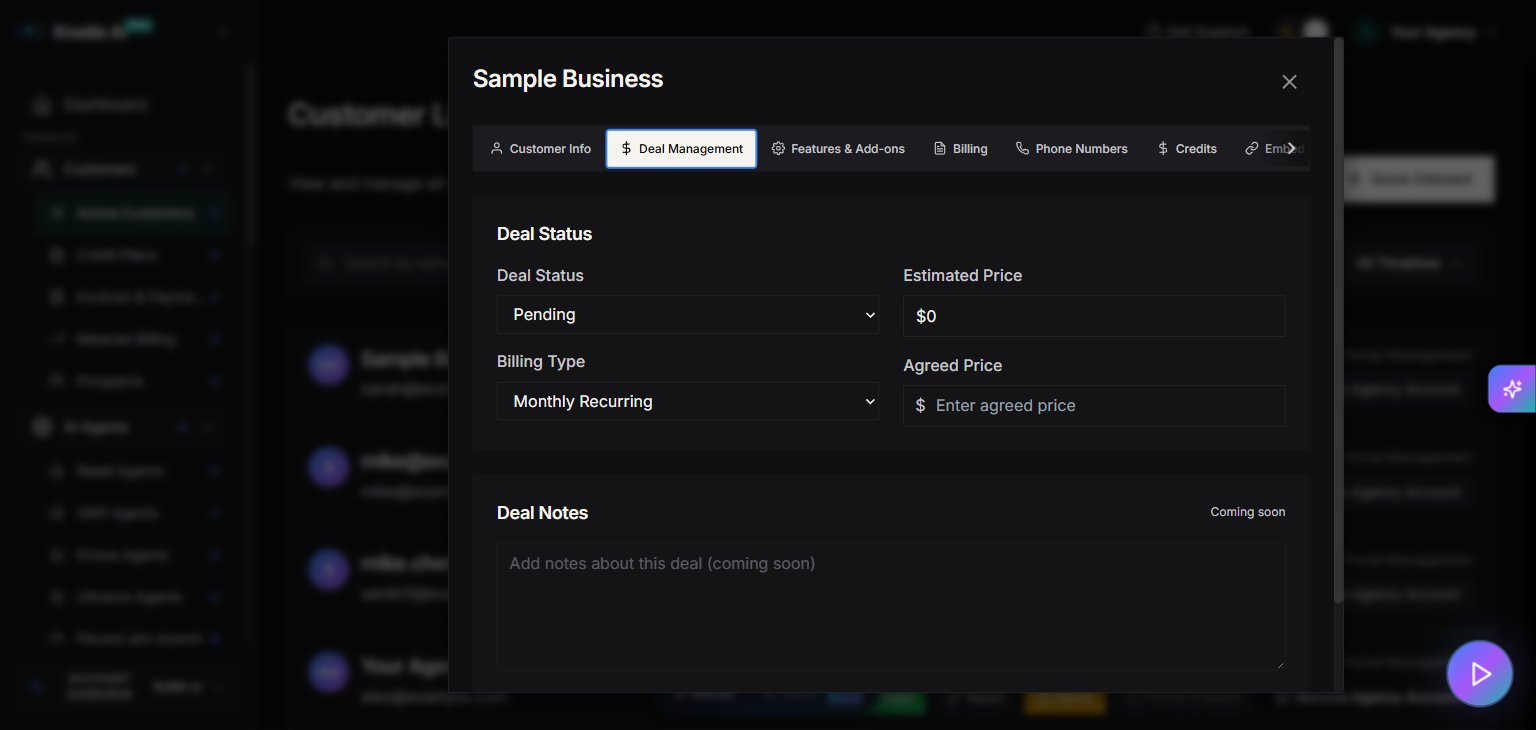
Use **Deal Management** to control sales-stage fields like:
* **Deal Status**
* Pending
* Agreed
* Failed
* **Billing Type**
* Monthly Recurring
* One-time Payment
* **Agreed Price** — the price you've agreed with the customer
* **Estimated Price** — computed estimate (read-only)
Notes:
* “Deal Notes” is currently marked as **Coming soon**.
## Best practices
* Keep **Processing Status** up to date so your team knows where each customer is in the delivery pipeline.
* Use **Agreed Price** to record the price you've signed off with the customer.
## Screenshots