> ## Documentation Index
> Fetch the complete documentation index at: https://docs.knotie-ai.pro/llms.txt
> Use this file to discover all available pages before exploring further.
# Credits and customer AI credit management
> Manage customer credits and enable AI credit-based billing behavior, including low-credit alerts.
## Where to find it
1. Open **Customers** (sidebar — expands to Active Customers + Prospects).
2. Select a customer.
3. Click **Manage**.
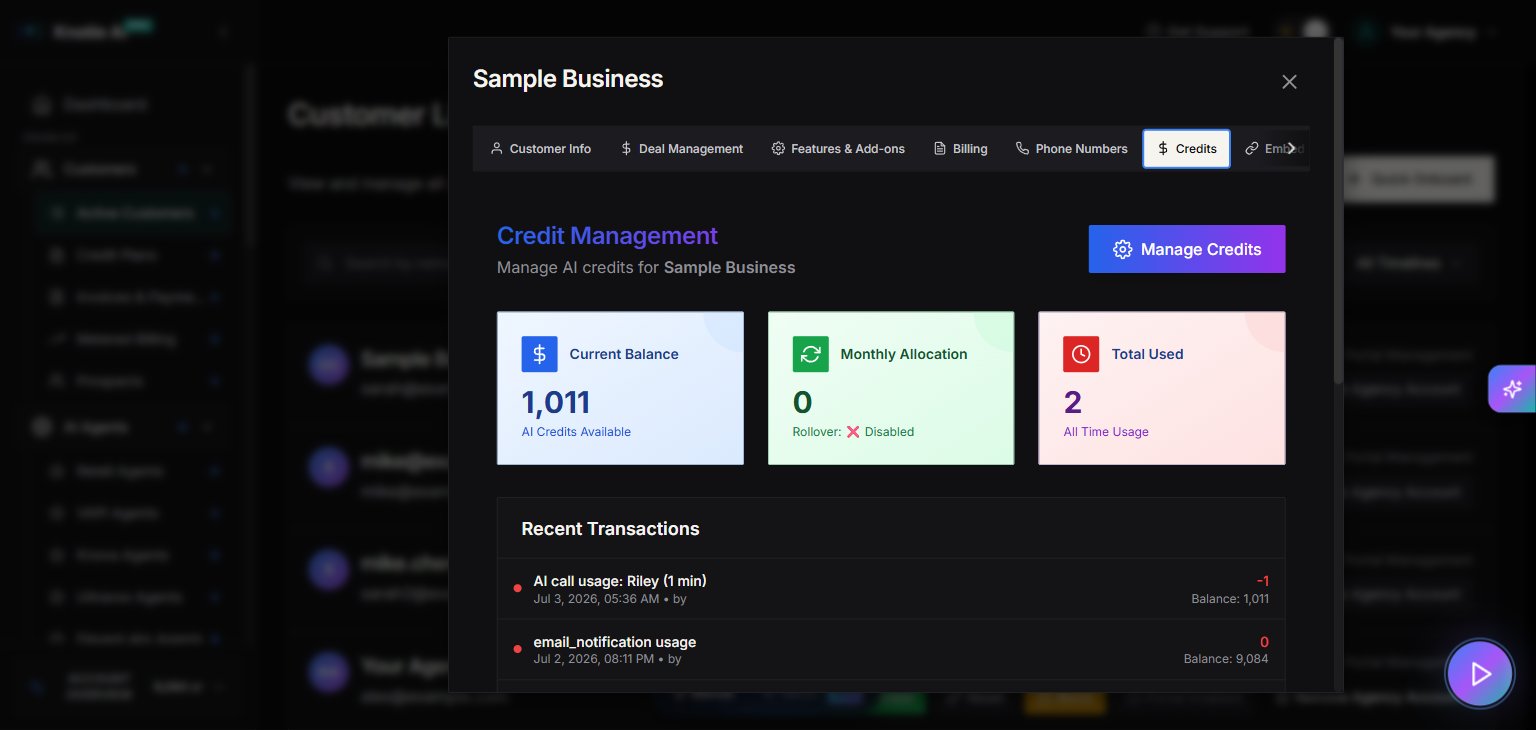
4. Select the **Credits** tab.
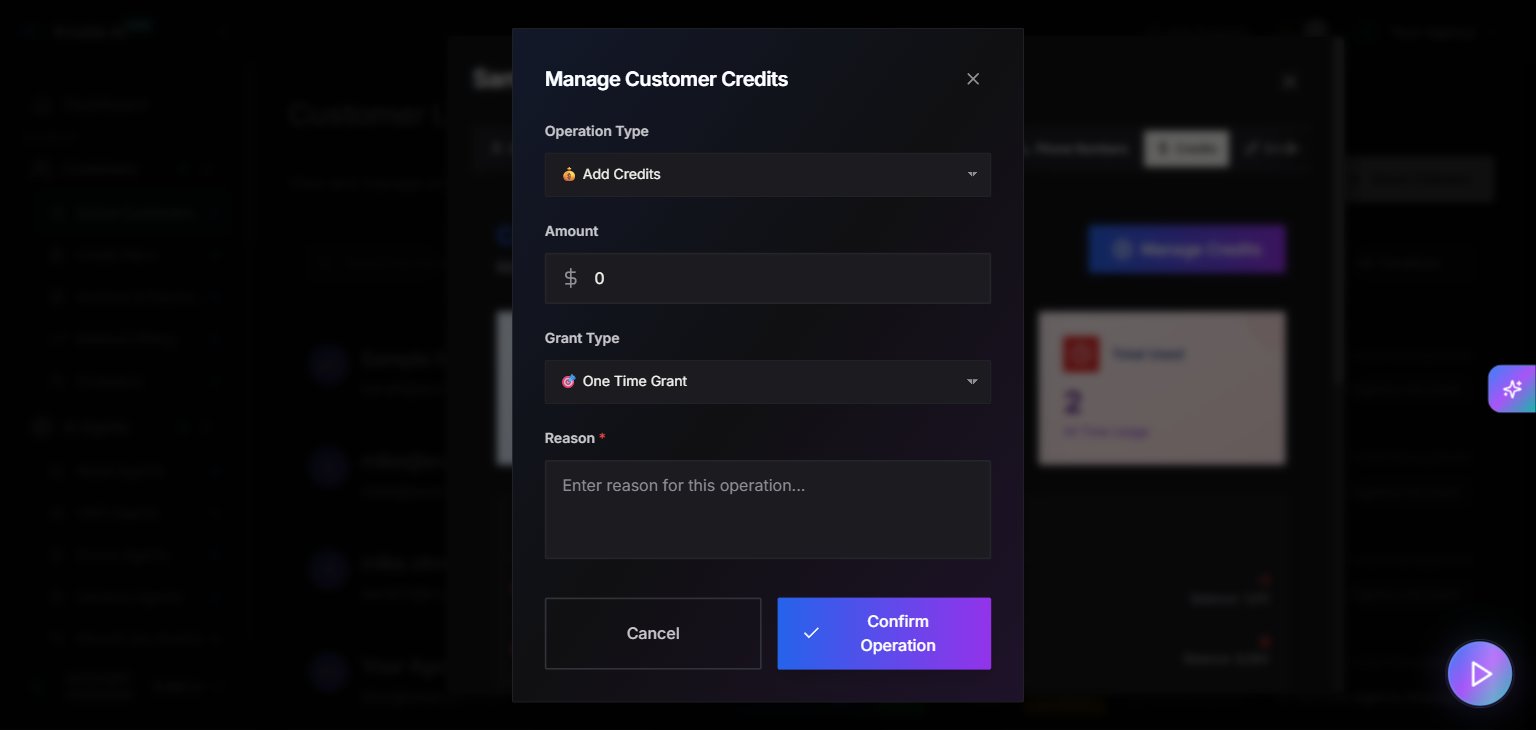
5. Open **Manage** to configure customer credit settings.
## Credits tab
The **Credits** tab provides customer-level credit management.
Use it to:
* View customer credit status
* Apply credits or adjustments (where supported)
## AI Credits Enabled (feature toggle)
In **Features & Add-ons**, you can enable **AI Credits**.
When enabled:
* The UI displays: *“Charge customer using AI Credits instead of dollar pricing.”*
* Low-credit notifications can be configured.
When AI credits are enabled, you can configure:
* **Enable Notifications**
* **Low Credit Threshold**
This sends branded email alerts when credits reach the threshold.
## Important interaction: pricing visibility
When AI credits are enabled, pricing display may be disabled.
The UI indicates that **“Show Pricing Information”** is disabled while AI credits are enabled.
## Screenshots