> ## Documentation Index
> Fetch the complete documentation index at: https://docs.knotie-ai.pro/llms.txt
> Use this file to discover all available pages before exploring further.
# Credits
> Understand the two credit balances, how to top up, and how to avoid running out mid-call.
## The two credit balances
Knotie AI keeps two separate credit balances so you always know where your spending is going.
### AI Credits
**AI Credits** cover the platform and AI side of things:
* AI agent processing
* Platform features and add-ons
* Knowledge base processing
* Email and SMS notifications
* API usage
They're used whenever an AI agent handles a call, generates a response, or uses a platform feature.
### Telephony Credits
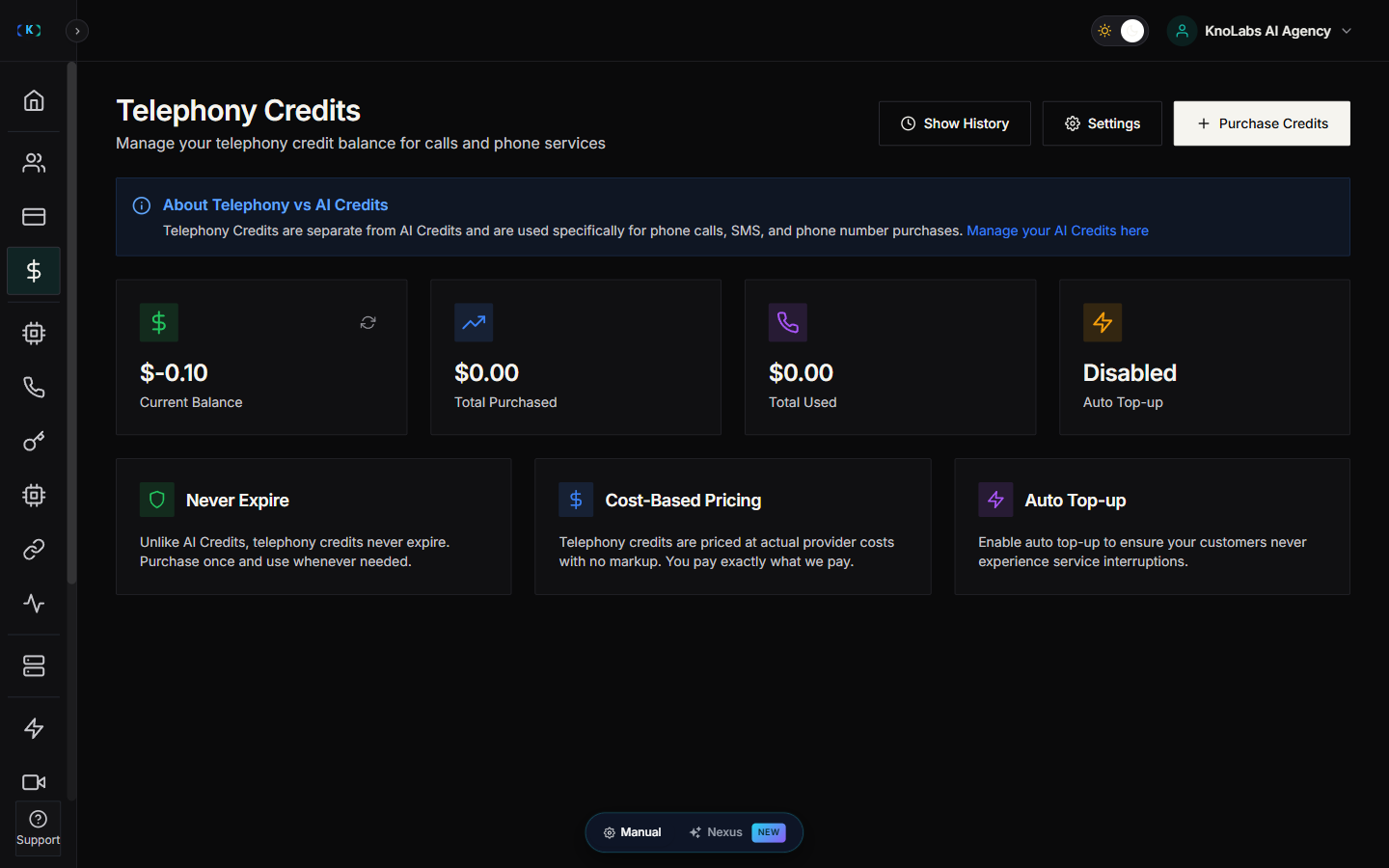
**Telephony Credits** cover phone and calling costs:
* Inbound call minutes
* Outbound call minutes
* Phone number rentals
* SMS messaging
They're used whenever a call is made or received, or when a phone number is set up.
### Why two balances?
Keeping them separate makes it easier to:
* **See your costs clearly** — you know exactly what's going to AI versus phone usage.
* **Price your services** — you can set different markups for each.
* **Manage your budget** — top up each one on its own, based on how you actually use it.
You can see both balances on the **Credits** page and in the **Account Overview** box in the sidebar.
## Where to find it
Open **Credits** in the Partner Portal sidebar.
## Check your balances
The Credits page shows your current AI Credits and Telephony Credits balances. If a balance is running low, the portal warns you so you can top up before any calls are affected.
## Top up
1. Open **Credits**.
2. Click **Purchase Credits** at the top of the page.
3. Choose a credit package.
4. Complete payment.
Your credits are applied as soon as the payment goes through.
## View your history
1. Open **Credits**.
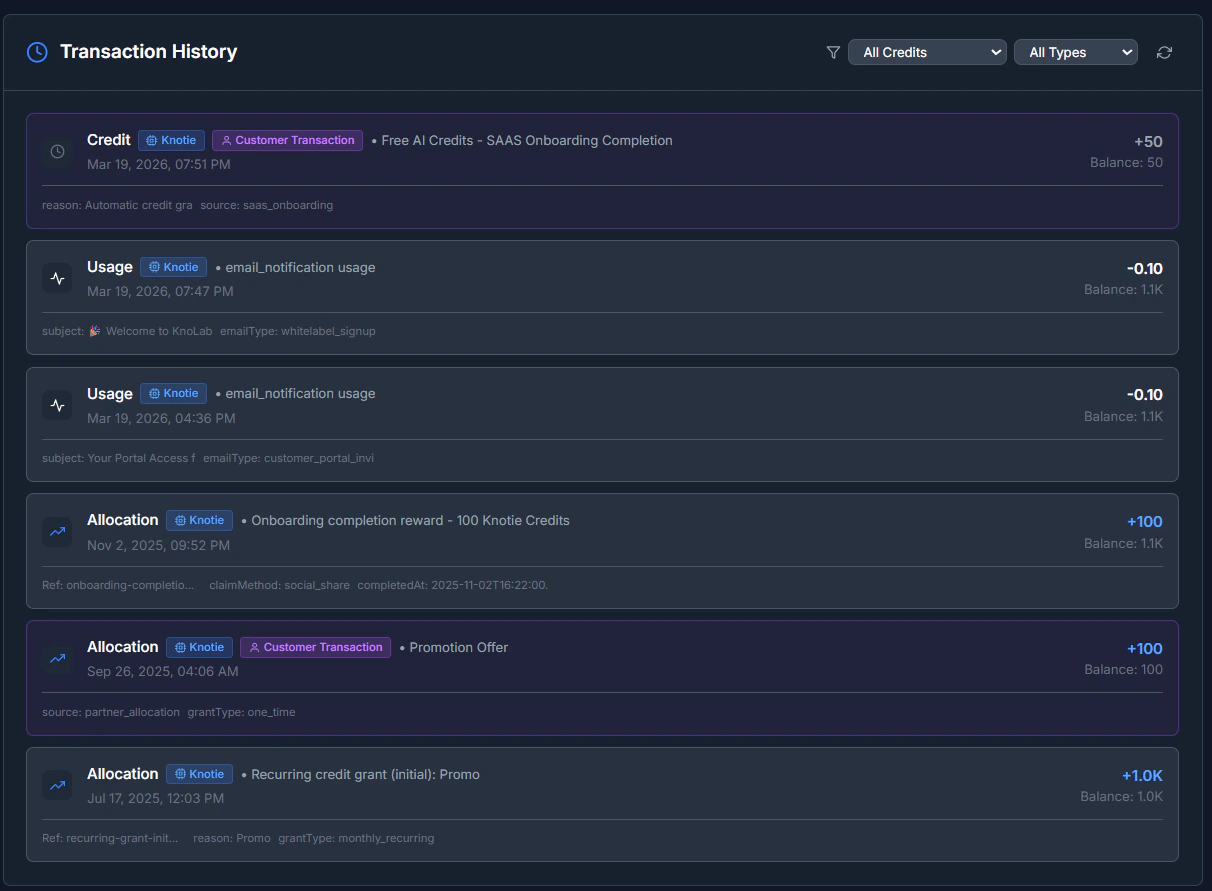
2. Click **Show History**.
3. Review your purchases, usage, and any adjustments.
## Low-balance alerts
1. Open **Credits**.
2. Click **Settings**.
3. Set up low-balance alerts so you're warned before you run low.
## Common questions
### Why do I need two balances?
Most agencies find it clearer to keep platform usage and phone usage apart — it's simpler for accounting, and it makes pricing your own services easier.
### What happens if I run out?
A low or empty balance can cause calls to fail or stop. Top up early to avoid any interruption.
## Troubleshooting
* **Payment went through but credits didn't appear**
* Refresh the Credits page.
* Wait a minute or two and refresh again.
* If they're still missing, contact support.
* **Payment was cancelled**
* Nothing was charged.
* Reopen Credits and try again.
## Screenshots