> ## Documentation Index
> Fetch the complete documentation index at: https://docs.knotie-ai.pro/llms.txt
> Use this file to discover all available pages before exploring further.
# Onboarding checklist
> Complete the partner profile wizard, then work through the 6-step setup checklist in the Partner Portal and unlock your first reward.
## Overview
When you first log into the Partner Portal, you'll be guided through **two flows**, in order:
1. **Partner Onboarding Wizard** — a short, full-screen popup that captures your agency profile (industries you serve, products you'll sell, your AI comfort level, and your goal). It only runs once and shapes the rest of your experience.
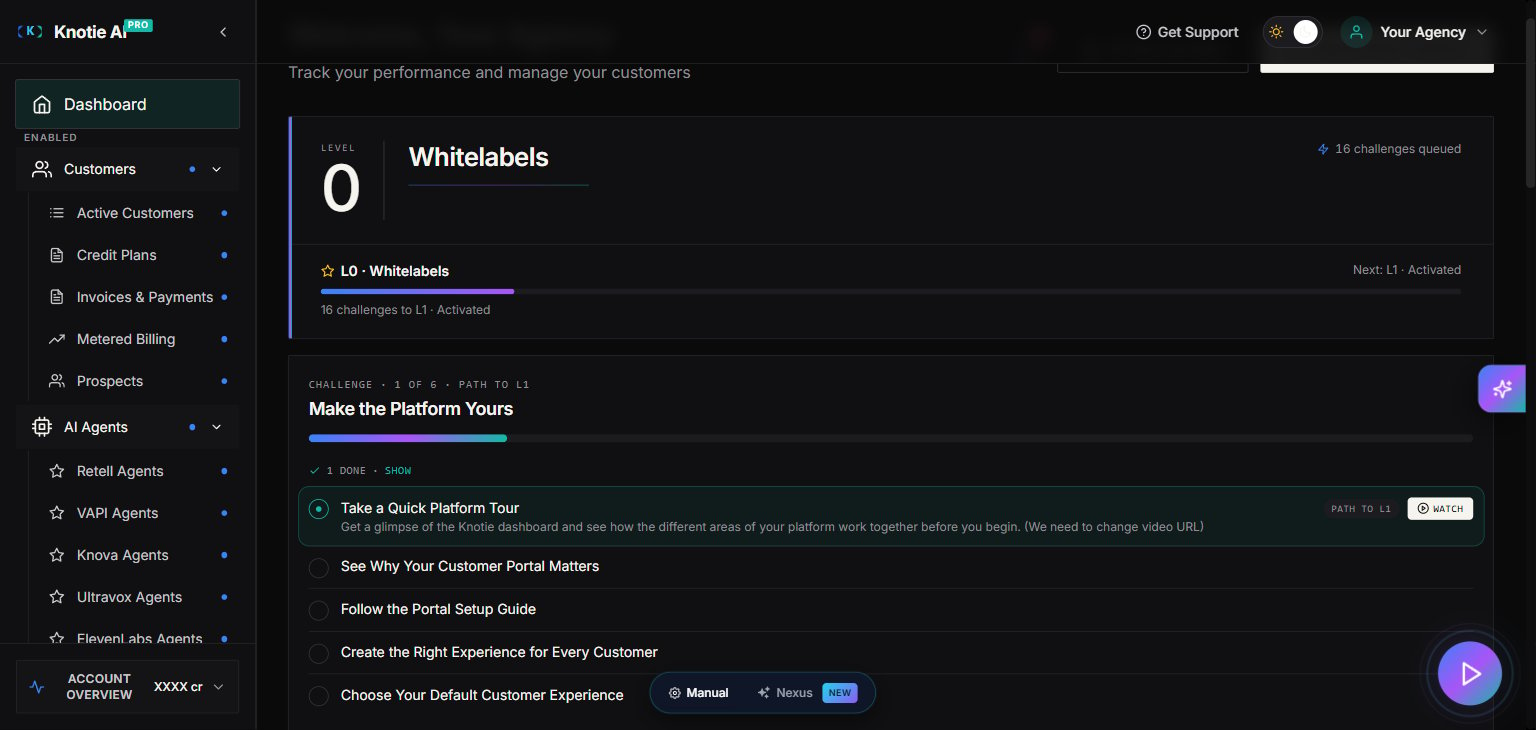
2. **6-Step Onboarding Checklist** — the per-workspace setup tasks that take you from "blank portal" to "first paying customer."
**Completion Reward:** Finish all 6 checklist steps to unlock a special reward (details shown in the checklist).
## 1. Partner Onboarding Wizard (one-time)
The wizard appears the first time you open the Partner Portal after signup. It walks you through 5 short steps:
| # | Step | What you pick |
| - | -------------------- | ----------------------------------------------------------------------------------------------------------------------------------------------------------------------------------------------------------------------------------------------------------------------------------------------------------------------------------------------------------------------------------------------------------------------------------------------------- |
| 1 | **Who you serve** | The industries your customers are in (Real estate, Healthcare, Home services, Legal, Auto dealerships, Restaurants, Fitness & wellness, E-commerce, B2B SaaS, Finance, Insurance, Education, Travel & hospitality, Logistics, Marketing agencies, Recruiting, Nonprofits, Government, Manufacturing, Beauty & salons, Dental practices, Solar & energy, Med spas). Select all that apply. |
| 2 | **What you'll sell** | The AI products and services you plan to offer (AI voice agents, AI chat agents, SMS receptionist, Email & outreach automation, Inbound lead qualification, Outbound AI dialers, AI appointment setters, AI customer support, Knowledge assistants, AI content agent, OpenClaw web agent, AI operating system, AI business audits, AI security audits, Resell AI API credits, AI-ready servers & VPS, Metered billing & credits, White-label resell). |
| 3 | **Your AI comfort** | Explorer, Builder, or Scale — the level that best matches your team's current AI experience. |
| 4 | **Your goal** | A monthly target (revenue, customers, or any number you want to track). |
| 5 | **Ready** | A summary of your picks. Click **Finish** to save. |
Your selections power the recommendations, prompts, and default views you see across the portal. The wizard only runs once — pick the options that best match your agency today. You can reach the team at [support@knotie-ai.pro](mailto:support@knotie-ai.pro) if you need help changing your selections later.
## 2. The 6 Onboarding Steps
After the wizard, work through these in order to set up your Knotie AI Pro workspace:
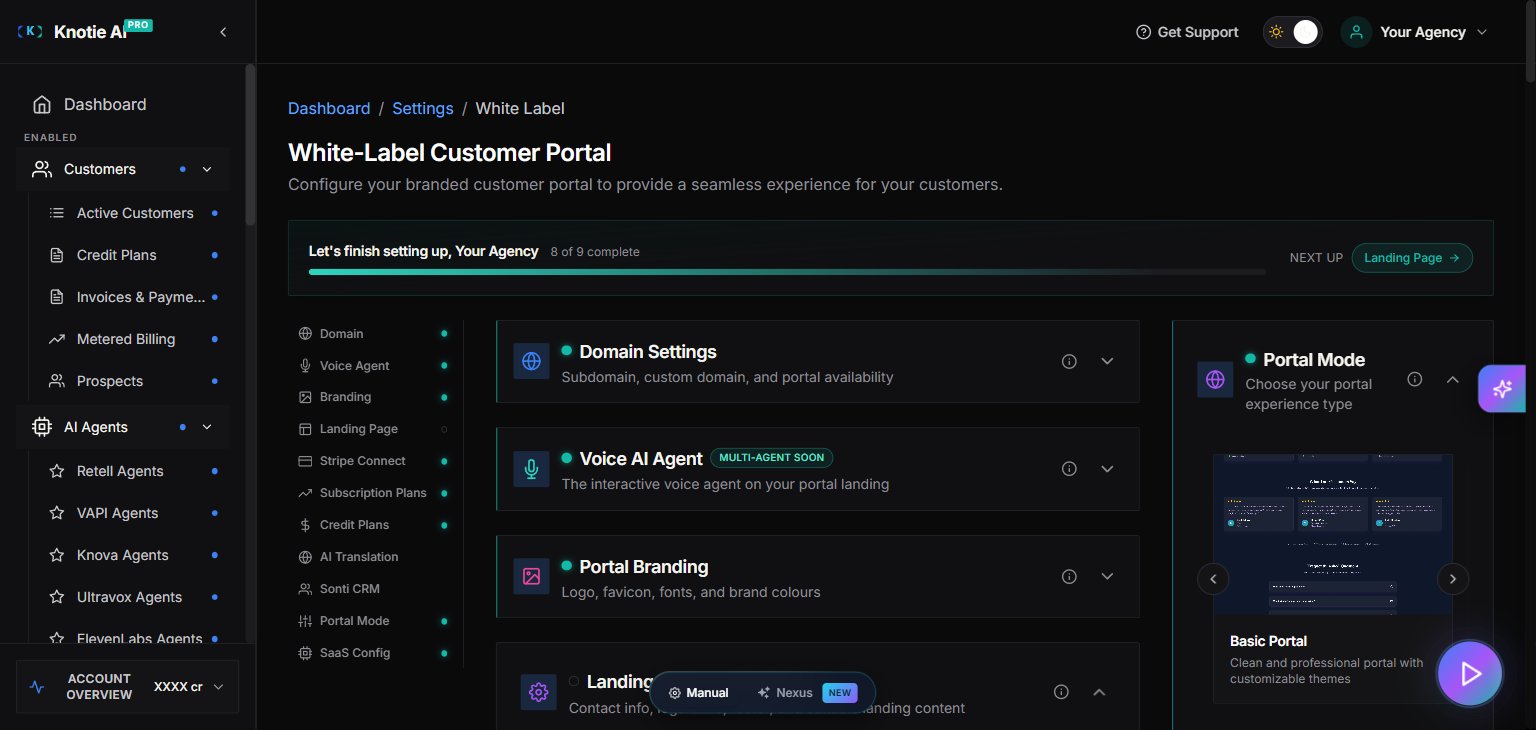
### 1. Customize Your Pod
Go to **Settings → White-Label Portal** and configure your portal branding.
### 2. Onboard Your First Customer
Navigate to **Customers** and use the **Quick Onboard** feature to add a customer.
### 3. Import an Agent
Go to **AI Agents** and create or import your first agent (Retell or VAPI).
### 4. Review Analytics
Visit **Agent Analytics** in the sidebar to confirm data is flowing and review your usage.
### 5. Complete Email Whitelabeling
Go to **Settings → Email Domain Management** and configure your custom email domain.
### 6. Set Up Payments
Navigate to **Settings** and connect Stripe when you're ready to start charging customers.
## Helpful Tips
**Need help?** Click the floating tutorial video button in the bottom-right corner. It provides a quick walkthrough for whatever page you're currently viewing.
**Work at your own pace:** Your progress is automatically saved, so you can complete the checklist gradually across multiple sessions.
**Already completed the wizard?** The progress bar at the top of the dashboard tracks your 6-step checklist. If you skipped the wizard on first login, the wizard will keep re-appearing on the dashboard until you finish it.
## Screenshots