> ## Documentation Index
> Fetch the complete documentation index at: https://docs.knotie-ai.pro/llms.txt
> Use this file to discover all available pages before exploring further.
# How to onboard a customer
> Create a customer profile and get them ready to use their portal.
## Overview
As a partner or agency, onboarding a customer is the first step to setting up their portal experience.
In the Partner Portal, customer onboarding is designed to be fast.
## What you’ll need
* Customer name and contact details
* Which portal URL you want to use (subdomain or custom domain)
## Before you onboard customers
Make sure your whitelabel portal is set up:
* A subdomain or verified custom domain is configured
* Customer portal is enabled
If it’s not complete, Knotie AI Pro will show a reminder banner inside Customers.
## Steps
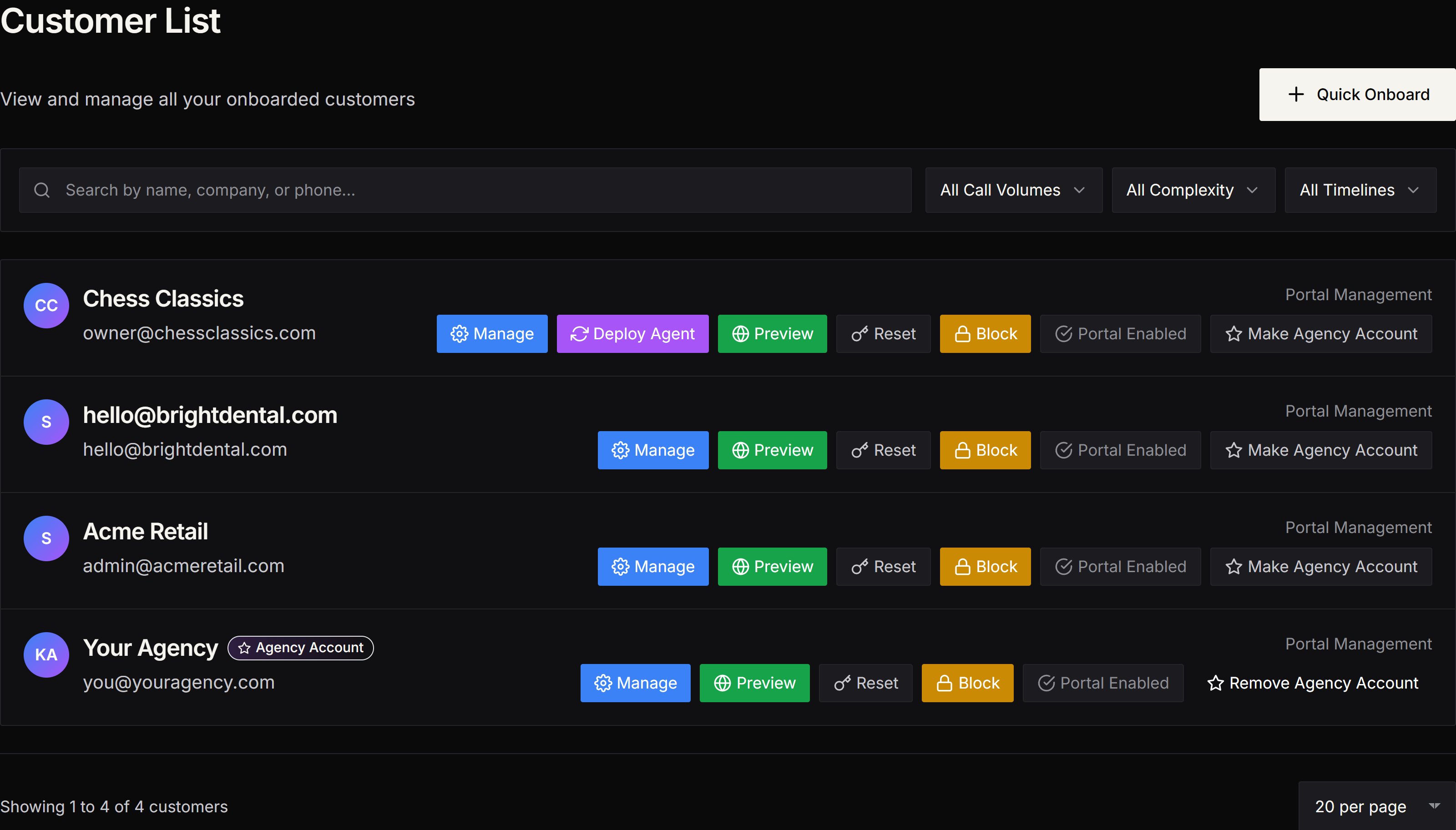
1. In the Partner Portal, go to **Customers**.
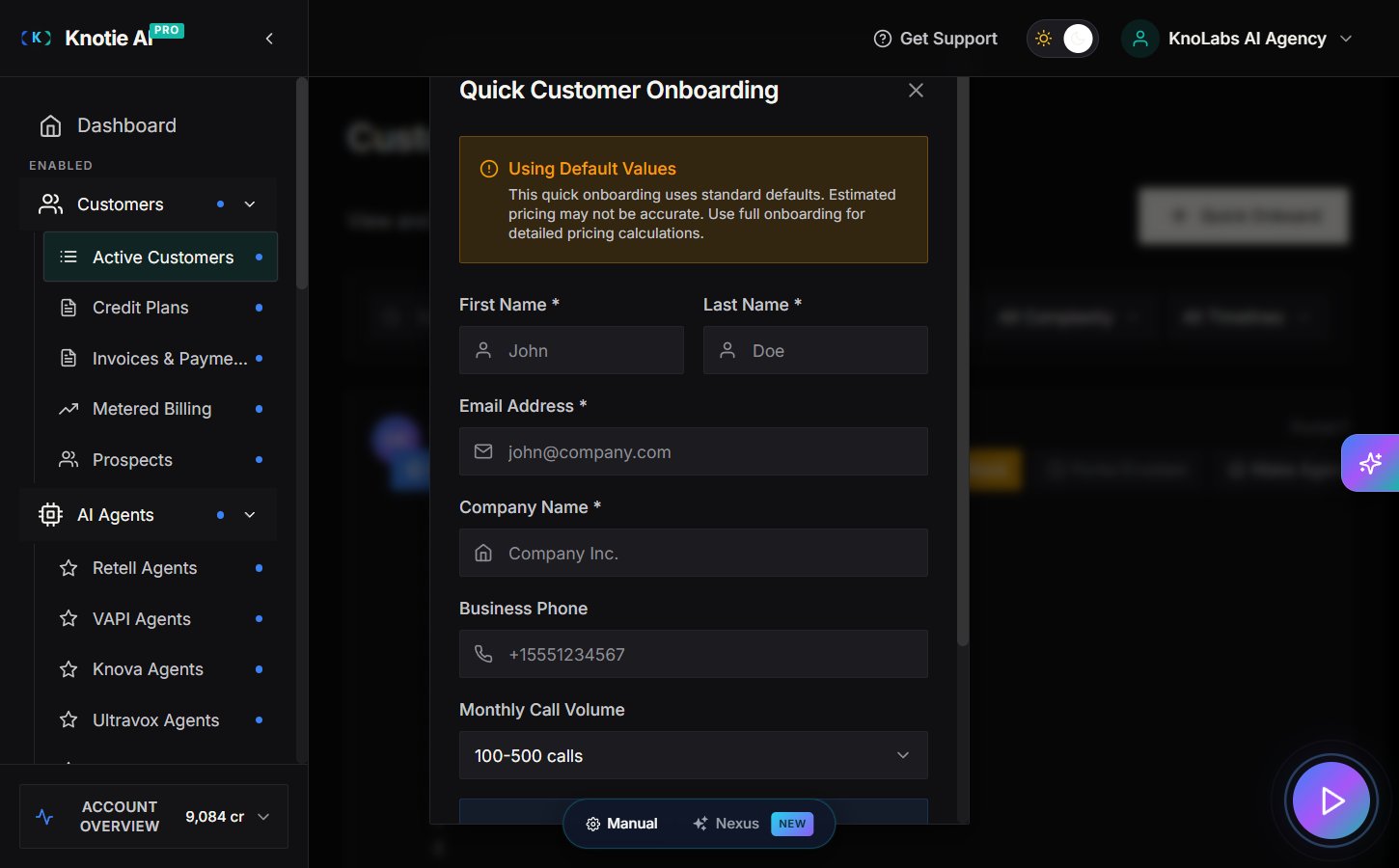
2. Click **Quick Onboard**.
3. Fill in the customer details.
4. Confirm and submit.
## Free Forever limits
On Free Forever, you can onboard up to **2 customers**.
If you reach the limit, the app will show an upgrade prompt.
## After onboarding
From the Customers list you can:
* Open **Manage** to change customer settings
* **Preview** the customer portal (opens a temporary preview window)
* **Reset** the customer’s portal password
* **Block** portal access if needed
## Screenshots
 ## Next steps
* Configure portal modes and what sections the customer can see
* Import or create an agent and map it to the customer
* Set up email domain (optional)
## Next steps
* Configure portal modes and what sections the customer can see
* Import or create an agent and map it to the customer
* Set up email domain (optional)