> ## Documentation Index
> Fetch the complete documentation index at: https://docs.knotie-ai.pro/llms.txt
> Use this file to discover all available pages before exploring further.
# Documents and folders
> Keep private documents in the customer's Docs & Media library and organize them in folders.
Customers can keep documents such as PDFs, Word files, and spreadsheets in **My Docs & Media**, alongside their images and videos. Documents are private: they don't get a public link, and they can only be opened by the customer or by agents connected to their account.
## Supported files
Each document can be up to **50 MB**.
| Type | Files |
| - | - |
| Documents | PDF, Word (DOC, DOCX), Excel (XLS, XLSX), PowerPoint (PPT, PPTX) |
| Text and data | TXT, Markdown, CSV, JSON |
Documents count toward the same storage limit as images and videos. See [Docs & Media library](/customer-management/media-library#storage-limits).
## Upload a document
1. In the customer portal, open **My Docs & Media**.
2. Open the folder you want to use, or stay in **Home**.
3. Select **Upload** and choose the file.
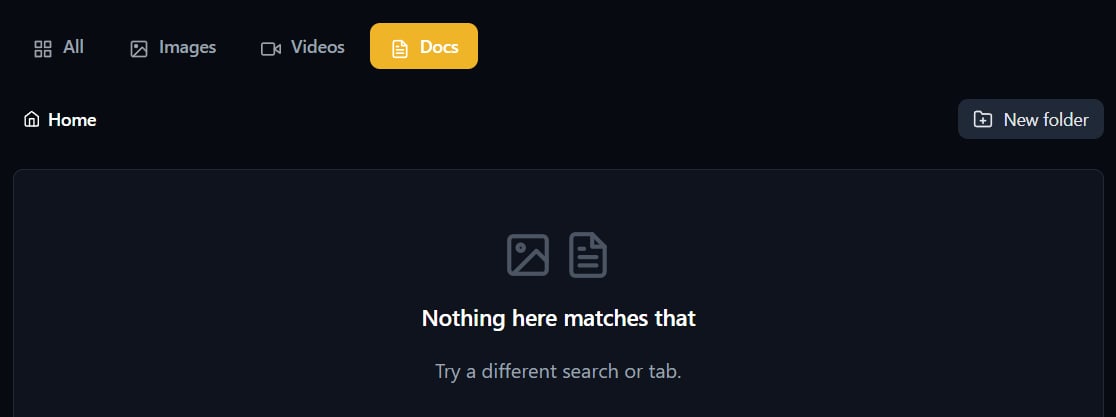
To see only documents, select **Docs**.
 ## Download a document
Select **Download** on the document. The download link only works for a few minutes, so it can't be shared with other people.
## Organize with folders
* **Create a folder:** select **New folder**, type a name, and confirm. Folders can sit inside other folders, up to 10 levels deep.
* **Move between folders:** open a folder to go into it. Select **Home** to return to the top level.
* **Move a document:** select **Move to…** on the document and choose the folder.
* **Rename, move, or delete a folder:** use the folder's menu.
Deleting a folder also deletes every document inside it. This can't be undone.
To delete a single document, select **Delete** on it and confirm.
## Use documents with AI agents
Agents connected to the customer's account can list documents, open them, create folders, and save text — for example, a summary written at the end of a call. The saved file appears in the customer's library straight away.
For tool names and settings, see [MCP media tools](/api-reference/mcp/media-tools).
## Related pages
* [Docs & Media library](/customer-management/media-library)
* [Features, add-ons, and menu visibility](/partner-portal/customers/features-addons-and-menu-visibility)
* [MCP media tools](/api-reference/mcp/media-tools)
* [Storage](/partner-portal/storage)
This documentation is built and hosted on [Mintlify](https://mintlify.com), a developer documentation platform.
## Download a document
Select **Download** on the document. The download link only works for a few minutes, so it can't be shared with other people.
## Organize with folders
* **Create a folder:** select **New folder**, type a name, and confirm. Folders can sit inside other folders, up to 10 levels deep.
* **Move between folders:** open a folder to go into it. Select **Home** to return to the top level.
* **Move a document:** select **Move to…** on the document and choose the folder.
* **Rename, move, or delete a folder:** use the folder's menu.
Deleting a folder also deletes every document inside it. This can't be undone.
To delete a single document, select **Delete** on it and confirm.
## Use documents with AI agents
Agents connected to the customer's account can list documents, open them, create folders, and save text — for example, a summary written at the end of a call. The saved file appears in the customer's library straight away.
For tool names and settings, see [MCP media tools](/api-reference/mcp/media-tools).
## Related pages
* [Docs & Media library](/customer-management/media-library)
* [Features, add-ons, and menu visibility](/partner-portal/customers/features-addons-and-menu-visibility)
* [MCP media tools](/api-reference/mcp/media-tools)
* [Storage](/partner-portal/storage)
This documentation is built and hosted on [Mintlify](https://mintlify.com), a developer documentation platform.