> ## Documentation Index
> Fetch the complete documentation index at: https://docs.knotie-ai.pro/llms.txt
> Use this file to discover all available pages before exploring further.
# Manage GoHighLevel (GHL) voice agents
> Bring GHL voice agents into Agent Analytics using webhooks and customer mapping.
## What GHL agent management does
GHL agents in Knotie AI are designed for agencies already using GoHighLevel.
The main value is:
* Bring GHL voice activity into **Agent Analytics**
* Map activity to customers
* Track costs and outcomes
## Where to find it
1. In the Partner Portal sidebar, go to **AI Agents → Voice Agents → GHL Agents**.
GHL Agents carries a **Premium Feature** badge in the sidebar. Free Forever or lower-tier partners may see an upgrade prompt.
## Watch the setup tutorial
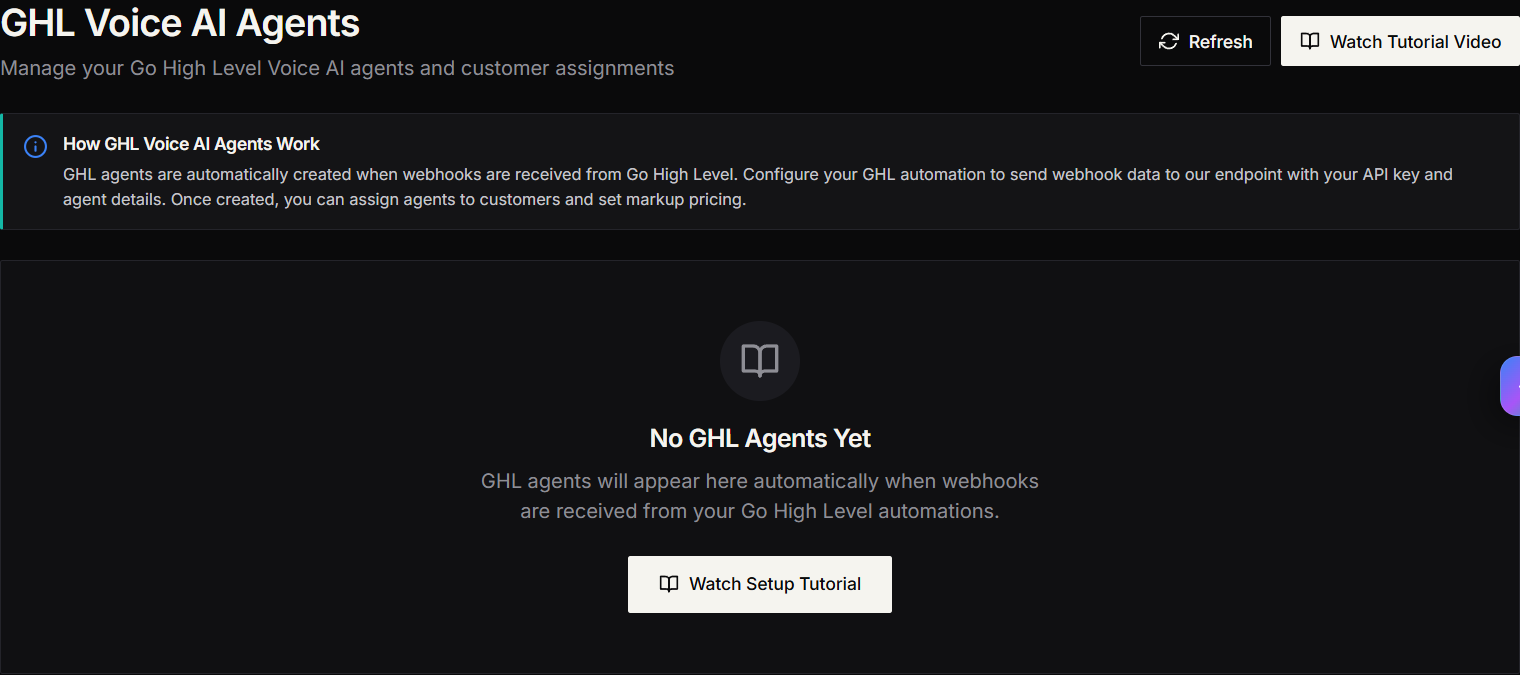
On the GHL agents page, you’ll see buttons like:
* **Watch Tutorial Video** / **Watch Setup Tutorial**
Use it to learn how to:
* Configure webhook URLs in Go High Level
* Map agents to customers
* Set profit multipliers
* Test the integration
The tutorial opens on YouTube:
* [https://www.youtube.com/watch?v=g9QLjDoFWrA\&t=197s](https://www.youtube.com/watch?v=g9QLjDoFWrA\&t=197s)
## When agents will appear
GHL agents typically show up after webhooks are received from your GoHighLevel automations.
If the list is empty:
* Confirm your webhook is installed correctly.
* Trigger a test event from GHL.
* Click **Refresh**.
## Map an agent to a customer
1. Open the agent actions.
2. Choose the mapping option.
3. Select a customer.
4. Set your markup (profit multiplier).
## Screenshots